- 11 -
English
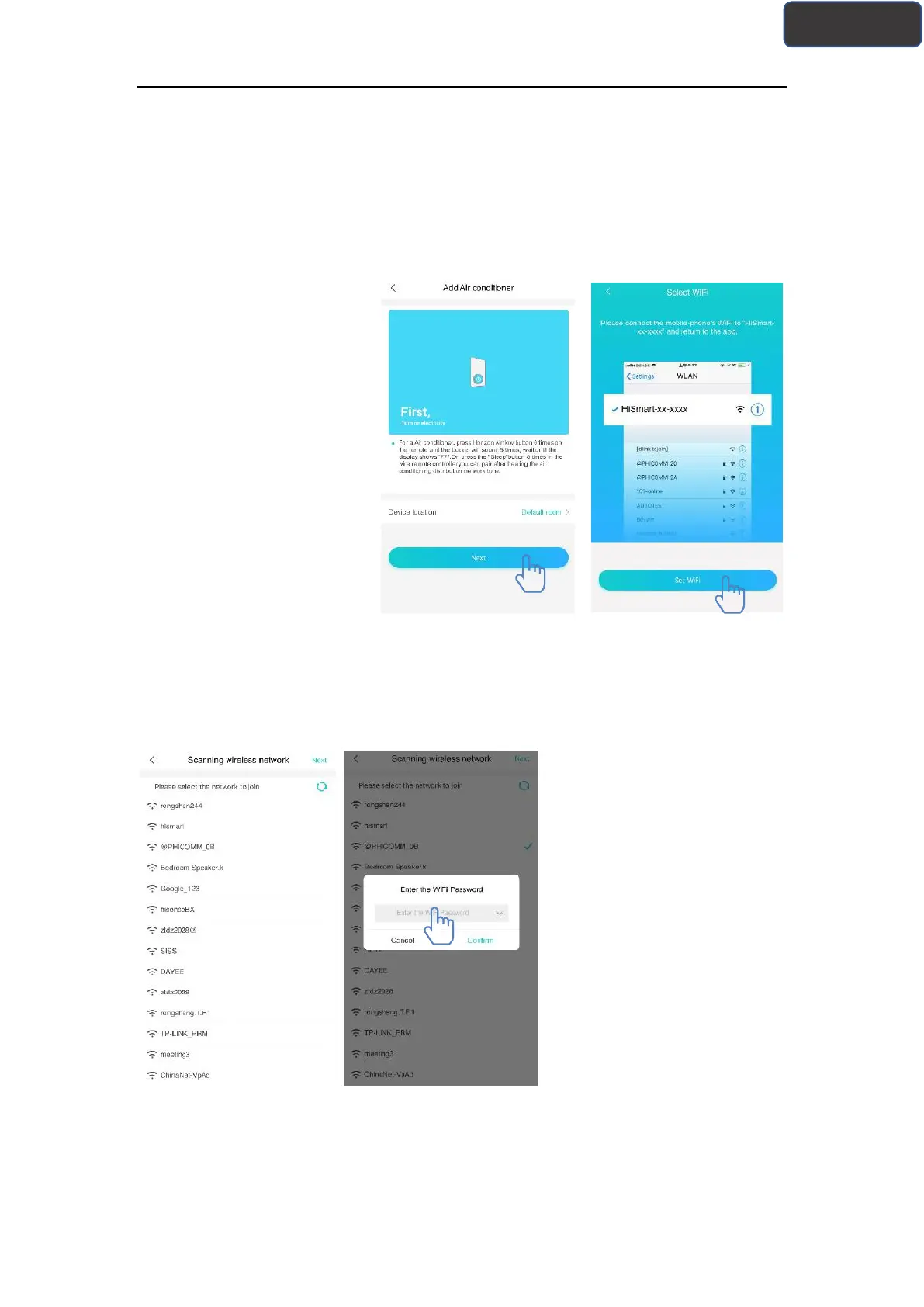
The left picture is preparation
interface, user follow the tips
to make settings. Then select
“Next”. The right picture
instructs users how to connect
device.
Step 1:After click “Set WiFi”,
user should open the WiFi
settings on your iphone or
tablet and select the network
which contain "HiSmart-xx-
xxxx" in the name.
After successfully connecting
to the device, please return to
HiSmart app manually. Step 2:
please select the wireless
network to join and enter the
password of your wireless
router, please wait until the
pairing is complete.



 To Next Page