- 15 -
English
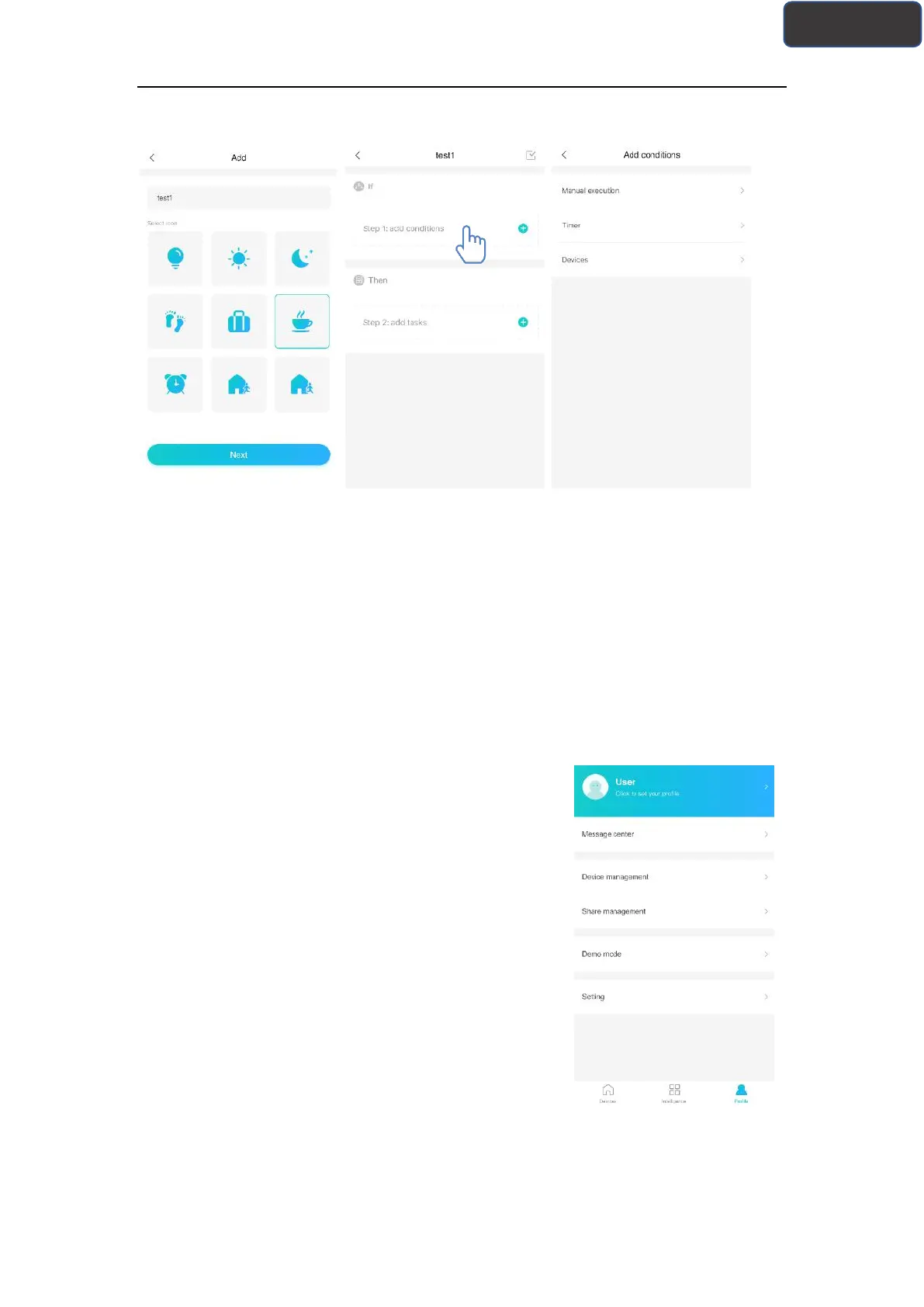
Manual Execution, Timer and Device
Manual Execution: Favorite function, for air conditioner, users can set power on/off,
mode, temp and fan speed at once; for dehumidifier, users can set power on/off, mode,
humidity and fan speed at once.
Timer: Weekly timer function, users can set 7*24 timer for their devices.
Device: Linkage function, users can set the room temp conditions or room humidity
condition from devices, when the condition is reached, control the device switch. For
example, when the temp/humidity is higher or lower than a specified value, then make
the device on or off.
The last one is “Profile”, in this part, users can make
some general settings and management.
--Message center: Device fault information.
--Device management: Check or change device settings.
Share management: Check the sharing status.
--Demo mode: Experience device operation.
--Setting: General settings.



 To Next Page