EasyManua.ls Logo

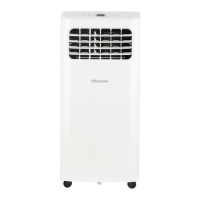
Hisense AP-10CR1SEJS - User Manual

Hisense AP-10CR1SEJS
38 pages
Print Icon
To Next Page IconTo Next Page
Loading...
1-877-465-3566
Portable Air Conditioner Use & Care Guide
For questions about features, operation/performance, parts or service, call:
o servicio, llame al:
Para preguntas sobre características, funcionamiento, rendimiento, piezas
1-877-465-3566
Model#: AP-10CR1SEJS
AP-12CR1SEJS
AP-14DR1SFJS2
Question and Answer IconNeed help?

Do you have a question about the Hisense AP-10CR1SEJS and is the answer not in the manual?

Summary

Identification of Parts

Air Conditioner Safety

Important Safety Instructions

Essential precautions to reduce fire, electric shock, or injury risks.

Disposing of the Unit

Guidelines for safe and environmentally responsible disposal of the air conditioner.

Installation Requirements

Tools and Parts

Lists required tools and included parts for installation.

Location Requirements

Specifies ideal placement and clearance for the air conditioner.

Electrical Requirements

Details the necessary power supply and outlet specifications.

Installation Instructions

Unpack the Air Conditioner

Instructions for carefully removing the air conditioner from packaging.

Install Exhaust Hose and Adapter

Steps to connect the exhaust hose and window adapter.

Window Installation

Guide for installing the window slider kit for exhaust.

Complete Installation

Final steps to secure the installation, including window lock.

Portable Air Conditioner Use

Starting Your Portable Air Conditioner

Initial steps to power on and begin operating the unit.

Using the Remote Control

Explains how to insert batteries and operate the remote.

Temperature Control

Instructions for setting and adjusting the desired temperature.

Operating Modes

Details the different operating modes like Cooling, Dry, Fan Only, Heating.

Fan Speed Selection

How to select and adjust the fan speed (Auto, High, Med, Low).

Quick Cooling;Heating (SUPER Mode)

How to activate fast cooling or heating modes.

Smart Operation Mode

Description of the automatic mode based on room temperature.

I FEEL Sensor Feature

Description of the sensor feature that adjusts temperature based on room conditions.

Sleep Mode Operation

How to activate sleep mode for a more comfortable environment.

Display Brightness Control (DIMMER)

Function to turn off the display lights.

Clock and Timer Functions

Steps to set the clock and timer for unit operation.

Airflow Direction Control (SWING)

How to adjust the airflow direction using the swing function.

Portable Air Conditioner Care

Draining the Air Conditioner

Procedure for removing collected water from the unit.

Cleaning the Outside

Steps for cleaning the exterior surfaces of the air conditioner.

Cleaning the Air Filter

Detailed instructions on how to clean the air filter for optimal performance.

Storing After Use

Guide on how to properly store the unit when not in use.

Troubleshooting

Unit Fails to Operate

Common causes and solutions when the unit fails to power on.

Circuit Breaker and Fuse Problems

Troubleshooting steps for blown fuses or tripped circuit breakers.

Power Cord Reset Troubleshooting

How to reset the power supply cord and potential causes.

Excessive Unit Operation

Explains why the unit might seem to run constantly.

Brief or Ineffective Unit Operation

Addresses issues where the unit runs but doesn't cool effectively or for long.

Understanding Display Error Codes

Explains error codes displayed on the unit and their meanings.

Ineffective Cooling Performance

Addresses issues where the unit runs but doesn't cool effectively.

Frequent Unit Cycling

Explains why the unit might cycle on and off too often.

Assistance or Service

Ordering Replacement Parts

Guidance on how to order factory-specified replacement parts.

Product Registration

Warranty

Warranty Coverage Exclusions

List of services and damages not covered by the warranty.

Warranty Limitations and Exclusions

Detailed terms, conditions, and limitations of the product warranty.

Summary

Identification of Parts

Air Conditioner Safety

Important Safety Instructions

Essential precautions to reduce fire, electric shock, or injury risks.

Disposing of the Unit

Guidelines for safe and environmentally responsible disposal of the air conditioner.

Installation Requirements

Tools and Parts

Lists required tools and included parts for installation.

Location Requirements

Specifies ideal placement and clearance for the air conditioner.

Electrical Requirements

Details the necessary power supply and outlet specifications.

Installation Instructions

Unpack the Air Conditioner

Instructions for carefully removing the air conditioner from packaging.

Install Exhaust Hose and Adapter

Steps to connect the exhaust hose and window adapter.

Window Installation

Guide for installing the window slider kit for exhaust.

Complete Installation

Final steps to secure the installation, including window lock.

Portable Air Conditioner Use

Starting Your Portable Air Conditioner

Initial steps to power on and begin operating the unit.

Using the Remote Control

Explains how to insert batteries and operate the remote.

Temperature Control

Instructions for setting and adjusting the desired temperature.

Operating Modes

Details the different operating modes like Cooling, Dry, Fan Only, Heating.

Fan Speed Selection

How to select and adjust the fan speed (Auto, High, Med, Low).

Quick Cooling;Heating (SUPER Mode)

How to activate fast cooling or heating modes.

Smart Operation Mode

Description of the automatic mode based on room temperature.

I FEEL Sensor Feature

Description of the sensor feature that adjusts temperature based on room conditions.

Sleep Mode Operation

How to activate sleep mode for a more comfortable environment.

Display Brightness Control (DIMMER)

Function to turn off the display lights.

Clock and Timer Functions

Steps to set the clock and timer for unit operation.

Airflow Direction Control (SWING)

How to adjust the airflow direction using the swing function.

Portable Air Conditioner Care

Draining the Air Conditioner

Procedure for removing collected water from the unit.

Cleaning the Outside

Steps for cleaning the exterior surfaces of the air conditioner.

Cleaning the Air Filter

Detailed instructions on how to clean the air filter for optimal performance.

Storing After Use

Guide on how to properly store the unit when not in use.

Troubleshooting

Unit Fails to Operate

Common causes and solutions when the unit fails to power on.

Circuit Breaker and Fuse Problems

Troubleshooting steps for blown fuses or tripped circuit breakers.

Power Cord Reset Troubleshooting

How to reset the power supply cord and potential causes.

Excessive Unit Operation

Explains why the unit might seem to run constantly.

Brief or Ineffective Unit Operation

Addresses issues where the unit runs but doesn't cool effectively or for long.

Understanding Display Error Codes

Explains error codes displayed on the unit and their meanings.

Ineffective Cooling Performance

Addresses issues where the unit runs but doesn't cool effectively.

Frequent Unit Cycling

Explains why the unit might cycle on and off too often.

Assistance or Service

Ordering Replacement Parts

Guidance on how to order factory-specified replacement parts.

Product Registration

Warranty

Warranty Coverage Exclusions

List of services and damages not covered by the warranty.

Warranty Limitations and Exclusions

Detailed terms, conditions, and limitations of the product warranty.

Hisense AP-10CR1SEJS Specifications

General IconGeneral
BrandHisense
ModelAP-10CR1SEJS
CategoryAir Conditioner
LanguageEnglish

Related product manuals