
 Need help?
Do you have a question about the Hisense AP-12CR1SEJS and is the answer not in the manual?
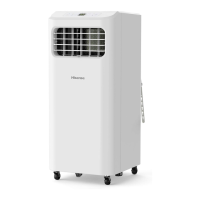
Identifies components on the front of the air conditioner.
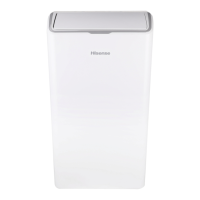
Identifies components on the back of the air conditioner.
Lists critical precautions for safe operation and installation.
Guidelines for safe and environmentally responsible disposal of the appliance.
Lists necessary tools and parts for installation.
Specifies ideal placement and clearance for the air conditioner.
Details electrical specifications and safety for power connection.
Steps for safely removing the air conditioner from its packaging.
Connects the exhaust hose and window adapter for venting.
Guides on installing the window slider kit for proper venting.
Step-by-step guide to power on and set up the unit.
Explains different operating modes like Cool, Dry, Fan Only, and Heat.
Details how to select fan speed for optimal cooling or airflow.
Instructions for operating the air conditioner with the remote.
Explains the purpose of each button on the remote control.
How to turn the air conditioner unit on and off.
Adjusting the set temperature for cooling or heating.
How to use the sleep mode for comfortable environment.
Utilizes a remote sensor to adjust temperature for maximum comfort.
Controls display brightness and panel lights.
Setting and adjusting the real time on the unit.
Setting the unit to turn on or off automatically.
Adjusting vertical airflow direction using the swing function.
Describes common operational sounds the unit may produce.
Procedures for draining collected water from the unit.
Instructions for cleaning the exterior surfaces of the unit.
Steps for removing and cleaning the air filter for optimal performance.
Guidelines for proper storage of the unit when not in use.
Solutions for when the unit fails to turn on or function.
Addresses issues related to power surges or circuit overloads.
Explains why the power cord reset button may trip and how to reset it.
Diagnoses for excessive or prolonged unit operation.
Explains why the unit may cycle on and off quickly without cooling.
Interprets error codes displayed on the unit.
Guidance on ordering factory-specified replacement parts.
Instructions for recording model and serial numbers for service.
How registration helps in safety notifications.
Registration serves as proof of purchase for insurance.
Benefits of registering within ten days of purchase.
Lists exclusions from the product warranty coverage.
Details warranty limitations and consumer responsibilities.
 General
| Energy Efficiency Ratio (EER) | 12.0 |
|---|---|
| Power Supply | 220-240V/50Hz |
| Refrigerant | R410A |
| Features | Dehumidification |
| Type | Split System |
| Outdoor Unit Noise Level | 52 dB(A) |
| Cooling Capacity | 12000 BTU |
| Indoor Unit Noise Level | 36 dB(A) |
| Indoor Unit Dimensions (WxHxD) | 800 x 285 x 195 mm |
| Air Flow (Indoor Unit) | 500 m³/h |
| Power Consumption (Cooling) | 1000 W |




 To Next Page

