Need help?
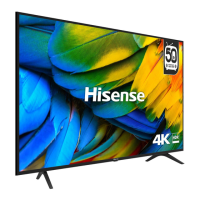
Do you have a question about the Hisense H50A6100 and is the answer not in the manual?
Paragraphs beginning with the symbol ! indicate important instructions, tips or conditions for the following settings.
To ensure safe and correct use of this product, always comply with the following precautions to avoid dangerous situations and damage to your unit.
Guidelines for safely moving and transporting the TV, including handling the screen.
Instructions for connecting the power supply and managing the power cable safely to avoid hazards.
Recommendations for proper TV placement and initial setup to ensure stability and safety.
Ensuring proper ventilation and managing high temperatures for safe operation and longevity.
Information on the LED screen, including potential defects and basic care instructions.
Warnings about potential interference from radio waves with medical or automatic equipment.
Safety notes on built-in wireless LAN and potential off-gassing from new components.
Safety advice on child supervision, volume limits, and precautions during thunderstorms.
Recommendations for disconnecting the TV during extended periods of absence to save power.
Guidelines for cleaning, avoiding unauthorized modifications, and professional service/repair.
Safety regarding remote control batteries, packaging, and outdoor antenna grounding.
Instructions for proper disposal of the product and its components according to regulations.
Be sure to disconnect the A/C power cord and protect the LED display when installing the base stand.
Follow instructions provided with the Wall mount bracket. Note screw diameter and length may differ.
Explains the function of the single button on the TV front for remote sensor, power indicator, and standby operations.
Connect your TV to your network by connecting the LAN port to an external modem or router using a LAN cable.
Connect your TV wirelessly by using a wireless router or modem with a built-in Wireless LAN Adapter.
Details on connecting antennas (VHF/UHF, Satellite) to ANT1 and ANT2 jacks.
Instructions for connecting audio devices via Digital Audio Out and video/audio devices via HDMI.
Guide for connecting video and audio devices using AV inputs.
Information on inserting CI+ modules and cards for accessing channels and service providers.
Guidelines for connecting USB devices, including power consumption and compatibility.
Step-by-step instructions for installing batteries in the remote control, ensuring correct polarity.
Information on the effective operating range and angles for the remote control to function correctly.
Information on WEEE, battery disposal, and RoHS directive compliance for the product.
Notices regarding HDMI and Dolby Audio trademarks and licensing agreements.
This document is a user manual for a Hisense television, providing essential information for its safe and optimal use, setup, and maintenance. The manual emphasizes safety instructions, proper installation procedures, and guidelines for handling the device to ensure longevity and prevent damage.
The primary function of this device is to render video and audio signals, designed for use in a home or office environment, either on a tabletop or wall-mounted. It is not intended for use in areas with high humidity or dust concentration. The TV supports various input sources, including antenna connections for DVB-T/T2/C and DVB-S/S2, HDMI for high-definition audio and video, AV IN for older devices, and USB ports for media playback and external storage. It also features a built-in wireless LAN adapter for network connectivity, supporting both wired (Ethernet) and wireless (Wi-Fi) setups.
The TV is designed for ease of use with a remote control that provides comprehensive functionality. The remote allows users to:
The TV's front panel includes a single button that serves multiple purposes: it acts as a remote sensor, a power indicator (red in standby), and a multi-function control. When in standby, pressing it turns the TV on. When the TV is on, pressing it calls up a menu, and if "Power Off" is selected, it puts the TV back into standby. It also allows users to toggle left/right for volume adjustment and forward/backward for channel selection, and to select input signal sources.
For network connectivity, the TV supports both wired and wireless connections. For wired setup, users connect the TV's LAN port to an external modem or router using an Ethernet cable. For wireless setup, the TV utilizes its built-in Wireless LAN Adapter to connect to a wireless router. The manual advises keeping the distance between the router and TV less than 10 meters for smooth network performance and notes that the TV supports WPA, WEP, and WPA2 security systems.
The manual provides detailed instructions for the care and maintenance of the TV to ensure its longevity and safe operation.
The manual also includes information on recycling and licenses, emphasizing compliance with European Directives for WEEE (Waste Electronic Electric Equipment), Battery Directive, and ROHS (Restriction of Hazardous Substance). It also acknowledges HDMI and Dolby Laboratories trademarks.
 General
| Screen Size | 50 inches |
|---|---|
| Display Type | LED |
| Smart TV | Yes |
| HDMI Ports | 3 |
| USB Ports | 2 |
| Wi-Fi | Yes |
| Refresh Rate | 60 Hz |
| Bluetooth | No |
| Sound Output | 20 W |
| Weight | 10.5 kg |
| HDR Support | HDR10 |
| Resolution | 3840 x 2160 (4K UHD) |
| Operating System | VIDAA U |

 To Next Page