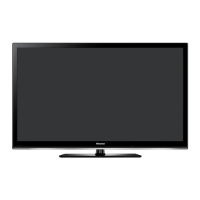
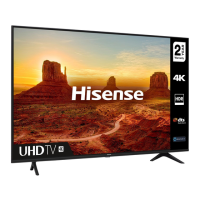
This document serves as a Quick Setup Guide for Hisense H32B5100 and H40B5100 television models, providing essential information for initial setup and safe operation. It is recommended to read this guide thoroughly and retain it for future reference, with more detailed instructions available in the User Manual.
Function Description
The Hisense H32B5100 and H40B5100 are television sets designed for individual non-commercial use. They allow access to various content and services, subject to copyright, patent, trademark, and other intellectual property rights. The televisions feature a single button for remote sensor, power indicator, and standby functions. They support multiple input sources, volume adjustment, and channel changes. The TV includes ports for antenna, digital audio out, HDMI (with ARC support), AV input, USB, and headphone output. It also supports Common Interface (CI+) modules for accessing encrypted channels.
Usage Features
- Initial Setup:
- After connecting all necessary cables, plug the mains cable into the mains socket.
- The first time the TV is turned on, it will guide you through an Installation Guide.
- Use the D-pad arrows on the remote control to navigate menus and change settings, and the [OK] button to confirm selections.
- You can select your desired language, country, and choose between retail mode (for shopping malls) or home use.
- The setup process includes tuning options for channels.
- Remote Control:
- The remote control allows access to various functions including power, source selection, zoom, mute, sleep timer, audio language, subtitle display, and quick access to favorite programs.
- It also features buttons for menu navigation, exit, electronic program guide (EPG), picture mode, channel up/down, volume up/down, sound mode, number buttons for direct channel access, and a "Recall" button to return to the last viewed program.
- Media mode functions include Play/Pause, Stop, and navigation controls.
- To install batteries, slide the back cover, insert two AAA size batteries matching the polarity, and close the cover. The remote control has an operational range of approximately 8 meters, with a 30-degree angle from the sensor.
- TV Controls (Front Panel):
- The single button on the TV's front panel serves multiple purposes:
- Remote Sensor: Receives signals from the remote control. Ensure nothing obstructs it.
- Power Indicator: Displays a red light in standby mode.
- Standby / Source (Power On/Off, Input Selection): Press to power on. Press and hold to power off. When on, press to move focus to input selection, then press and hold to select among different input signal sources.
- VOL + / - (Volume Adjustment): Press to move focus to volume control, then press and hold to adjust volume up or down.
- CH ▲ / ▼ (Channel Change): Press to move focus to channel control, then press and hold to change channels up or down.
- Connections:
- Antenna: Connect an outdoor antenna or satellite antenna using an antenna cable (75Ω) to the ANT OUT port.
- Digital Audio Out: Connect to an audio amplifier/speaker using a digital audio cable.
- HDMI: Multiple HDMI ports are available. HDMI (ARC) allows audio return channel functionality. Connect to DVD/Blu-Ray players, AV receivers, or set-top boxes.
- AV In: Connect to VCR/DVD players, recorders, set-top boxes, satellite receivers, or video cameras using RCA jack to AV cables (Red for Right audio, White for Left audio, Yellow for Video).
- Headphone: Connect headphones for private listening. Be aware that excessive sound pressure can cause hearing loss.
- USB: Connect hard disks or USB hubs. Ensure connected devices have their own power supply if high current consumption is expected. The USB port supports 5V.
- Common Interface (CI+): Insert a CI+ module with a SmartCard (obtained from your service provider) to access encrypted channels. Ensure the TV is switched off before inserting or removing the module.
- Wall Mounting:
- The TV can be mounted on a wall using a compatible wall mount bracket (optional, sold separately). Refer to the wall mount bracket's instructions for installation. The wall mount hole pattern is 100 × 200 mm, and the screw size is M6.
- Stand Installation:
- Place the TV face-down on a soft, flat surface.
- Insert the two base stands into the bottom slots of the TV.
- Secure the base stands with the provided M4×25 screws.
Maintenance Features
- Cleaning:
- Always unplug the TV from the wall outlet before cleaning.
- Use a lightly dampened cloth for cleaning.
- Avoid using liquid, abrasive, or aerosol cleaners, as they can permanently damage the cabinet and screen.
- Ventilation:
- Ensure proper ventilation by not covering the slots and openings in the cabinet.
- Do not place the TV in a confined space like a built-in cabinet without adequate ventilation.
- Maintain a minimum 10cm gap around the unit, and ensure the rear of the TV is at least 6cm away from the wall.
- Power Cord Protection:
- Route power supply cords to prevent them from being walked on or pinched.
- Pay attention to cords at the plug, wall outlets, and where they exit the TV.
- The main plug serves as the disconnect device and should remain readily operable.
- Lightning Protection:
- During a lightning storm or when the TV is left unattended for long periods, unplug it from the wall outlet and disconnect the antenna or cable system to prevent damage from lightning or power-line surges.
- Battery Handling:
- Do not mix new and old batteries, or batteries of different types.
- Do not expose batteries to heat, direct sunlight, or fire.
- Ensure batteries are inserted with correct polarity.
- Dispose of used batteries according to local regulations, not as domestic waste.
- Servicing:
- Do not attempt to service the TV yourself, as opening covers may expose you to dangerous voltages. Refer all servicing to qualified service personnel.
- Unplug the TV and seek service if the power supply cord or plug is damaged, liquid has spilled into the TV, objects have fallen into it, the TV has been exposed to rain or water, it does not operate normally, it has been dropped, the cabinet is damaged, or if it exhibits a distinct change in performance.
- Safety Precautions:
- Never place the TV on an unstable location to prevent falls and potential injury.
- Use only manufacturer-recommended stands or furniture that can safely support the TV.
- Ensure the TV does not overhang the edge of supporting furniture.
- Anchor tall furniture and the TV to a suitable support if placing the TV on it.
- Avoid placing cloth or other materials between the TV and supporting furniture.
- Educate children about the dangers of climbing on furniture to reach the TV.
- The TV should be situated away from heat sources and naked flame sources.
- The TV may emit a plastic smell initially, which is normal and will dissipate over time.
- To fully disconnect the TV, remove the power plug from the wall socket, ensuring it is readily accessible.

 Need help?
 General

 To Next Page