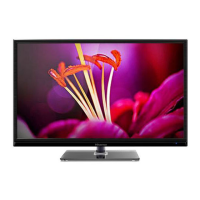
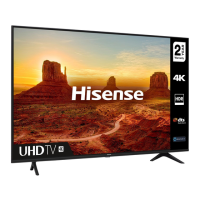
This document serves as a comprehensive user manual for a Hisense television, providing essential information for its safe operation, installation, and maintenance. It emphasizes the importance of understanding the manual's contents before initial use to ensure optimal performance and safety.
Function Description
The Hisense TV is designed for rendering video and audio signals in a home or office environment. It supports various input sources, including antenna, cable, satellite, HDMI, and AV connections, allowing users to watch broadcast television, connect external media devices, and access smart TV features. The TV features a user-friendly interface with an on-screen display (OSD) menu for navigating settings and selecting input sources. It includes a remote control for convenient operation, offering functions such as power control, input selection, channel navigation, volume adjustment, and access to special features like the Electronic Program Guide (EPG) and subtitle mode. The TV also incorporates a built-in wireless LAN adapter for network connectivity, enabling access to online content and services.
Usage Features
The TV offers several features to enhance the user experience:
- Installation Flexibility: The TV can be placed on a tabletop using the provided stand or mounted on a wall with a compatible wall-mount bracket (not included). The manual provides detailed instructions for both installation methods, including how to secure the stand and manage cables.
- Intuitive Controls: The TV can be operated using a single button on the unit itself for basic functions like power on/off and input selection, or through the comprehensive remote control. The remote control includes dedicated buttons for common actions such as INFO, ALL APPS, GUIDE, CH.List, and special function buttons, along with navigation keys for menu interaction.
- Network Connectivity: With a built-in wireless LAN adapter, the TV can connect to a wireless network, supporting IEEE 802.11a/b/g/n/ac protocols. It also has an Ethernet port for wired network connections, recommending the use of a modem or router that supports Dynamic Host Configuration Protocol (DHCP) for easy setup.
- Multiple Input Options: The TV is equipped with multiple HDMI ports (supporting 4K@60Hz), AV IN, USB ports, and antenna inputs (DVB-T/T2/C and DVB-S/S2) to connect a wide range of external devices such as DVD/Blu-Ray players, game consoles, sound systems, and USB storage devices.
- Digital Audio Output: A digital audio out port allows for connection to external audio amplifiers or sound systems, providing enhanced audio quality.
- Common Interface (CI+) Slot: The TV includes a CI+ slot for inserting a CI+ module and SmartCard, enabling access to encrypted channels from service providers.
- First-Time Setup Wizard: Upon initial power-on, the TV guides the user through an installation wizard to configure essential settings such as language, country, time zone, and network connection, ensuring a smooth setup process.
- Bluetooth Remote Control: The manual mentions a Bluetooth remote control module (WNF150) with a frequency range of 2.402~2.480GHz, indicating advanced remote control capabilities that may include voice command and quick access buttons to apps.
Maintenance Features
Proper maintenance is crucial for the longevity and safe operation of the TV:
- Cleaning and Care: The TV, screen, and remote control should be cleaned with a soft, moist, clean, and color-natural cloth. Harsh chemicals, insect repellents, solvents, thinners, or other volatile substances should be avoided as they can degrade surface quality. Direct spraying of water or liquids onto the TV is prohibited to prevent product failure. The display panel is fragile and should be handled with care to avoid scratches. The power plug should be wiped with a dry cloth regularly.
- Battery Handling: The remote control requires AAA size batteries. Users are instructed to install batteries correctly, matching the polarity, and to avoid mixing old and new batteries or different types. Used batteries should be disposed of according to local regulations, not as domestic waste.
- Ventilation and Temperature: Adequate ventilation is essential to prevent overheating and potential fire hazards or premature component failure. The TV should be installed with at least 10 cm free space on the sides and 20 cm above for air circulation. Ventilation openings should not be blocked.
- Power Supply Precautions: Only the supplied power cable should be used, and the power plug must be easily accessible for disconnection. The TV should be connected to a power supply with the correct voltage and frequency. Overloading power outlets is dangerous. After powering off, it is recommended to wait 5 seconds before turning it on again to prevent abnormal TV behavior.
- Protection Against Environmental Factors: The TV should not be exposed to rain, moisture, dripping, or splashing water. Objects filled with liquids should not be placed on or over the unit. Direct air-conditioning and naked flames should be avoided. In case of a thunderstorm, the power plug and antenna cables should be disconnected to prevent overvoltage damage.
- Service and Repair: Users are explicitly warned not to remove the cover or back of the TV as there are no user-serviceable parts inside. All servicing should be referred to qualified service personnel. Unauthorized modifications void the warranty and pose risks of electric shock and fire.
- Packaging Disposal: Anti-moisture materials and plastic bags from the packaging should be kept out of reach of children due to suffocation and ingestion risks.
- Recycling and Licenses: The manual provides information on the proper disposal of the TV and batteries in accordance with WEEE (Waste Electronic Electric Equipment) and Battery Directives, emphasizing recycling to conserve natural resources and protect human health. It also mentions compliance with ROHS (Restriction of Hazardous Substance) Directive.

 Need help?
 General

 To Next Page