This document is a Quick Start Guide for the Hisense H5C Series Smart TV, designed to help users quickly set up and understand their new television. It emphasizes ease of use, smart features, and environmental responsibility by encouraging online access to the full user manual.
Function Description:
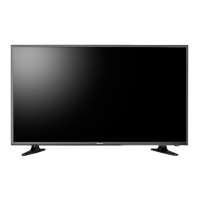
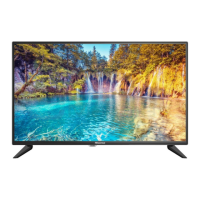
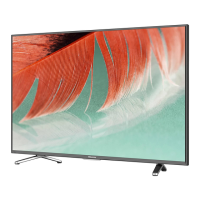
The Hisense H5C Series Smart TV is a modern LED television offering a range of smart features and multiple connectivity options. It provides a high-quality picture and sound experience, coupled with a simple and intuitive user interface. The TV is designed for entertainment, offering ultra-fast access to streaming services like Netflix®, a variety of built-in social media, gaming, and movie apps, and thousands of movie titles and streaming content. It also supports screen-sharing capabilities through "Air bridge technology." The TV is equipped with multiple ports for connecting external devices, including HDMI, USB, LAN (Ethernet), and various audio/video inputs. Its easy setup menu and simple design aim to make the initial configuration and daily navigation straightforward for users.
Important Technical Specifications:
Model Names: 50H5C* and 55H5C* (where '*' would be replaced by any number, English letter, or blank).
Dimensions (W × H × D):
- 50H5C:*
- Without Stand: 44.1 × 25.5 × 3.1 inches (1119 × 648 × 80mm)
- With Stand: 44.1 × 27.5 × 9.7 inches (1119 × 698 × 247 mm)
- 55H5C:*
- Without Stand: 48.8 × 28.2 × 3.3 inches (1239 × 717 × 83 mm)
- With Stand: 48.8 × 30.4 × 10.3 inches (1239 × 771 × 262 mm)
Weight:
- 50H5C:*
- Without Stand: 28.2 lbs (12.8 kg)
- With Stand: 28.9 lbs (13.1 kg)
- 55H5C:*
- Without Stand: 36.4 lbs (16.5 kg)
- With Stand: 38.1 lbs (17.3 kg)
Active Screen Size (Diagonal):
- 50H5C*: 49.5 inches
- 55H5C*: 54.6 inches
Screen Resolution: 1920 × 1080 (1080p Full High Definition)
Audio Power: 10 W + 10 W for both models
Power Consumption:
- 50H5C*: 120W
- 55H5C*: 150W
Power Supply: 120 V ~ 60 Hz
Receiving Systems:
- Analog: NTSC
- Digital: ATSC / QAM
Key Apps: Netflix, Vudu, YouTube, Amazon Instant Video, Pandora, and Opera App (Some apps only for USA).
Ports:
- 3 HDMI ports (one with ARC support)
- 2 USB ports (DC 5V = 0.5A (MAX))
- 1 LAN port for Ethernet
- 1 Digital Audio Output
- 1 RF Input (Antenna/Cable)
- 1 Earphone Audio Output
- RCA Composite Video Input (1 L/R Audio Input, 1 Video Input)
- RCA Component Video Input (1 L/R Audio Input, 1 Y/PB/PR Input)
- 480i / 60 Hz, 480 P / 60 Hz, 720 P / 60 Hz, 1080 I / 60 Hz, 1080 P / 60 Hz
- RGB / 60 Hz (640×480, 800×600, 1024×768)
- YUV / 60 Hz (480 I, 480 P, 720 P, 1080 I, 1080 P)
Other Features: Smart TV, Wi-Fi, Dynamic contrast Picture, VESA standard wall mount support.
Usage Features:
- Smart LED TV with Popular Features:
- Ultra-fast access to Netflix®.
- Numerous built-in social media, gaming, and movie apps.
- Thousands of movie titles and streaming content.
- Air bridge technology for screensharing capability.
- Multiple Connection Methods:
- Built-in Wi-Fi® for wireless internet connectivity.
- 2 USB Connectors for browsing photos, music, and movies from a USB Memory Stick.
- 3 HDMI Connectors for High Definition Multimedia Interface devices.
- 1 LAN (Ethernet) port for wired network access.
- High-Quality Picture and Sound:
- Vibrant contrast and brightness for accurate image display.
- Crisp sound and powerful TV speaker output.
- 1080p full high definition (FHD) resolution.
- Easy Setup Menu and Simple Design:
- Short and easy-to-follow first-time setup menu.
- Simple user interface (UI) design for easy navigation.
- Descriptive features to assist in making selections.
- Remote Control: The TV comes with a remote control featuring an infrared transmitter. Buttons include power on/off, input source selection, channel/number entry, closed caption on/off, quick setup menu, D-pad for navigation, confirmation (OK) button, back, exit, home, volume up/down, channel up/down, mute, media content control (play, pause, stop, rewind, fast forward), adjust sleep timer, and quick access buttons to apps.
- Universal Remote Programming: The guide provides codes for programming a universal remote to control the Hisense TV, as well as codes for various Cable and Satellite providers to control their set-top boxes or satellite receivers with a universal remote.
Maintenance Features:
- TV Stand/Wall Mount Attachment: Instructions are provided for attaching the TV stand using screws (M4×20) or for mounting the TV to a wall using a third-party wall mount bracket. Specific screw lengths (9.5 - 11.5 mm) and VESA patterns (200x200 for 55H5C+, 200x400 for 50H5C+) are detailed for secure mounting. Spacers are recommended when attaching the wall mount.
- Battery Replacement: Instructions for opening the battery compartment, inserting two AAA batteries (matching positive and negative ends), and closing the compartment are included.
- Important Information about the remote and batteries:
- Discard batteries in a designated disposal area.
- Do not throw batteries into a fire.
- Remove batteries immediately to prevent damage if they are depleted or if the remote will not be used for a long time.
- Battery chemicals can cause a rash; if the batteries leak, clean the battery compartment with a cloth and wash skin immediately if contact occurs.
- Do not mix old and new batteries.
- Do not mix alkaline, standard (carbon-zinc), or rechargeable (NiCd, NiMH, etc.) batteries.
- Do not continue using the remote if it gets warm or hot.
- Troubleshooting Guide: A quick problem-solving tips section addresses common issues such as no sound/picture, external device connection problems, picture distortion, sound issues, and remote control malfunction, offering possible solutions like checking power cords, input selections, cable connections, and battery status.
- Environmental Responsibility: The guide encourages users to help Hisense improve the environment by reducing paper waste and accessing the full User Manual online for detailed instructions and feature descriptions.

 Need help?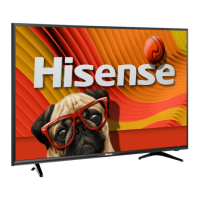




 To Next Page
 General