EasyManua.ls Logo

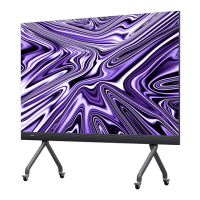
Hisense HAIO138 - User Manual

Hisense HAIO138
51 pages
Print Icon
To Next Page IconTo Next Page
Loading...
HAIO138
HAIO163
English
USER MANUAL
Read the manual carefully and ensure you have fully understood its contents
before operation this device for the first time
1303262 RSAG2.025.8462(0002)SS

Questions and Answers

  • N
    Natalie Jones DDSAug 11, 2025
    How to fix Hisense Monitor when there is no sound or picture?
    • M
      mikaylajacksonAug 11, 2025
      First, ensure the power cord of your Hisense Monitor is properly connected to a working wall outlet and that the outlet is energized. Next, verify that you have pressed the Power or Standby button. Finally, check the volume level to ensure it is not muted or set too low.
  • T
    Trevor HermanAug 17, 2025
    What to do if the Hisense HAIO138 Monitor remote control is not working?
    • C
      carterronaldAug 17, 2025
      First, check for any obstructions between the remote control and the Hisense Monitor's receiver. Next, verify that the batteries in the remote are correctly installed. Finally, try replacing the batteries with new ones.
  • E
    Erica LewisAug 23, 2025
    How to troubleshoot Hisense HAIO138 when the screen cannot be powered on?
    • W
      William HolmesAug 23, 2025
      First, check whether the power supply is connected to your Hisense Monitor. Next, check whether the power supply plug is properly connected. Then, check whether the power outlet has electricity. After that, check whether the AC switch is enabled. Finally, press the reset switch and start the system again.
  • J
    Julie CharlesAug 28, 2025
    What to do if sound and picture are disturbed on Hisense Monitor?
    • L
      Laurie MartinezAug 28, 2025
      Try to identify any appliances that might be interfering with your Hisense LCD monitor and move them away. As another solution, try plugging the LCD monitor’s power plug into a different outlet.
  • H
    hlambSep 3, 2025
    How to fix Hisense HAIO138 Monitor when the internal PC has no signal?
    • C
      Caleb MitchellSep 3, 2025
      Check whether the internal PC is properly inserted in the slot of your Hisense Monitor. Then, verify that the internal PC is not in shut down mode. Finally, press the power button on the internal PC to manually start it up.

Hisense HAIO138 Specifications

General IconGeneral
BrandHisense
ModelHAIO138
CategoryMonitor
LanguageEnglish

Related product manuals