This document is a Quick Setup Guide for Hisense televisions, specifically models HE32M2160HTS and HE40M2160FTS. It provides essential information for setting up and using the TV, including installation, connections, and remote control operation.
Function Description
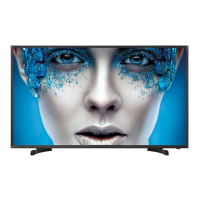
The Hisense TV serves as a display unit for various video and audio sources. It can receive broadcast television signals (Analog, DTV, DVB-T/T2/C, DVB-S/S2), display content from external A/V devices via HDMI, SCART, YPbPr, and Composite inputs, and function as a monitor for a PC via VGA. Additionally, it supports USB devices for browsing photos, listening to music, watching recorded movies, and system updates. The TV also features a Common Interface (CI+) slot for watching scrambled pay-TV and HD channels. Audio output options include headphones and digital audio out for external sound systems.
Usage Features
Installation:
The TV requires a stand for tabletop use, which is attached using four screws (ST4 × 12F for 32" models, ST4 × 14F for 40" models). The screen is fragile and must be protected during stand installation; avoid exerting pressure on the front of the TV. Always disconnect the AC power cord before installing the stand or wall-mount brackets. Place the TV facedown on a soft, cushioned surface to prevent damage.
TV Front:
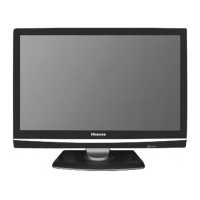
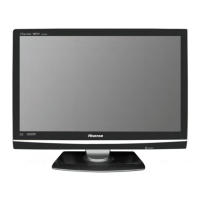
The front of the TV features a remote sensor to receive signals from the remote control and a remote indicator. The indicator shows a red light in standby mode and a blue light in power-on mode. A single button on the TV allows users to turn it on, put it in standby mode (by pressing for a few seconds), and select different signal sources (by touching).
TV Rear and Bottom Panel Connections:
The TV offers a variety of input and output ports:
- ANT1 (DVB-T2/C): For connecting an outdoor VHF/UHF antenna or cable for terrestrial digital TV.
- ANT2 (DVB-S/S2): For connecting a satellite antenna. This jack supports power supply for the satellite antenna (DC13/18V = 0.5A max.).
- HDMI (HDMI 1, HDMI 2, HDMI 3): For connecting external A/V equipment like DVD/Blu-Ray players, AV receivers, or set-top boxes. HDMI ports carry both video and audio signals, eliminating the need for separate audio cables. HDMI 1 supports ARC (Audio Return Channel).
- SCART: For connecting external A/V devices such as VCRs, DVD players/recorders, set-top boxes, or satellite receivers.
- USB (DC 5V 0.5A(MAX)): For connecting USB devices like hard drives, USB sticks, and digital cameras. It supports browsing media files and system updates.
- PC (VGA and Audio): For connecting a computer as a monitor.
- YPbPr (Component): For connecting external A/V devices using component video (Y, Pb, Pr) and stereo audio (L/R) cables.
- AV/COMP(L/R) (Composite): For connecting external A/V devices using composite video (yellow) and stereo audio (white, red) cables.
- COMMON INTERFACE (CARD FACE FRONT): For inserting a CI+ module and SmartCard to watch scrambled pay-TV and HD channels.
- DIGITAL AUDIO OUT (Optical): For connecting to an external digital audio system or amplifier/speaker.
- HEADPHONE: For connecting headphones for private listening.
Input Source Selection:
To switch between different input sources (HDMI, SCART, YPbPr, AV, PC), press the [Source] button on the remote control. A list of available input sources will appear, allowing selection using the navigation buttons and [OK].
Remote Control Operation:
The remote control provides comprehensive control over the TV's functions:
- Power button: Turns the TV on/off.
- Source: Selects input sources.
- TV/DTV, TV/Radio: Switches between DTV, Analog TV, and Radio programs.
- Zoom, Mute: Adjusts image zoom and mutes/unmutes sound.
- Media, Sleep: Accesses the USB media player and sets the sleep timer.
- I/II, Lang., Subtitle: Selects audio language and displays subtitle content.
- FAV, FAV-, FAV+: Provides fast access to saved favorite programs.
- Color buttons (Red, Green, Yellow, Blue): Used for specific functions in media mode.
- Menu, Exit: Opens/closes the main menu and exits all menus.
- Navigation buttons (Up/Down/Left/Right) and OK: For navigating menus and confirming operations.
- Info, EPG: Displays program information and the Electronic Program Guide.
- Picture: Selects picture modes.
- CH (Up/Down), VOL (Up/Down): Changes channels and adjusts volume.
- Sound: Selects sound modes.
- Numeric buttons (0-9): For direct channel access.
- Still, Recall: Freezes the picture and returns to the last viewed program.
- Teletext function buttons (Text, Hold, Index, Size, Reveal, Subpage): For teletext operations.
- Media control buttons (Play/Pause, Stop, Fast Forward, Rewind, Next, Previous): Used in media mode for playback control.
Remote Control Battery Installation:
The remote control uses two AAA size batteries. Ensure correct polarity (+ and -) when inserting them. The remote control operates within 5 meters of the TV sensor and within a 60° angle in front of the TV.
Maintenance Features
General Care:
- The TV screen is very fragile; handle with care.
- Avoid placing hard or sharp objects near the screen.
- Do not exert pressure on the front of the TV.
- Product images are for reference; actual product may vary.
- Software functions may change with system upgrades.
Connections:
- Always check the jacks for position and type before making connections.
- Ensure all connections are tight and secure to prevent image or color problems.
- Disconnect the mains plug from the wall socket before connecting external equipment to avoid electric shock.
- When connecting a hard disk or USB hub, connect its mains adapter to the power supply to prevent damage from excessive current consumption (maximum 500mA for the USB port).
- The USB port supports 5V voltage.
- The maximum supported storage space for a hard disk is 1TB.
- For DTV program recording (Timeshift and record 2.5 hours HD video), a USB storage device with a transfer rate of at least 5MB/s and more than 20GB capacity is required.
CI+ Module:
- Always switch off the TV before inserting or removing the CI+ module.
- Do not repeatedly insert or remove the Common Access Module to prevent damage.
- Obtain the CI+ module and card from your service provider.
- Insert the CI+ module with the SmartCard in the direction indicated.
- CI+ support may vary by country/region; consult an authorized dealer.
Audio Output:
- Before connecting a digital audio system to the OPTICAL jack, decrease the volume of both the TV and the external system to avoid sudden loud sounds.
Remote Control Battery Maintenance:
- Dispose of batteries in a designated disposal area; do not throw them into fire.
- Do not mix battery types or combine used and new batteries.
- Remove depleted batteries immediately to prevent battery acid leakage.
- Remove batteries if the remote control will not be used for a long time.
- Do not expose batteries to excessive heat (sunshine, heat registers, fire).
- If battery chemicals leak, clean the battery compartment with a cloth and wash skin immediately if contact occurs.
Power On/Off:
- The TV requires several seconds to load its program when powering on. Avoid rapidly turning the TV off, as this may cause abnormal operation.

 Need help?
 General


 To Next Page