Quick Start Guide
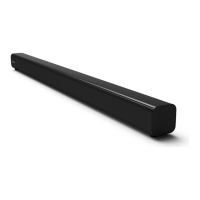
2.0 Channel Sound Bar Home Theater System
Model: HS205
What’s in the Box
Main Unit
Wall Mounting Screws (x2) / Brackets (x2) /
Bracket Screw (x2) / Wall Anchors (x2)
AC Power Cord
1 Remote Control Sensor
Receive signal from the remote control.
2 LED Indicators
• Red : In STANDBY mode.
• Orange / Orange ash : In Optical / Coaxial mode.
• Blue : In Bluetooth mode.
• White : In HDMI ARC mode.
• Green / Green ash : In LINE IN / USB mode.
3 Screws
Remove the screws then install the wall
mounting screws into the back of the unit.
4
(ON/OFF) Button
Switch the unit between ON and Standby mode.
5 +/- (Vol+/Vol-) Buttons
Increase/decrease the volume level.
6
(SOURCE) Button
Select the play function.
7 AC~ Socket
Connect to the power supply.
8 LINE IN Socket
Connect to an external audio device.
9 USB Socket
Insert the USB device to play music.
10 HDMI ARC Socket
Connect to a TV via HDMI cable.
11 COAXIAL Socket
Connect to a coaxial audio output on the TV.
12 OPTICAL Socket
Connect to an optical audio output on the TV.
Remote Control /
AAA Batteries x 2
User Manual/Quick Start Guide/
Wall Mount Guide
Optical Cable
1
Remote control
1 Switch the unit between ON and
STANDBY mode.
2 (MUTE) Mute or resume the sound.
3 MOVIE Switch to MOVIE EQ eect.
4 MUSIC Switch to MUSIC EQ eect.
5 VOL+/VOL- Increase/decrease the volume level.
6 / Skip to previous/next track in
Bluetooth/USB mode.
7 /PAIR Play/pause/resume playback in
Bluetooth/USB mode.
Press and hold to activate the
pairing function in Bluetooth mode
or disconnect the existing paired
Bluetooth device.
8 NEWS Switch to NEWS EQ eect.
9 HDMI ARC Select the HDMI ARC mode.
10 OPT/COAX Select the OPTICAL/COAXIAL mode.
11 (BT) Select the Bluetooth mode.
12 LINE IN Select the LINE IN mode.
13 USB Select the USB mode.
Replace the Remote Control Battery
1 Press and slide the back cover to
open the battery compartment of
the remote control.
2 Insert two AAA size batteries
(included). Make sure the (+) and (–)
ends of the batteries match the (+)
and (–) ends indicated in the battery
compartment.
3 Close the battery compartment cover.
- Do not mix old and new batteries;
- Do not mix alkaline, standard (Carbon-Zinc) or
rechargeable (Ni-Cd, Ni- MH, etc.) batteries.
EN



 To Next Page