EasyManua.ls Logo

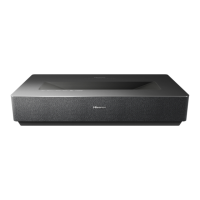
Hisense L5HE Series - User Manual

Hisense L5HE Series
16 pages
Print Icon
To Next Page IconTo Next Page
Loading...
1
L5HE series service manual

Questions and Answers

  • A
    Anthony McfarlandAug 12, 2025
    What to do if the Hisense Projector fan speed is abnormal?
    • T
      Tina WilliamsAug 12, 2025
      If your Hisense Projector's fan speed is abnormal or the fan stops rotating, it might be due to a foreign object jamming the fan, a broken fan, or poor fan transmission. Try cleaning the fan first. If that doesn't work, the fan may need to be replaced, or the display spinning board may need replacement.
  • R
    Robert MartinezAug 18, 2025
    What to do if Hisense Projector shows a DLP system error?
    • M
      Martin WalkerAug 18, 2025
      If your Hisense Projector is showing a DLP system error, the FFC might be poorly plugged or failing; the DMD part might not be installed correctly, or the DMD itself or its board might be failing; or the display board might be failing. Try reinserting or replacing the FFC. If that doesn't work, try reassembling the DMD or replacing the DMD or DMD board. As a last resort, replace the display board.
  • A
    Angela HouseAug 25, 2025
    What to do if Hisense Projector has communication failure from the display board to the mainboard?
    • R
      Rebecca FarrellAug 25, 2025
      If there's a communication failure from the display board to the mainboard in your Hisense Projector, it could be due to a problem with the connection cable, a failure of the display board, or a failure of the mainboard. First, try reinserting or replacing the cable. If the problem persists, the display board or the mainboard might need to be replaced. Also, investigate all intermediate links.
  • S
    salinashollyAug 29, 2025
    Why failure light is on Hisense Projector?
    • A
      Ashley RodriguezAug 29, 2025
      The failure light on your Hisense Projector might be triggered by a shield in the air outlet or inlet, a high ambient temperature, NTC failure or poor plug-in, or a bad NTC. Remove any shield and reduce the ambient temperature. If that doesn't work, try shutdown cooling (25 degrees). If the problem continues, replace the NTC resistance.
  • J
    Joseph PerrySep 4, 2025
    What to do if the red led is on Hisense Projector?
    • H
      Holly SerranoSep 4, 2025
      If the red LED is on in your Hisense Projector, check whether the eye protection plate is poorly plugged and re-inserted, as the eye protection sensor may not be connected.

Hisense L5HE Series Specifications

General IconGeneral
Resolution4K UHD (3840 x 2160)
HDR SupportHDR10, HLG
Speaker2.0 Channel
BluetoothYes
AudioDolby Atmos
Contrast RatioDynamic Contrast Ratio 1000000:1
ProcessorQuad-Core
HDMI Ports3
USB Ports2
Screen Size100 inches
Smart TV PlatformVIDAA U
Operating SystemVIDAA U

Related product manuals