6
Getting Started
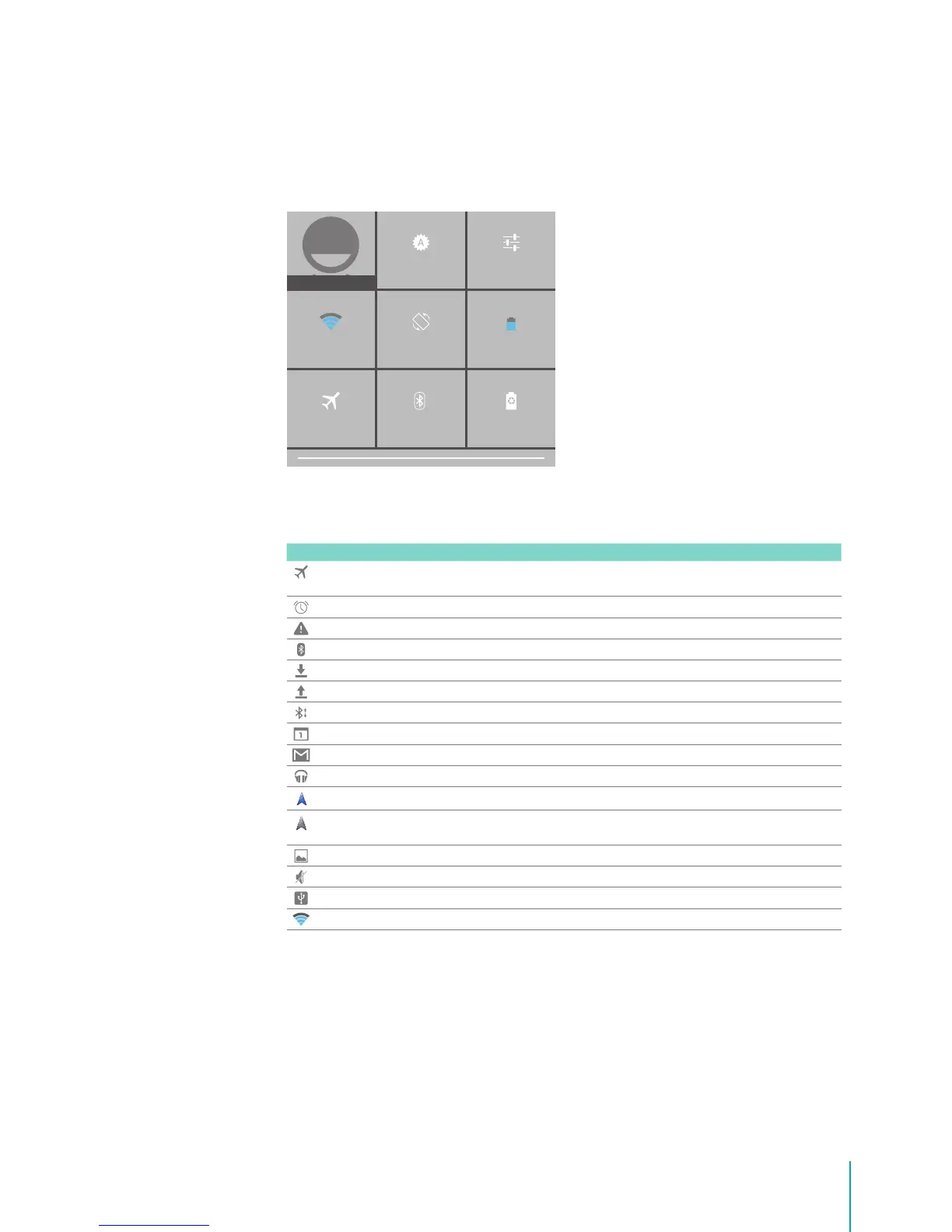
Quick Settings
Tap to display settings for commonly performed tasks, including setting display brightness, accessing
the system/Wi-Fi/Bluetooth settings, locking and unlocking screen rotation, displaying the percentage
of battery, turning on or o the airplane mode/power saving mode, and so on.
Notication & Status Icons
The below table list the frequently showed up icon at Notication & Status bar:
Icon What it means
Airplane mode Shows that airplane mode is on. you can’t access the Internet, or use Bluetooth®.
Non-wireless features are available.
Alarm An alarm is set.
Alert Install/update/enable Google Play service.
Bluetooth Sero 7 is using Bluetooth function.
Bluetooth share Received les.
Bluetooth share Sent les.
Bluetooth share Incoming le.
Calendar Task reminders.
Message Received new message.
Music Play Music application is running.
Navigation Google Maps Navigation, a data connection, and the device GPS are all active.
Navigation Google Maps Navigation is active, GPS is still acquiring OR you don’t have an active
data connection.
Screenshots Screenshot captured.
Silent mode Silent mode is on.
USB tethering Sero 7 has connected to a computer and the USB tethering is turned on.
Wi-Fi Sero 7 has a Wi-Fi Internet connection. The more bars, the stronger the connection.
BRIGHTNESS SETTINGS
OWNER
BLUETOOTH OFF
POWER SAVING MODE
AUTO ROTATE 75%
AIRPLANE MODE
Wi-Fi


 To Next Page