EasyManua.ls Logo

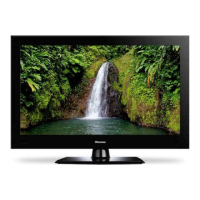
Hisense TL3220 - User Manual

Hisense TL3220
43 pages
Print Icon
To Next Page IconTo Next Page
Loading...
TL3220
USER'S MANUAL
LCD COLOR TV
Part No: IES041201
R

Questions and Answers

  • B
    brittany58Jul 28, 2025
    Why is my Hisense LCD TV remote control not working?
    • E
      Emma WilliamsJul 28, 2025
      If the remote control for your Hisense LCD TV isn't working, first, make sure there is nothing blocking the path between the remote and the TV sensor. Then, check the batteries to ensure they are installed with the correct polarity. Finally, replace the batteries if they are dead.
  • D
    David FordAug 1, 2025
    How to fix Hisense TL3220 LCD TV that will not turn on?
    • P
      Patrick BarnesAug 1, 2025
      If your Hisense LCD TV won't turn on, ensure the power cord is properly plugged in and then press the power button. Also, check the remote control batteries, as they may be dead. If so, replace them.
  • D
    Dr. Patrick Miller MDAug 5, 2025
    What to do if my Hisense TL3220 has no picture and no sound?
    • L
      Linda BaileyAug 6, 2025
      If your Hisense LCD TV has no picture and no sound, check if you have set the off timer. Also, check the antenna and cable connections. Ensure you've selected the correct signal source by pressing the display button.
  • M
    Michelle GonzalezAug 10, 2025
    Hisense TL3220 LCD TV has no sound but picture is fine, how to fix?
    • B
      Barbara DelacruzAug 10, 2025
      If your Hisense LCD TV has no sound but the picture is okay, first, check if the sound is muted by pressing the volume up button on the remote control. If that's not the issue, try another channel as the station may have broadcast difficulties. Also, check the speaker cable connections.
  • F
    floresgeorgeAug 14, 2025
    Why is the picture quality poor on my Hisense LCD TV?
    • C
      Caleb WilliamsAug 14, 2025
      If your Hisense LCD TV has a poor picture but the sound is okay, check the antenna connections. The broadcast station may be experiencing difficulties, so try another channel. You can also adjust the picture settings from the menu.
  • K
    Kayla MackAug 19, 2025
    How to fix poor color on Hisense TL3220 LCD TV?
    • S
      Samantha JacksonSep 12, 2025
      If your Hisense LCD TV has poor or no color, try changing the channel as the station may be experiencing broadcast difficulties. You can also adjust the HUE and COLOR settings in the menu.
  • B
    Brenda HamiltonAug 23, 2025
    What to do if Hisense TL3220 display disorder at power on?
    • N
      Nicole DiazAug 23, 2025
      If your Hisense LCD TV displays a disorder at power on, this may be caused by too short interval between power off and on. Unplug the power and restart the TV.

Summary

IMPORTANT SAFETY INSTRUCTIONS

IMPORTANT SAFETY INSTRUCTIONS - Equipment & Servicing

Equipment Safety and Placement

Guidelines for safe placement, plug safety, cord protection, and stability.

Brief Operating Instructions

Connection Guide

Connect antenna, CATV cable, or external equipment to the TV's rear terminals.

Remote Control Setup

Instructions for installing batteries in the remote control.

Brief Operating Instructions - Key Operations

Signal Source Selection

Select TV input using buttons for VIDEO, S-VIDEO, YPbPr, PC, DVI.

Connecting your TV

Connecting to a Computer

Connect TV to computer via RGB interface and PC audio interface.

Using the remote control

Preparing the remote control for use

Instructions for installing batteries in the remote control.

Using the TV features

Basic Operations

Covers power on/off and signal source selection.

Using the TV features - Operations

Using the TV features - Menus

PRESET Menu Configuration

Configure PRESET settings: Position, Skip, RF Input, Auto-Search.

PICTURE PARAMETERS Menu

Adjust PICTURE PARAMETERS: brightness, contrast, sharpness.

Using the TV features - Audio and Functions

AUDIO SETTINGS Menu

Adjust AUDIO SETTINGS: bass, treble, balance.

FUNCTION SETTINGS Menu

Configure FUNCTION SETTINGS: CCD Control, Mode.

Using the TV features - Display and Language

Using the TV features - PC Settings

PC PARAMETERS Menu

Adjust PC PARAMETERS: Auto, Clock, Phase, Position, Auto Color.

Using the TV features - VCHIP Setup

VCHIP SETUP Menu

Set up VCHIP to prevent viewing inappropriate programs.

Using the TV features - Ratings and PIP

PIP Menu Configuration

Configure PIP size, position, and source.

Universal Remote Control Users Manual

Manual Setting Procedure

Steps to manually set up the remote using codes.

Quick Power Scan Setup

Automatically find the correct code for a device.

Appendix - Troubleshooting

Troubleshooting Guide

Solutions for common TV problems like no picture, sound, or remote issues.

Hisense TL3220 Specifications

General IconGeneral
Screen Size32 inches
Display TechnologyLCD
Refresh Rate60 Hz
Aspect Ratio16:9
Resolution1366 x 768
InputsHDMI, Component, Composite, VGA

Related product manuals