AUTO PROGRAM
24
AUTO PROGRAM
This feature will automatically store active TV channels in CHANNEL
MEMORY. This will allow you to skip over unused channels when using the
CHANNEL UP ( ) or DOWN ( ) buttons.
Remote control buttons
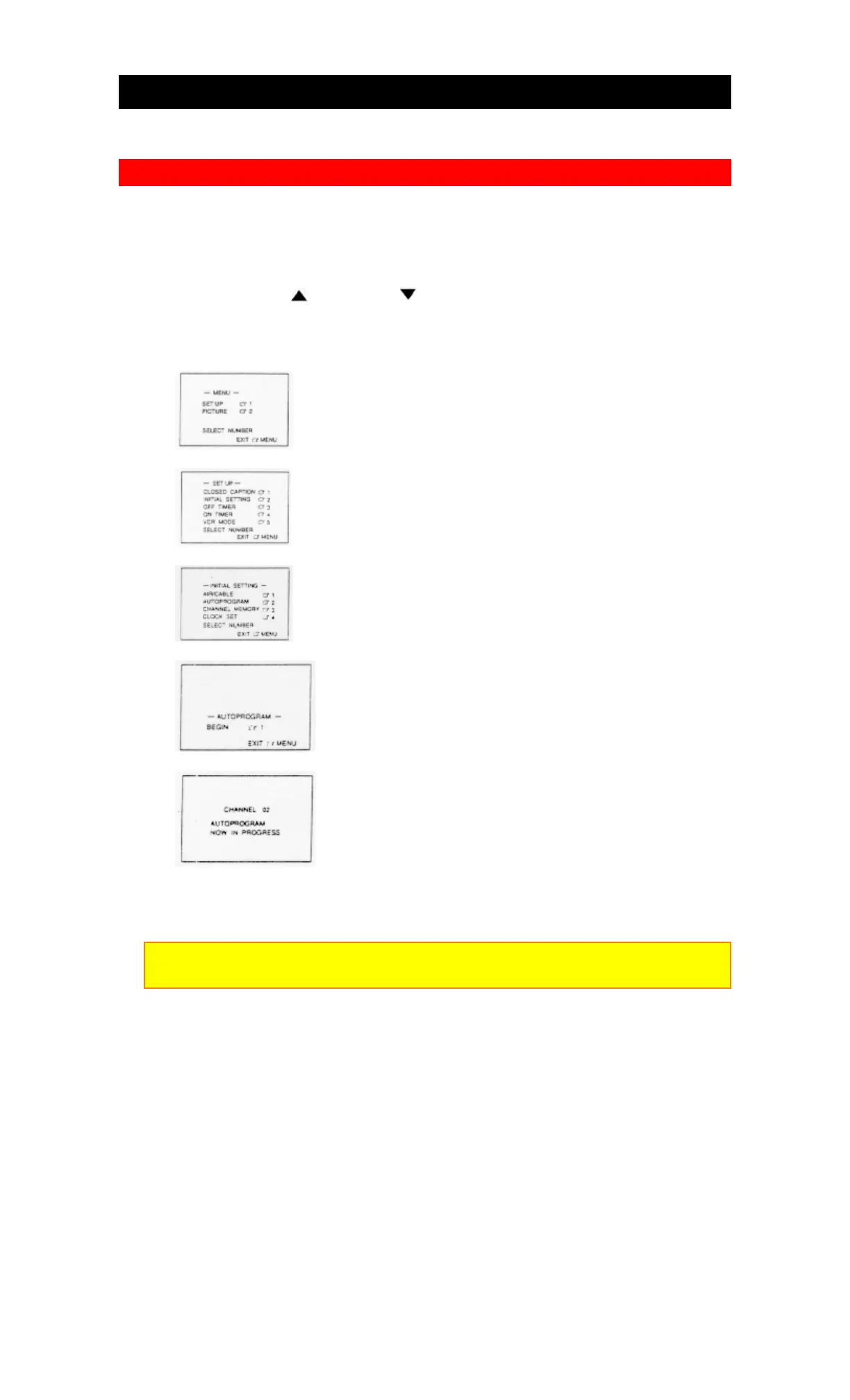
1. Press the MENU button.
2. Press the "1" key.
3. Press the "2" key.
4. Press the "2" key.
5. Press the "1" key.
Channel number is displayed during scanning AIR mode: 02 ~ 69, CATV mode,
01 ~ 125.
Note:
If the MENU button is pressed during programming, the programming will stop.
The TV will cycle through the channels available in your area and store them in
memory.
When autoprogramming is complete, the lowest channel number of the channels
stored in memory is displayed and the TV/VCR Combination returns to the
INITIAL SETTING screen.



 To Next Page