CHANNEL MEMORY
25
CHANNEL MEMORY
Autoprogramming function may store weak channels or channels with
interference. The CHANNEL MEMORY function is used to erase undesired
channels such as erase described above or to store previously erased channels.
Remote Control buttons
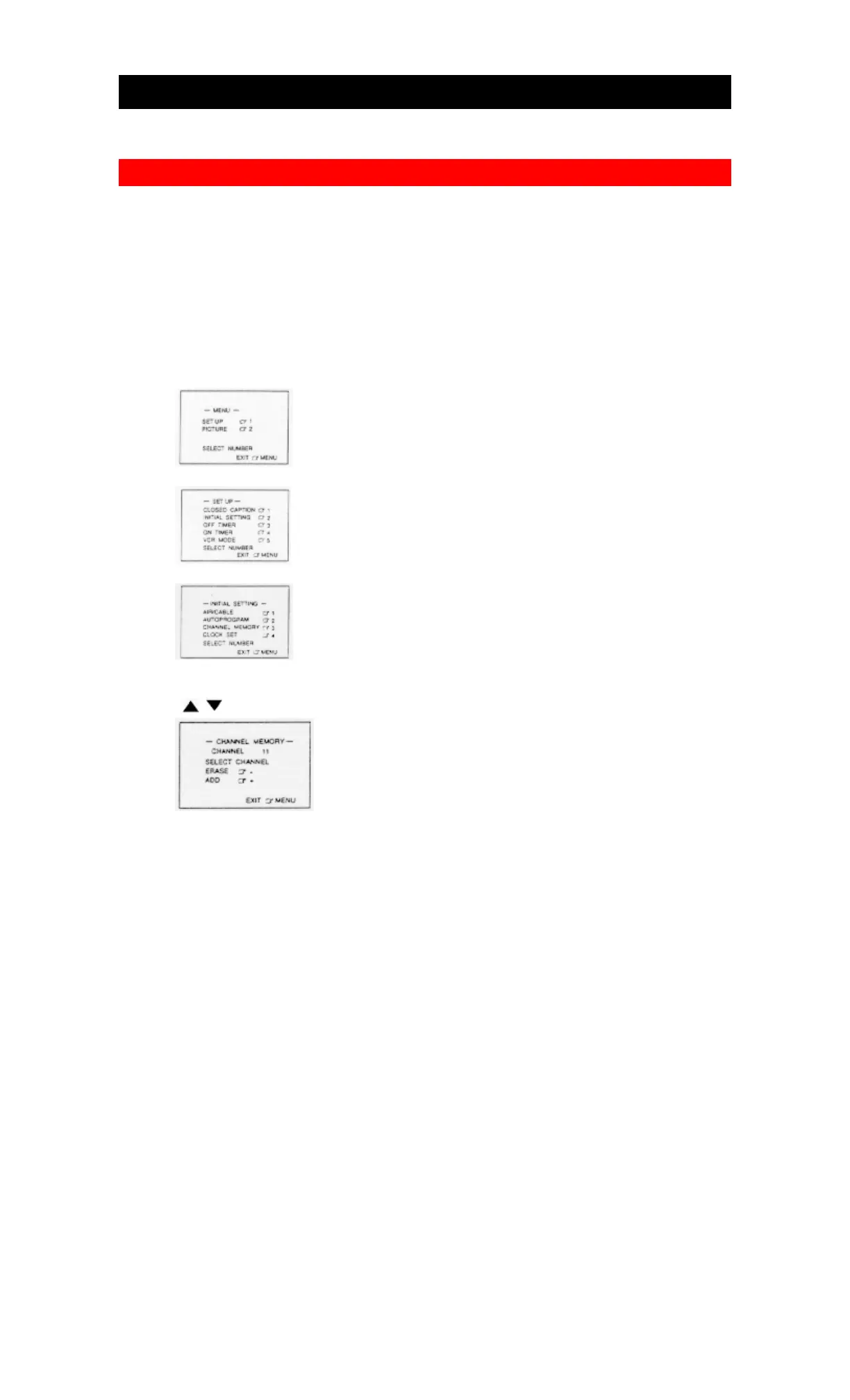
For example, to add or erase channel 11.
1. Press the MENU button.
2. Press the "1" key.
3. Press the "2" key.
4. Press the "3" key.
Select the channel 11 to be added or erased by using the CHANNEL UP/DOWN
( / ) buttons or Numeric keys.
5. Select ADD or ERASE by using the -/+ buttons (SLOW SPEED -/+).
ADD will be highlighted in white press the "+" Button to add the channel into
memory, ERASE is now highlighted. Press the "-" button to erase the channel
from memory, ADD is highlighted in white again.



 To Next Page