EasyManua.ls Logo

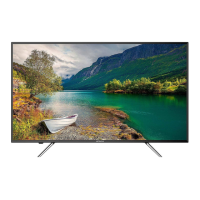
Hitachi 40C311 - User Manual

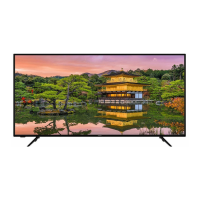
Hitachi 40C311
40 pages
Print Icon
To Next Page IconTo Next Page
Loading...
40C311 / 40C311A
40” Class (39.50” Diag.) / (40.00” Diag.)
Serial No.
Model:
Thank you for purchasing this Hitachi product.
Please read these instructions carefully.
For additional assistance please call Toll Free 800.HITACHI (800.448.2244)
or visit our website at www.hitachi.us/tv.
Keep this Owner’s Guide for future reference.
Record the model name and serial number of your LCD Television for future reference.
This information is located on the back of the television.
CONGRATULATIONS
OWNER’S GUIDE
OG_40C311_40C311A_10022019

Questions and Answers

  • M
    Misty WoodwardJul 28, 2025
    How to fix a Hitachi TV that won't turn on?
    • T
      thomassarahJul 28, 2025
      If your Hitachi TV isn't turning on, ensure the power cord is securely plugged into a working AC outlet. Check your fuse or circuit breaker. As a last resort, try unplugging the unit for an hour before plugging it back in.
  • J
    Justin HallAug 2, 2025
    What to do if my Hitachi 40C311 has a poor picture?
    • M
      Mark StevensAug 2, 2025
      If your Hitachi TV has a poor or no picture, try tuning to another station to rule out station or cable TV problems. Ensure channels are properly set into memory. Check the antenna or cable TV connections and adjust the antenna. Also, check for sources of possible interference, and review your picture control adjustments.
  • J
    Joseph ReyesAug 8, 2025
    Why does my Hitachi 40C311 have poor color?
    • W
      waterssheilaAug 8, 2025
      If your Hitachi TV has poor or no color, try tuning to another station to rule out station or cable TV problems. Make sure channels are set into memory. Check picture control adjustments, antenna or Cable TV connections, and adjust antenna. Also, check for sources of possible interference.
  • L
    Lisa GrahamAug 12, 2025
    How to improve poor reception on Hitachi TV?
    • C
      Cindy SummersAug 12, 2025
      If your Hitachi TV has poor reception on some channels, try tuning to another station to rule out station or cable TV problems. Ensure channels are set into memory. If the station is weak, adjust the antenna to receive the desired station. Also, check for sources of possible interference.
  • D
    Dustin LewisAug 17, 2025
    Why is there no sound on my Hitachi TV?
    • L
      Laura WarrenAug 17, 2025
      If you are experiencing poor or no sound on your Hitachi TV, first, try tuning to another station to rule out station or cable TV problems. Then, check your TV's sound adjustments, ensuring the volume isn't muted or set too low. Also, investigate and eliminate any potential sources of interference. Finally, verify the audio language setting.
  • M
    mhicksAug 22, 2025
    Why does the picture wobble on my Hitachi TV?
    • R
      Rhonda SotoAug 22, 2025
      If the picture on your Hitachi TV wobbles or drifts, try tuning to another station to rule out station or cable TV problems. Ensure channels are set into memory. It's possible that the cable TV company is scrambling the signal. Try adjusting the antenna.

Summary

IMPORTANT SAFETY INSTRUCTIONS

CHILD SAFETY NOTICE

Wall Mounting Safety Guidelines

Provides essential safety guidelines and recommendations for securely mounting your flat panel display on a wall.

SAFETY PRECAUTIONS

Securing the TV to a Wall

Instructions on how to properly secure the TV to a wall using metallic wire, screws, and clamps for stability.

TV Cabinet Placement Warning

Warns against placing the TV on cabinets that are too small, which can cause instability and potential injury.

TV Stand Installation and Removal

Remote control

Antenna connections

Starting setup

TV operation

Channels setup

Setting the Parental Control

Connections to other equipment

Reception disturbances

Troubleshooting Guide

Hitachi 40C311 Specifications

General IconGeneral
Screen shapeFlat
Response time- ms
Display diagonal39.5 \
Display brightness- cd/m²
Display technologyLED
Native aspect ratio16:9
LED backlighting typeDirect-LED
Supported video modes1080p
Supported graphics resolutions1920 x 1080 (HD 1080)
Motion interpolation technology-
3DNo
Image formats supportedJPEG
Composite video in1
HDMI ports quantity3
USB 2.0 ports quantityUSB 2.0 ports have a data transmission speed of 480 Mbps, and are backwards compatible with USB 1.1 ports. You can connect all kinds of peripheral devices to them.
Component video (YPbPr/YCbCr) in0
Tuner typeAnalog & digital
Analog signal format systemNTSC
Digital signal format systemATSC
Firmware upgradeable viaUSB
On Screen Display (OSD) languagesENG, ESP, FRE
RMS rated power16 W
Number of speakers2
Power consumption (standby)- W
Product colorBlack
Panel mounting interface200 x 200 mm
Cables includedAC
Package typeBox
Package depth136.525 mm
Package width971.55 mm
Package height596.9 mm
Package weight8981 g
Weight and Dimensions IconWeight and Dimensions
Depth (with stand)228.6 mm
Width (with stand)901.7 mm
Height (with stand)577.85 mm
Weight (with stand)6395 g
Depth (without stand)66.675 mm
Height (without stand)511.175 mm
Weight (without stand)6214 g

Related product manuals