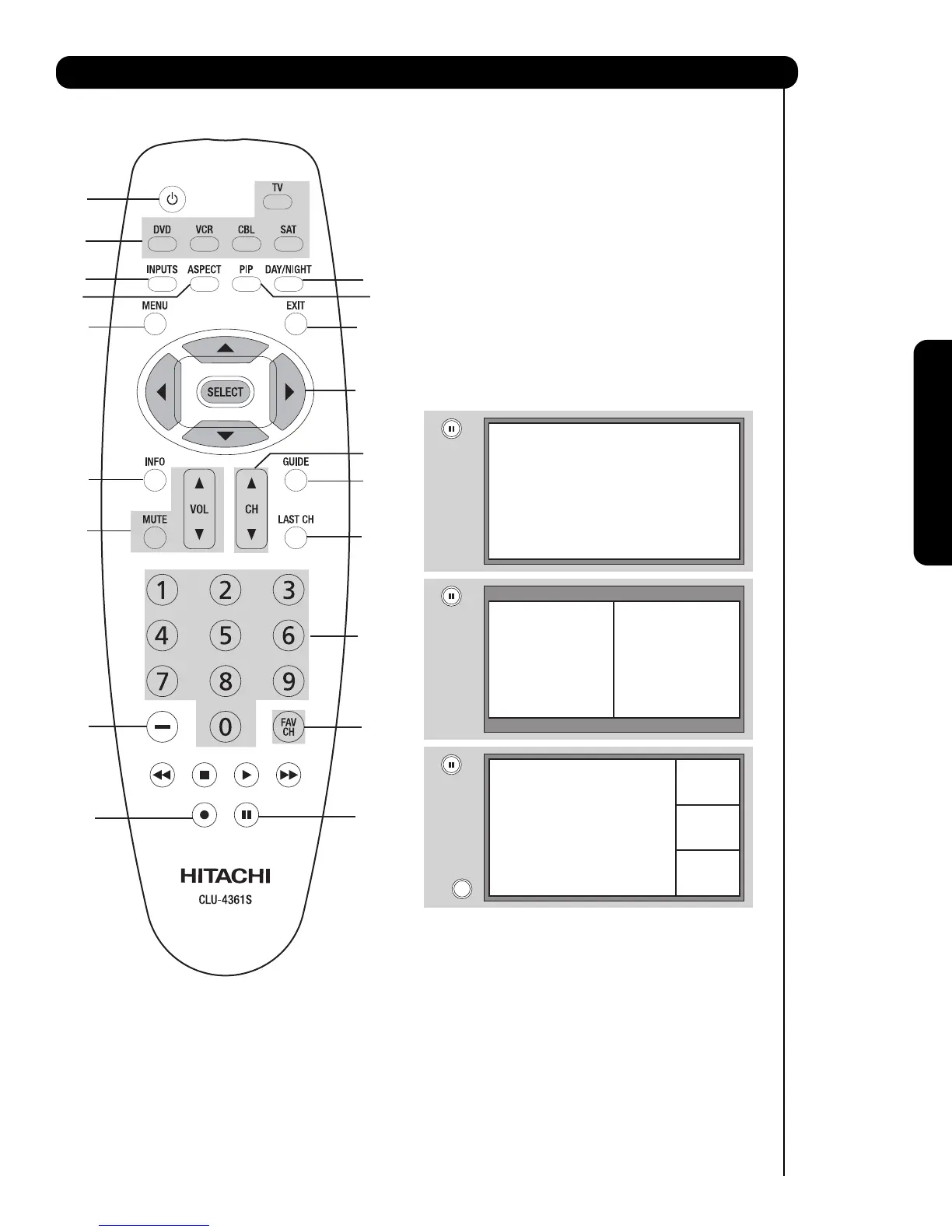
POWER button
Press this button to turn the TV set on or off when
the remote is in TV mode. (See page 20 for
instructions on how to set the remote control to TV
mode.)
MODE buttons
These buttons allow the remote to control your TV,
VCR, DVD, Cable box/Satellite box depending on
which button is pressed.
PAUSE button
Press the PAUSE button to freeze the picture.
Press the EXIT button to return the picture to
motion. Press the PAUSE button repeatedly to
cycle through the three different freeze modes (see
page 24).
DAY/NIGHT button
Press this button to toggle between Day and Night
picture mode settings. Select DAY for day time
viewing with more brightness and contrast to
compete with room light. Select NIGHT for night
time viewing with less brightness and contrast for a
more detailed picture (see page 34 for settings
changes).



 To Next Page