EasyManua.ls Logo

Hitachi 51F59 - On-Screen Display

Hitachi 51F59
75 pages
Print Icon
To Next Page IconTo Next Page
To Previous Page IconTo Previous Page
Loading...
32
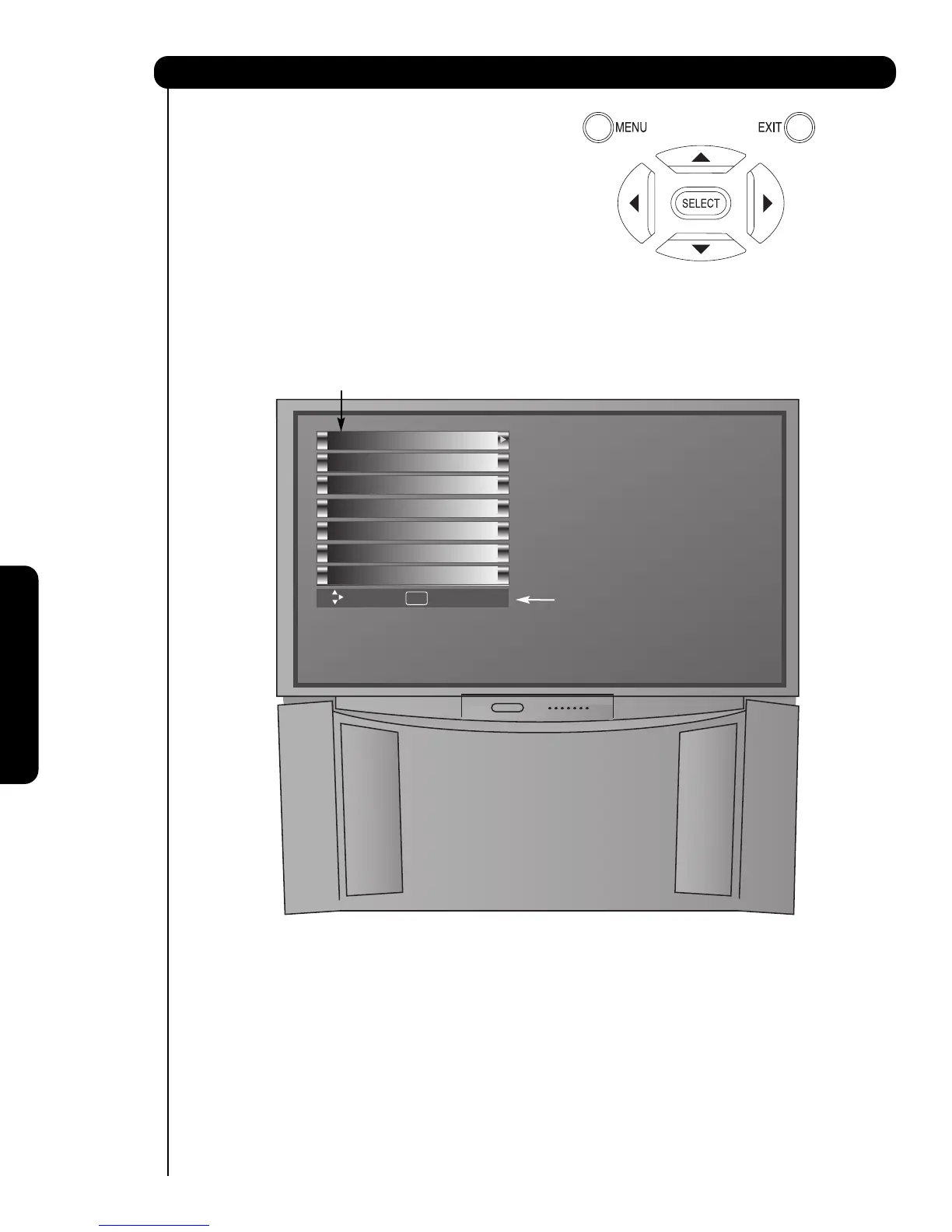
1. Press MENU on the remote control to display the
different features on your HITACHI Projection TV.
2. Press the CURSOR buttons to navigate and
highlight a different feature of the On-Screen
Display menu. Press the SELECT button to select.
3. Press EXIT on the remote control to quickly exit
from a menu.
On-Screen Display
On-Screen Display

Move SEL Select
Setup
Timers
Locks
Channel Manager
Audio
Video
This part of the screen shows
which selections are available.
This part of the screen shows which
Remote Control buttons to use.
Aspect

Table of Contents

Related product manuals