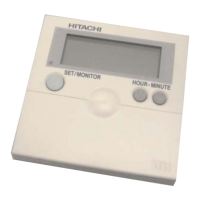
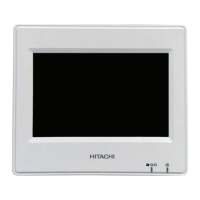
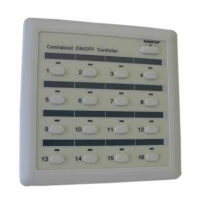
This document describes the advanced color wired remote controller, model PC-ARFG2-E1, for Hitachi air conditioning systems, providing comprehensive details on its operation, installation, and maintenance features.
Function Description
The PC-ARFG2-E1 wired remote controller serves as the primary interface for managing Hitachi air conditioning units. It allows users to control various aspects of the air conditioning system, including operation start/stop, basic operation modes (Cool, Heat, Dry, Auto, Fan), temperature settings, fan speed, and louver swing direction. The controller also offers advanced functionalities such as simple timer settings, operation schedule settings, power savings settings, night quiet operation, power consumption display, Autoboost (quick mode), comfort settings (GentleCool, louver direction control, radiant sensor control, FeetWarm heat air flow, FloorSense cool air flow), motion sensor settings (Auto-Save, Crowd-Sense, absent setting selection, check interval time setting), setback settings, elevating grille control, filter reminder reset, FrostWash function, individual louver settings, louver open/close, ventilation control, and total heat exchanger settings (including Night Purge).
The controller can display various icons indicating the system's status, such as schedule timer set, off timer set, operation lock, central control restriction, FrostWash status, air conditioning operation, ventilation modes, room temperature, elevating grille status, emergency operation, setback, purging, motion sensor activation, radiant sensor activation, cold draft restraint, noise reduction, and power savings levels. It also provides detailed information on alarm conditions, including alarm codes and indoor/outdoor unit status.
Important Technical Specifications
The remote controller allows temperature settings in 0.5°C increments, with a minimum of 19°C for cooling/dry/fan operation and 17°C for heating. The temperature compensation value can be set within a range of ±3.5°C. The check interval for the motion sensor can be set to 30, 60, 90, 120, or 180 minutes. The automatic reset time for functions can be set from 15 to 90 minutes, with default temperature set points for cooling (25°C) and heating (21°C). The minimum opening angle of the outdoor air (OA) damper for Econofresh can be set from 6° to 48°. The controller's internal electric battery supports continued operation for 72 hours in case of power loss.
Usage Features
- Operation Modes: Users can easily switch between Cool, Heat, Dry, Auto, and Fan modes. Dual setpoint selection is available in auto mode.
- Temperature Control: Precise temperature adjustment in 0.5°C steps.
- Fan Speed Control: Multiple fan speed settings, though some may be unit-dependent. During dry operation, fan speed is automatically set to "LOW."
- Louver Swing Direction: Adjustable louver direction for optimal airflow, with an auto-swing function.
- Timer Functions: Simple timer for ON/OFF operation (once or everyday) and a comprehensive operation schedule for up to 5 times a day, including holiday settings.
- Power Savings: Various modes (Capacity Control, Rotation Control, Intermittent Control) to reduce energy consumption, with adjustable levels (Low, Med, High).
- Night Quiet Operation: Restricts outdoor unit noise for quieter nighttime operation.
- Autoboost (Quick Mode): Increases cooling or heating capacity for 30 minutes to reach the set temperature quickly.
- Comfort Settings:
- GentleCool: Controls discharge air temperature to prevent overly cold airflow.
- Louver Direction: Adjusts louver operation to avoid direct air blowing on users (indirect air) or target users for a fresh air effect (direct air).
- Radiant Sensor Control: Detects human radiation temperature to efficiently heat the room.
- FeetWarm Heat Air Flow: Increases ambient temperature near feet and reduces room temperature unevenness.
- FloorSense Cool Air Flow: Detects over-cooling at floor level and adjusts behavior for comfort.
- Motion Sensor: Auto-Save reduces capacity when a room is less occupied, and Crowd-Sense adjusts capacity based on room occupancy.
- Setback Function: Maintains a minimum comfort level in unoccupied rooms, activated by input, schedule, or manually.
- Hotel Mode: Special settings for hotel environments, including automatic OFF timer and restricted language settings.
Maintenance Features
- Filter Reminder Reset: Resets the filter usage time and turns off the filter reminder indication.
- FrostWash: A self-cleaning function that freezes and melts frost on the heat exchanger to remove dust. It can be started manually or automatically based on a schedule or operating hours.
- Elevating Grille: Allows raising and lowering the grille for easy air filter cleaning.
- Installation Menu: Provides access to test run, function selection, thermistor selection, input/output settings, thermistor calibration, fan speed settings at thermo-OFF, indoor unit address change, address check operation, address initialization, setting initialization, main remote setting, and priority setting.
- Service Menu: Includes operation lock/unlock, password setting, hotel mode setting, power saving details setting, temperature range restriction, dual setpoint setting, main/sub display setting, room name setting, contact information registration, and simple maintenance.
- Check Menu: Displays various statuses of the air conditioner, including real-time operation parameters (Check 1), parameters at the last alarm (Check 2), alarm history, model information, and PCB check results.
- Self Check: Performs a self-check of the remote controller PCB, including flash memory, EEPROM, LCD, buzzer, transmission, thermistor, and RTC checks.
- Alarm Condition Display: Shows indoor unit number, alarm code, model code, and connected unit count when an alarm occurs.
- Power Failure Management: The system can automatically restart after a brief power recovery or requires manual restart after longer outages.
- Electromagnetic Interference (EMI) Protection: The microcomputer activates protection, which may stop the unit and turn off indications; a manual restart is then required.

 Need help?
 General

 To Next Page