This document is an Installation & Maintenance Manual for the Hitachi Wired Controller, model PC-ARF1. It provides essential information for the safe and correct installation, operation, and maintenance of the device.
Function Description
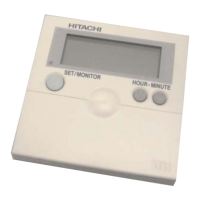
The Hitachi PC-ARF1 Wired Controller is designed for standard air conditioning applications, allowing users to control indoor units. It enables the selection of operation modes (e.g., COOL), adjustment of fan speed, and setting of temperature. The controller features a liquid crystal display (LCD) that shows current settings, room name, and other relevant information. It supports both single and multiple indoor unit control, with provisions for primary and secondary controller configurations in multi-controller setups. The device also includes advanced settings for function selection, input/output configuration, individual louver control, date/time adjustment, room name registration, and setback trigger unit management.
Important Technical Specifications
- Model: PC-ARF1 Wired Controller.
- Power Supply: Uses an exclusive power supply at the controller's rated voltage. Circuit breakers (ground fault interrupter, isolating switch, molded case circuit breaker) with specified capacity must be installed.
- Communication Cable: A twist pair cable with shield tube (1P-0.75mm² or more) is required. The maximum total cable length is 500m. Shielded cable is crucial for high EMI environments to prevent communication errors.
- Indoor Unit Capacity: Can control up to a maximum of 16 indoor units.
- Temperature Range: Features automatic reset temperature settings for both cooling (e.g., 25°C factory default) and heating (e.g., 21°C factory default). It also includes cooling lower limit (e.g., 19°C standard) and heating upper limit (e.g., 30°C standard) for setting temperatures.
- Setback Function: Allows for minimum setback (stop) times (e.g., 10 min to 120 min), setback modes (Always, Input, Scheduling, Manual), and setback temperature compensation (e.g., 0.5°C to 5.5°C).
- Auxiliary Heater: Supports auxiliary heater setting and compensation for both ON (e.g., -1.5°C to -5.0°C) and OFF (e.g., 0.0°C to 0.5°C) conditions.
- Ambient Temperature Restriction: Setpoint range from -20.0°C to 0.0°C and compensation from 0.5°C to 3.5°C.
- Thermistor Selection: Can use inlet air thermistor, outlet air thermistor, thermistor of wired controller, or remote sensor for temperature control.
- Display: Liquid crystal display (LCD) for settings and information.
- Dimensions: Not explicitly stated but implied to be a wall-mounted unit with specific mounting bracket requirements.
Usage Features
- User Interface: Features "Menu," "OK," "Back/Help," "On/Off," "Sel." (Select), and "Adj." (Adjust) buttons for navigation and setting adjustments.
- Test Run Mode: Allows for checking the connection and operation of indoor units, displaying the total number of connected units.
- Function Selection: Provides access to various optional settings such as cancellation of heating temperature compensation, circulator function, filter cleaning time, fixing operation mode/setting temperature/fan speed, cooling temperature compensation, and more.
- Input/Output Setting: Configures inputs (e.g., Remote ON/OFF, Prohibiting Remote Control) and outputs (e.g., Operation, Alarm, Thermo-ON for Heating).
- Individual Louver Setting: Enables individual adjustment of louver direction for units equipped with this feature.
- Date/Time Adjustment: Allows users to set the current date and time.
- Room Name Registration: Users can register a custom name (up to 12 characters) for the room where the controller is installed.
- Main/Sub Controller Setting: In multi-controller systems, it allows designation of a primary (Main) controller and secondary (Sub) controllers, with different setting ranges for functions like power saving and intermittent control.
- Main/Sub Non-display Setting: Option to hide the "Main" or "Sub" icon on the display.
- Setback Trigger Unit: Configures which indoor unit acts as the trigger unit for setback operations.
- Operation Mode / Setting Temperature Priority Setting: Allows a main controller to prioritize operation mode and temperature setpoint for the entire refrigerant system.
- Contact Information Registration: Stores contact details (e.g., Ox Electric Corp.) for easy access.
- Run Indicator Color: Can be set to green or red.
- Eco-operation: Available as an optional function.
- Motion Sensor: Detection level can be set to Standard, High, or Low.
- Dew Condensation Prevention: Available for certain cassette type models.
- Daylight Saving Time: Option to set 1 hr or 2 hrs.
- Automatic OFF Timer: Various settings from 1 hr to 120 min.
- Automatic Reset Temperature: For cooling and heating, with various temperature options.
- Lock Functions: For operation mode selection, temperature setting, fan speed selection, and swing louver operation.
- Threshold for Outdoor Temperature: For heat and cool control in auto cool/heat dual setpoint, with a wide range of temperature options.
Maintenance Features
- Self-Checking: The controller can perform a self-checkout to ensure proper functioning.
- Check Menu: Provides access to various diagnostic information:
- Check 1: Monitors and displays the sensor condition of the air conditioner.
- Check 2: Displays sensor data from the air conditioner prior to an alarm occurrence.
- Alarm History Display: Shows previous alarm records (date, time, alarm code). Users can delete alarm records.
- Model Display: Indicates the model name and manufacturing number of the unit.
- Check PCB of the Units: Displays the result of the PCB check.
- Error Handling: If the auto-address function does not work properly (due to improper wiring or electrical interference), the manual provides steps to troubleshoot and correct connections.
- Warranty: Performing unauthorized mechanical alterations voids the warranty.
- Cleaning: Do not clean with or pour water into the controller. Use a soft cloth and avoid strong detergents.

 Need help?
 General








 To Next Page
