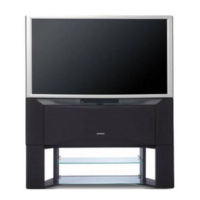
Need help?
Do you have a question about the Hitachi C43-FD7000 and is the answer not in the manual?
Essential guidelines for safe operation and handling of the TV, covering electrical safety, placement, and environmental factors.
Explains the functions and layout of the remote control buttons for TV operation.
Instructions on navigating and using the TV's menu system with common symbols explained.
Explains how to adjust picture quality settings like brightness, contrast, color, and sharpness.
Details on adjusting sound modes, treble, bass, balance, and other audio features.
Information on setting On Timer, Off Timer, and Auto Off functions for scheduled operation.
Covers scan mode, decorative light, multi picture, and freeze options for picture enhancement.
Steps for manual tuning, fine-tuning, and program exchange to organize channels.
Automatic process to align picture colors for optimal clarity and remove halos.
Step-by-step guide for manually aligning picture colors using the remote control.
How to connect external audio/video equipment using IR BLASTER cables for control.
Configuring device types and input terminals for AV NET control via remote.
Procedures for testing and learning remote control codes for external devices.
How to operate connected external devices using the TV remote after setup is complete.
Steps to learn remote codes for external equipment not listed in the manual.
Verifying that the AV NET function works correctly after learning and setup.
Troubleshooting common TV issues and their possible causes for self-help.
Detailed technical specifications for the TV models, including dimensions, power, and reception.
 General
| Brand | Hitachi |
|---|---|
| Model | C43-FD7000 |
| Category | Projection TV |
| Language | English |


 To Next Page