v
U
English
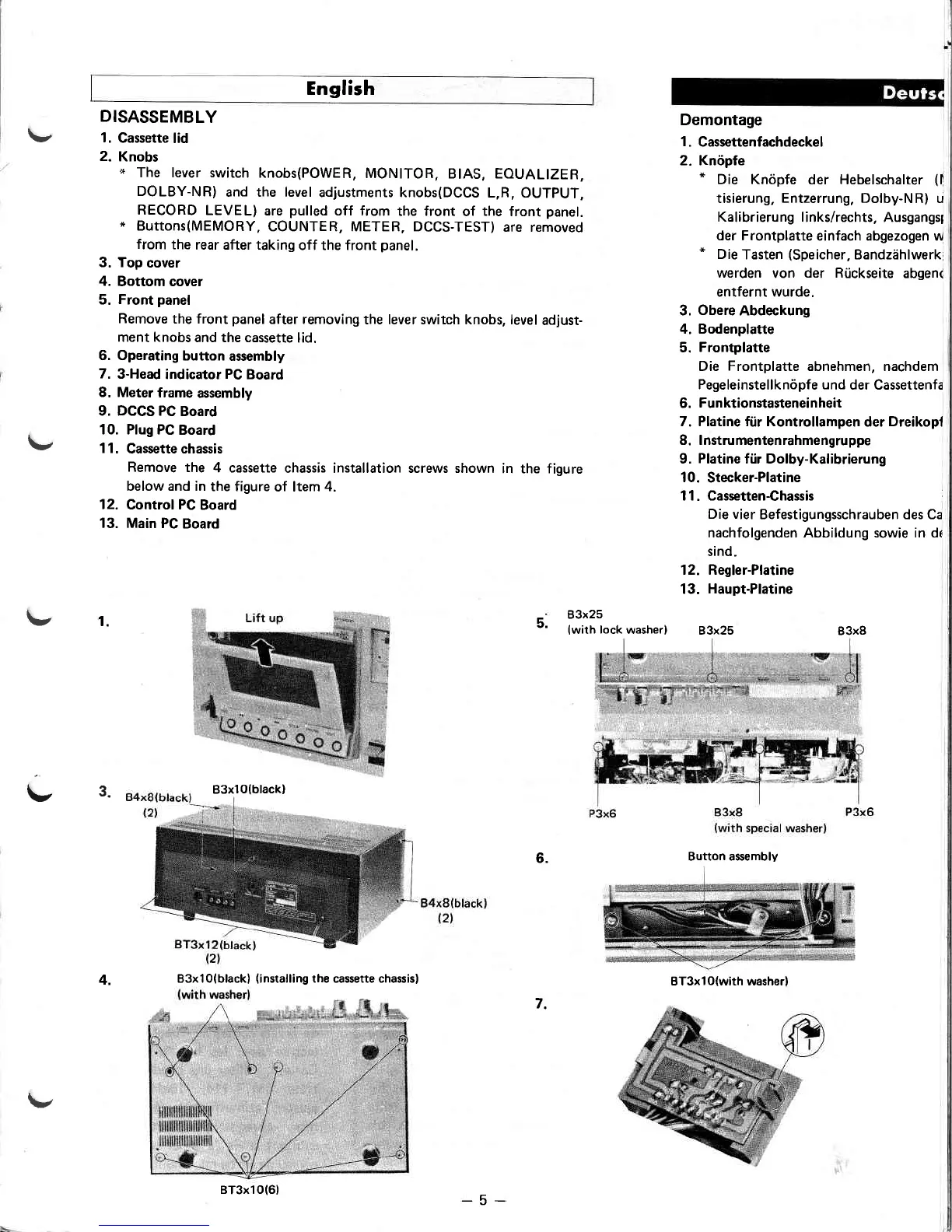
DISASSEMBLY
1.
Gassette
lid
2.
Knobs
x
The lever switch
knobs(POWER,
MONITOR,
BIAS, EOUALIZER,
DOLBY-NR)
and the level
adjustments knobs(DCCS
L,R, OUTPUT,
RECORD
LEVEL)
are
pulled
off from
the front
of
the
front
panel.
*
Buttons(MEMORY,
COUNTER, METER, DCCS-TEST)
are removed
from
the
rear after taking
off the front
panel.
3. Top
cover
4.
Bottom cover
5.
Front
panel
Remove
the front
panel
after removing
the lever switch knobs, level
adjust-
ment knobs
and the cassette
lid.
6. Operating
button
assembly
7.
3-Head
indicator
PC
Board
8. Meter
frame
assembly
9. DCCS PC
Board
10. Plug PC
Board
1 1.
Cassette chassis
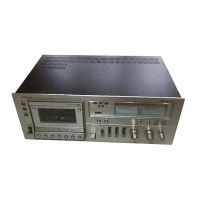
Remove
the
4 cassette
chassis installation screws shown
in the figure
below and in
the figure
of ltem
4.
12.
Control PC
Board
13. Main
PC Board
Demontage
1.
Cassettenfachdeckel
2. Knópfe
*
Die Knòpfe
der Hebelschalter
(l
tisierung,
Entzerrung, Dolby-NR)
u
Kalibrierung
links/rechts, Ausgangsl
der Frontplatte
einfach abgezogen w
*
Die
Tasten
(Speicher,
Bandzàhlwerk
werden
von
der Rùckseite
abgen<
entfernt wurde.
3.
Obere
Abdeckung
4. Bodenplatte
5.
Frontplatte
Die
Frontplatte
abnehmen, nachdem
Pegeleinstellknópfe und
der Cassettenfa
6.
Funktionstasteneinheit
7. Platine fúr Kontrollampen
der
Dreikopl
8. lnstrumentenrahmengruppe
9.
Platine
fft Dolby-Kalibrierung
10.
Stecker-Platine
11. Cassetten€hassis
Die vier
Befestigungsschrauben des Ca
nachfolgenden Abbildung sowie in dr
sind.
12. Regler-Platine
13.
Haupt-Platine
83x25
B3x8
\,
v3.
5.
1.
83x25
{with
lock
washer)
B3xl0lblackl
6.
4.
7.
Button asembly
BT3xlO(with washerl
B3x 1 0( black)
(
i nstalli ng the casseîte chassisl
BT3x1O(61
\/
-5-


 To Next Page