English
7
WARNING
If an electrically conductive foreign object enters the terminals
of the lithium ion battery, a short-circuit may occur resulting
in the risk of fi re. Please observe the following matters when
storing the battery.
○ Do not place electrically conductive cuttings, nails,
steel wire, copper wire or other wire in the storage
case.
○ Either install the battery in the power tool or store
by securely pressing into the battery cover until the
ventilation holes are concealed to prevent short-
circuits (See Fig. 1).
SPECIFICATIONS
POWER TOOL
No-load speed (Low/High) 0 – 300 / 0 – 1300 /min
Capacity
Drilling
Wood
(Thickness 18 mm)
21 mm
Metal
(Thickness 1.6 mm)
Steel: 10 mm
Aluminum: 12 mm
Driving
Machine screw 6 mm
Wood screw
5.8 mm (diameter) × 45 mm (length)
(Requires a pilot hole)
Rechargeable battery
BCL1015: Li-ion 10.8 V (1.5 Ah 3 cells)
Weight
1.0 kg
CHARGER
Model UC10SFL
Charging voltage 10.8 V
Weight 0.35 kg
STANDARD ACCESSORIES
1 Plus driver bit (No. 2 × 65L) ............................................ 1
2 Battery (BCL1015) .................................................. 1 or 2
3 Charger (UC10SFL) ...................................................... 1
4 Plastic case ................................................................... 1
Standard accessories are subject to change without notice.
OPTIONAL ACCESSORIES (sold separately)
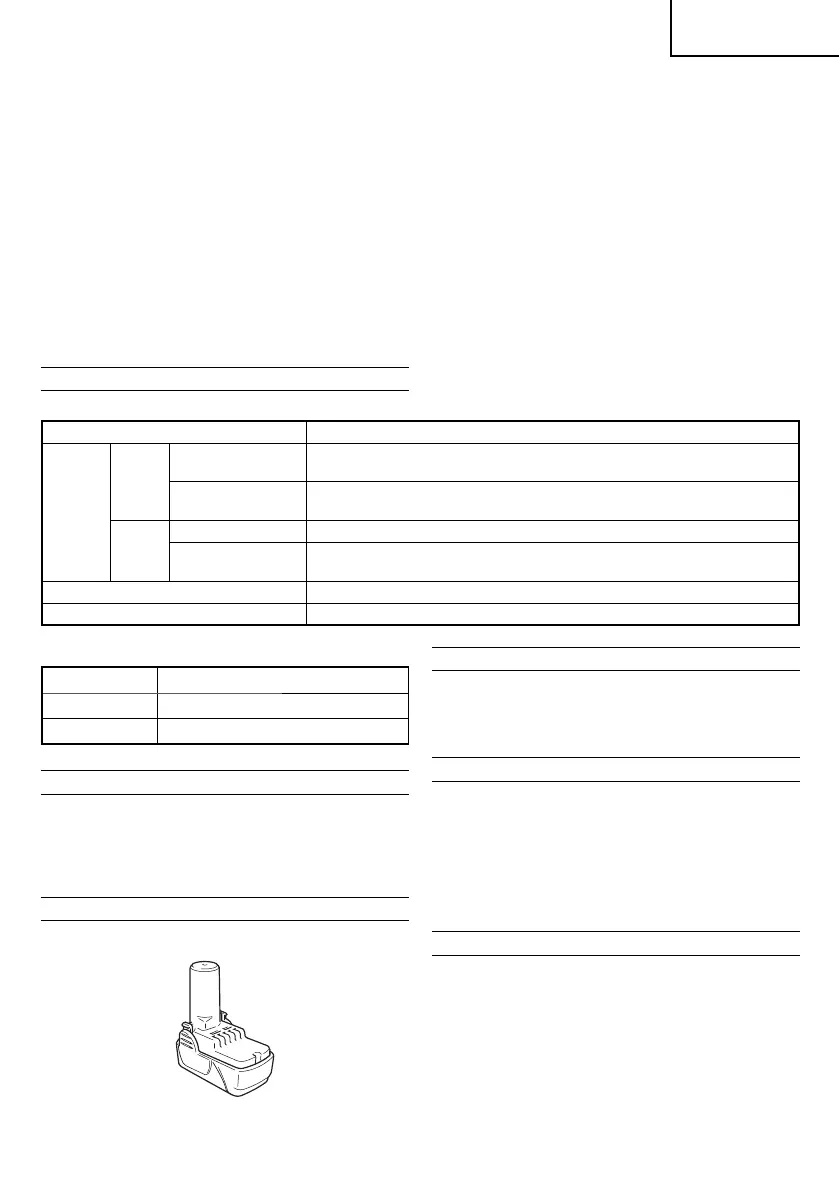
1. Battery (BCL1015)
Optional accessories are subject to change without notice.
APPLICATIONS
○ Driving and removing of machine screws, wood screws,
tapping screws, etc.
○ Drilling of various woods.
○ Drilling of various metals.
BATTERY REMOVAL/INSTALLATION
1. Battery removal
Hold the handle tightly and push the battery latch to
remove the battery (see Figs. 1 and 2).
CAUTION
Never short-circuit the battery.
2. Battery installation
Insert the battery while observing its polarities (see
Fig. 2).
CHARGING
Before using the power tool, charge the battery as follows.
1. Connect the charger power cord to the receptacle
When connecting the plug of the charger to a receptacle,
the pilot lamp will blink in red (At 1-second intervals).
2. Insert the battery into the charger
Firmly insert the battery into the charger till it contacts the
bottom of the charger as shown in Fig. 1.
3. Charging
When inserting a battery in the charger, the pilot lamp will
light up continuously in red.
When the battery becomes fully recharged, the pilot lamp
will blink in red (At 1-second intervals). (See Table 1)
11. If there is battery leakage, foul odor, heat generated,
discolored or deformed, or in any way appears abnormal
during use, recharging or storage, immediately remove it
from the equipment or battery charger, and stop use.
CAUTION
1. If liquid leaking from the battery gets into your eyes, do not
rub your eyes and wash them well with fresh clean water
such as tap water and contact a doctor immediately.
If left untreated, the liquid may cause eye-problems.
2. If liquid leaks onto your skin or clothes, wash well with
clean water such as tap water immediately.
There is a possibility that this can cause skin irritation.
3. If you fi nd rust, foul odor, overheating, discolor,
deformation, and/or other irregularities when using the
battery for the fi rst time, do not use and return it to your
supplier or vendor.
000BookDS10DFLAra.indb7000BookDS10DFLAra.indb7 2012/07/189:02:242012/07/189:02:24


 To Next Page
 Loading...