EasyManua.ls Logo

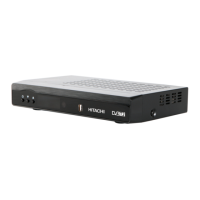
Hitachi HDR255 - User Manual

Hitachi HDR255
28 pages
Print Icon
To Next Page IconTo Next Page
Loading...
Model
HDR255
Digital TV Recorder

Questions and Answers

  • S
    Scott SandersJul 31, 2025
    Why is my Hitachi HDR255 DVR remote control not working?
    • M
      mccoyangelaJul 31, 2025
      There are several reasons why your Hitachi DVR remote control might not be working: * The digital set-top box may have been unplugged without first going to standby. Try pressing the standby key. * The remote control might be incorrectly aimed. Make sure nothing is obstructing the front panel. * The batteries may be exhausted. Try changing the batteries.
  • A
    Adam HurleyAug 8, 2025
    What to do if my Hitachi DVR has no picture or sound?
    • F
      fwhiteAug 8, 2025
      If your Hitachi DVR has no picture or sound, it could be due to no signal or a weak signal. Check the aerial and scart connections to ensure they are properly connected.
  • P
    perkinsteresaAug 15, 2025
    What to do if Hitachi HDR255 record does not start?
    • B
      Brenda NelsonAug 15, 2025
      If the Hitachi DVR record does not start, it may be due to no or weak aerial input signal. Check the aerial input connection.
  • L
    Linda GrahamAug 22, 2025
    How to fix Hitachi HDR255 if LED indicator does not glow?
    • D
      Dr. Leslie BergerAug 22, 2025
      If the LED indicator on your Hitachi DVR does not glow, check if the main cable is plugged into the power socket.

Summary

Safety Precautions

Power Safety

General safety advice regarding the device's power source and adapter.

Power Cord Safety

Guidelines for safe handling and placement of the power cord.

General Safety Warnings

Covers placement, liquids, ventilation, and electrical shock risks.

Safe Use Guidelines

Dos and Donts for Operation

Lists recommended actions and prohibitions for safe equipment operation.

Device Connections

Connecting to the TV

SCART Cable Setup

Explains how to connect the set-top box to the TV using a SCART cable.

Power and Antenna Setup

Power Connection and Standby

Details connecting the power adapter and the device's power states.

Antenna Connection Guide

Instructions for connecting the TV aerial.

Initial Setup and Menu Navigation

First Time Installation and Interface

Guides initial setup and describes the main interface.

Menu System and Channel List Operations

Covers menu navigation, channel list management, favorites, and EPG.

Timers and Recording

Setting and Deleting Timers

Instructions for setting, deleting, and managing recording timers.

Advanced Recording Features

Recordings Library

Accessing and Managing Recordings

How to view, manage, and archive recorded content.

Playback Options

Setup Menu

Hard Disk Management

System Configuration Details

Advanced Configuration Options

Installation and Channel Tuning

First Time Installation Process

Steps for performing a first-time installation of the device.

Important Notes and Precautions

Power, Leads, and Environment

Safety notes regarding power, cables, temperature, humidity, and ventilation.

Troubleshooting Guide

Common Issues and Solutions

Provides solutions for problems like no indicator light, no picture/sound, and remote control issues.

Hitachi HDR255 Specifications

General IconGeneral
BrandHitachi
ModelHDR255
Video OutputHDMI, SCART
TypeDVR
Audio OutputRCA
HDMI Output1
Scart Output1
Dimensions (W x H x D)360 x 60 x 230 mm

Related product manuals