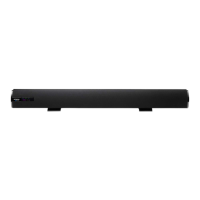
Front Panel Lights:
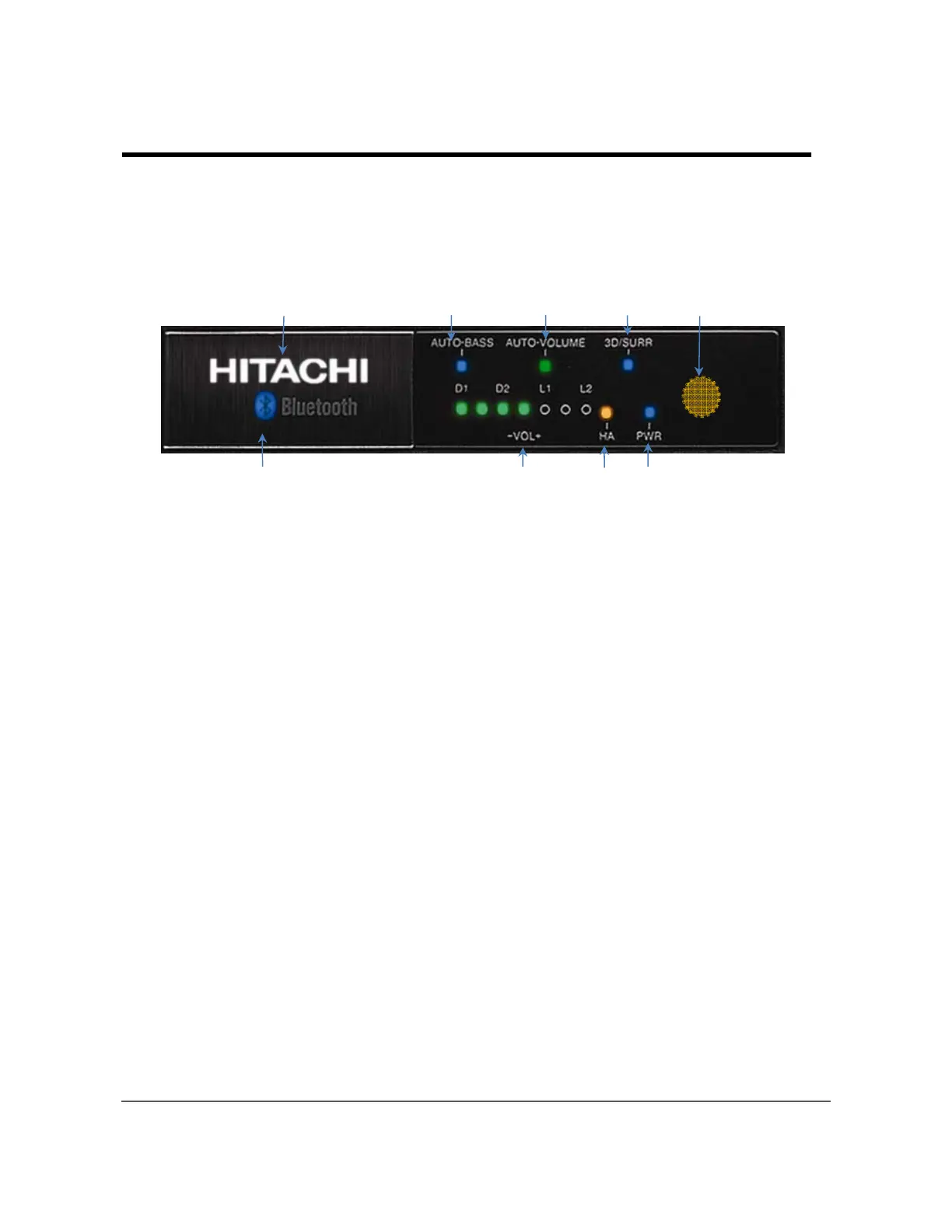
The Front Panel shows the status of the Sound Bar using high efficiency light emitting
diodes (LEDs). When you press a button on the Sound Bar remote control or top panel
controls, the LED lights indicate the operation of the Sound Bar.
① HITACHI logo:
Illuminates for about 15 seconds when power is turned “On”.
② AUTO-BASS:
Enhances low frequencies at low volume levels.
③ AUTO-VOLUME:
Reduces sudden loud sounds and simultaneously raises whispers for easy listening.
④ 3D/SURR:
Press the remote’ 3D/SURR button to switch from “3D” (blue LED) to “Surround”
sound effects (LED turns green). Press again to turn effects and LED off.
⑤ Remote Control Sensor:
For best response point the remote control directly at this area from roughly 30
degrees to the left, right, up or down. The remote control range is approximately
30 feet. Do not put obstacles between the remote control and the sensor window.
⑥ Bluetooth Light:
Illuminates when the Bluetooth input is selected.
⑦ Volume/Input indicator:
Seven lights indicates the volume level, input source selection and Tone modes.
⑧ HA mode:
The HEARING AID mode enhances certain frequencies for the hearing impaired.
⑨ PWR indicator:
Indicates the Sound Bar’s power “On” or “Off” status.
6
Chapter 2 – Indicators and Buttons
①
②③
④
⑤
⑥
⑦
⑧
⑨


 To Next Page