EasyManua.ls Logo

Hitachi LE32V407 - User Manual

Hitachi LE32V407
59 pages
Print Icon
To Next Page IconTo Next Page
Loading...
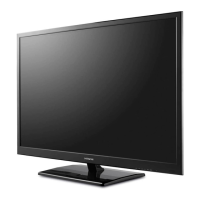
LE32V407
32” Class (31.51” Diag.)
Serial No.
Model:
Thank you for purchasing this Hitachi product.
Please read these instructions carefully.
For additional assistance please call Toll Free
800.HITACHI (800.448.2244).
or visit our website at www.hitachi.us/tv.
Keep this owner’s guide for future reference.
Record the model name and serial number of your LCD
Television for future reference.This information is located
on the back of the television.
TABLE OF CONTENTS
2-6 IMPORTANT SAFETY INSTRUCTIONS
7 HOW TO ATTACH / REMOVE THE STAND
8-12 FIRST TIME USE
13-22 TV OPERATION
23-25 CONNECTIONS TO OTHER EQUIPMENT
26 RECEPTION DISTURBANCES
27 TROUBLESHOOTING
28 SPECIFICATIONS
29-30 LIMITED WARRANTY
CONGRATULATIONS
LED LCD HDTV
OWNER’S GUIDE
OG_V407_101413

Questions and Answers

  • J
    Jeanette GrahamAug 18, 2025
    What to do if my Hitachi LED TV does not turn on?
    • L
      laura47Aug 18, 2025
      If your Hitachi LED TV isn't turning on, ensure the power connector is fully inserted into the TV's DC-IN jack and that the power cord is plugged into a working AC outlet. Check the fuse or circuit breaker. If these steps don't work, unplug the unit for an hour, then plug it back in.
  • C
    Cynthia FisherAug 21, 2025
    Why does my Hitachi LE32V407 keep turning off?
    • H
      hbutlerAug 21, 2025
      If your Hitachi LED TV keeps shutting off, the Sleep Timer might be activated. Turn off the Sleep Timer in the settings. Also, check the power source to ensure there are no interruptions.
  • T
    tyler41Aug 23, 2025
    Why is the picture quality bad on my Hitachi LE32V407 LED TV?
    • C
      Cynthia SimonAug 23, 2025
      If your Hitachi LED TV has poor or no picture, first tune to another station to rule out station or cable TV issues. Make sure channels are set into memory. Check the antenna or cable TV connections and adjust the antenna. Also, check for sources of possible interference and picture control adjustments.
  • C
    Cheryl BryantAug 26, 2025
    Why is there no color on my Hitachi LE32V407?
    • D
      David RamirezAug 26, 2025
      If your Hitachi LED TV has poor or no color, first tune to another station to rule out station or cable TV issues. Make sure channels are set into memory. Check the picture control adjustments, antenna or Cable TV connections, and adjust the antenna. Also, check for sources of possible interference.
  • J
    Joanne DavidsonAug 28, 2025
    How to fix Hitachi LE32V407 remote not working?
    • N
      Nathaniel MurilloAug 28, 2025
      If the Hitachi LED TV remote isn't working, the batteries may be weak, dead, or inserted incorrectly, so check them first. Ensure you're within 15 feet of the TV and that the remote is aimed at the sensor without any obstructions. Also, verify that the TV power cord is properly plugged in.
  • S
    stephensmichaelAug 30, 2025
    Why is there no sound on my Hitachi LE32V407?
    • M
      Melanie GarciaAug 31, 2025
      If you're experiencing poor or no sound on your Hitachi LED TV, first tune to another station in case the current station or cable TV provider is experiencing issues. Then, check your TV's sound adjustments, such as volume and mute settings. Also, check for possible sources of interference and the audio language setting.
  • S
    Steven LeeSep 2, 2025
    How to turn on closed captions on Hitachi LED TV?
    • N
      nicholehernandezSep 2, 2025
      If closed captioning isn't working on your Hitachi LED TV, try another channel in case the current TV station is experiencing problems or the program isn't closed captioned. Check the Cable TV connection or VHF/UHF antenna, reposition or rotate antenna. Also, ensure the Closed Caption Decoder is properly set in the menu.
  • Q
    qcamposSep 4, 2025
    Why is the reception bad on my Hitachi LE32V407 on certain channels?
    • L
      Logan McgeeSep 4, 2025
      If your Hitachi LED TV has poor reception on some channels, try tuning to another station first, to rule out station or cable TV issues. Ensure the channels are set into memory. If the station is weak, adjust the antenna to improve reception. Also, check for sources of possible interference.
  • D
    Deanna PriceSep 7, 2025
    What causes horizontal bars on Hitachi LE32V407 screen?
    • K
      Kathy AshleySep 7, 2025
      If you see horizontal or diagonal bars on your Hitachi LED TV screen, check the antenna connections and adjust or redirect the antenna. Also, check for sources of possible interference.
  • S
    Samuel GallagherSep 9, 2025
    Why does the picture wobble on my Hitachi LE32V407?
    • S
      Steven FisherSep 9, 2025
      If the picture on your Hitachi LED TV wobbles or drifts, first tune to another station to rule out station or cable TV issues. Make sure channels are set into memory. If you're using cable, check with your cable TV provider, as they may be scrambling the signal. You can also try adjusting the antenna.

Summary

IMPORTANT SAFETY INSTRUCTIONS

CHILD SAFETY NOTICE

WALL MOUNTING

Guidelines and precautions for securely mounting the TV on a wall.

SAFETY PRECAUTIONS

How to attach the stand

How to remove the stand

Location of controls

Remote control

Antenna connections

Cable TV connections

Starting setup

TV operation

TO SELECT ANALOG CHANNELS

Instructions for tuning to analog television channels.

TO SELECT DIGITAL CHANNELS

Instructions for tuning to digital television channels.

To select the video input source

Guide for switching between different input sources like HDMI, AV, etc.

Channels setup

Channel Manager

Functionality to skip channels or add them to a favorite list.

Auto Channel Scan

Process to automatically scan and tune available TV channels.

Setting the Parental Controls

Password Setup

Procedure for setting or entering the parental control password.

US Rating System

Instructions for enabling and configuring parental control settings using US ratings.

Closed Caption

What is Closed Captioning?

Explanation of Closed Captioning and its purpose for viewers.

Selecting Closed Caption Modes

Steps to choose analog or digital closed captioning modes.

Connections to other equipment

Troubleshooting

LIMITED WARRANTY

Hitachi LE32V407 Specifications

General IconGeneral
BrandHitachi
ModelLE32V407
CategoryLED TV
LanguageEnglish

Related product manuals