EasyManua.ls Logo

Hitachi RAF-35PXA - User Manual

Hitachi RAF-35PXA
37 pages
Print Icon
To Next Page IconTo Next Page
Loading...
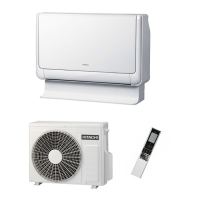
INDOOR UNIT/OUTDOOR UNIT
MODEL
RAF-2508! / RAC-25&8!
RAF-3508! / RAC-35&8!
RAF-5008! / RAC-50&8!
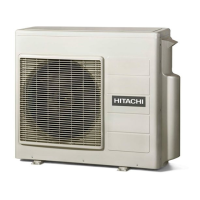
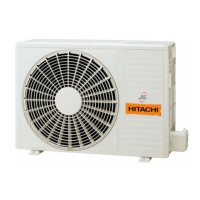
OUTDOOR UNIT
RAF-2508!
RAF-3508!
RAF-5008!
SPLIT TYPE AIR CONDITIONER
RAC-25&8!
RAC-35&8!
RAC-50&8!
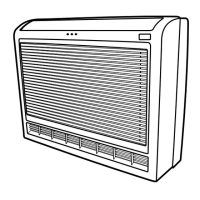
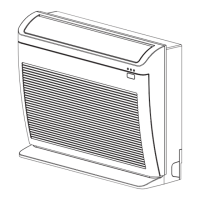
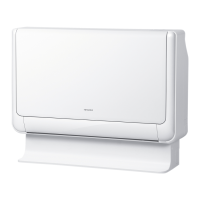
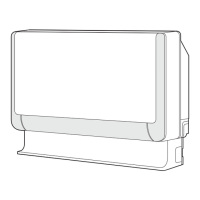
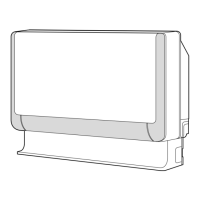
INDOOR UNIT
1 RAF RAC25FX8 EN(B) p65 11/04/2008 02:35 pm1
Instruction manual Page 1~
To obtain the best performance and ensure years of
trouble free use, please read this instruction manual
completely.
Manual de instrucciones Página ~
Para obtener el mejor funcionamiento y asegurar años
de uso libre de problemas, lea cuidadosamente este
manual de instrucciones.
Bedienungsanleitung Seite ~
Bitte lesen Sie diese Bedienungsanleitung aufmerksam
durch, um durch richtige Bedienung jahrelangen und
störungsfreien Betrieb zu gewährleisten.
Manual de instruções Página ~
A fim de obter um bom funcionamento e de garantir
uma utilização sem falhas durante muitos anos, é favor
ler este manual de instruções completamente.
Mode d’emploi Page ~
Des performances optimales et un fonctionnement à
long terme seront assurés en appliquant les présentes
instructions après avoir entièrement lu ce mode
d’emploi.
O‰ËÁ›Â˜ ¯Ú‹Ûˆ˜ ÛÂÏ›‰· ~
°È¿ Ó· Â›Ó·È ÂÁÁ˘Ë̤ÓË Ë Î·Ï‡ÙÂÚË ‰˘Ó·Ù‹ ÏÂÈÙÔ˘ÚÁ›·
Î·È Ë ¯ˆÚ›˜ ‚Ï¿‚˜ Ì·ÎÚÔÚfiıÂÛÌË ¯Ú‹ÛË Ù˘
Û˘Û΢‹˜, ‰È·‚¿ÛÙ fiϘ ÙȘ οوıÈ Ô‰ËÁ›Â˜.
Manuale di istruzioni Pag. ~
Per garantire la migliore prestazione e la più lunga
durataleggere attentamente e al completo le seguanti
istruzioni.
àÌÒÚÛ͈Ëfl ÔÓ ˝ÍÒÔÎÛ‡Ú‡ˆËË ÒÚ. ~1
ÑÎfl o·ecÔe˜eÌËfl ÌaËÎyÛ¯Ëx ˝ÍcÔÎyaÚaˆËoÌÌ˚x
xapaÍÚepËcÚËÍ Ë ÏÌo„oÎeÚÌeÈ ·eÁoÚÍaÁÌoÈ pa·oÚ˚
o·opy‰o‚aÌËfl Ìeo·xo‰ËÏo ÔoÎÌocÚ¸˛ oÁÌaÍoÏËÚ¸cfl
c ‰aÌÌoÈ àÌcÚpy͈ËeÈ Ôo ˝ÍcÔÎyaÚaˆËË.
1~12 49~60
13~24 61~72
25~36 73~84
37~48
85~97

Other manuals for Hitachi RAF-35PXA

Question and Answer IconNeed help?

Do you have a question about the Hitachi RAF-35PXA and is the answer not in the manual?

Summary

Safety Precautions

Precautions During Installation

Safety measures and requirements before installing the air conditioner unit.

Precautions During Shifting or Maintenance

Safety guidelines for moving or servicing the air conditioner unit.

Precautions During Operation

Critical safety instructions to follow while the air conditioner is in use.

Preparation Before Operation

To Install the Batteries

Guide for inserting batteries into the remote controller.

To Fix the Remote Controller Holder to the Wall

Instructions for mounting the remote control holder securely on a wall.

To Set Calendar and Clock

Procedure for setting the current date and time on the air conditioner system.

Names and Functions of Remote Controller

Remote Controller Layout and Components

Overview of the remote control's physical parts, display, and signal receiver.

Operating the Air Conditioner

Guide using buttons for modes, fan, timers, and special functions.

Remote Controller Usage Precautions

Safety and handling advice for the remote control.

Various Functions

Auto Restart Control

Unit's automatic restart feature after power interruptions.

Automatic Operation Mode

Unit selects heating/cooling based on room temperature.

Heating Operation

Defrosting Process

How and when the unit defrosts during heating.

Dehumidifying Operation

Dehumidifying Function Details

How dehumidifying works and recommended settings.

Cooling Operation

AUTO Fan Operation in Cooling Mode

Fan speed auto-adjustment during cooling.

Fan Operation

Using as Air Circulator

Unit use for air circulation without temperature control.

Auto Swing Vertical Airflow Control

Adjusting vertical deflector swing motion.

Extended Airflow Operation

How to use the extended airflow feature.

Powerful Operation

Notes on Powerful Operation

Considerations and limitations for powerful mode.

Silent Operation

Notes on Silent Operation

Information and usage notes for quiet mode.

ECO Operation

Notes on ECO Operation

Details and effectiveness of energy-saving ECO mode.

Leave Home(LH) Operation

Notes on Leave Home Operation

Key points and restrictions for Leave Home mode.

Clean (One Touch Clean) Operation

Notes on Clean Operation

Considerations for one-touch clean function.

Once Timer (ON;OFF Timer) Operation

Timer Reservation and Cancellation

How to set, cancel, and manage timer operations.

ECO Sleep Timer Operation

Notes on ECO Sleep Timer

Details and effects of the ECO sleep timer function.

Weekly Timer Operation

Setting Weekly Timer Programs

Guide to programming daily schedules.

Activating and Deactivating Weekly Timer

Steps to enable or disable the weekly timer function.

Copying and Cancelling Weekly Timer Reservations

How to duplicate or remove programmed timer settings.

Deleting Weekly Timer Data

Procedure for removing specific timer programs or entire schedules.

Info Function

Checking Temperature and Power Consumption

View room temperature and monthly power usage via remote.

Retrieving Calendar and Clock Data

Method to transmit and check unit's current date and time.

Error Code Display

How to check and interpret error codes displayed on the remote.

Operation Mode Lock

Locking and Unlocking Heating Mode Operation

Steps to fix or release the heating operation mode.

Locking and Unlocking Cooling;Dehumidifying Modes

Steps to fix or release cooling and dehumidifying modes.

Notes on Operation Mode Lock

Considerations and restrictions for the operation mode lock feature.

Names and Functions of Each Part

Indoor and Outdoor Unit Components

Identification and description of the parts of the indoor and outdoor units.

Model Names and Dimensions

Specifications including model numbers, width, height, and depth.

Indoor Unit Indicators

Temporary Switch and Indicator Lamps

Explanation of the temporary switch and various indicator lights on the indoor unit.

Opening and Closing the Front Panel

Instructions on how to access and close the front panel of the indoor unit.

Adjusting the Air Deflectors

Vertical Air Deflector Adjustment

How to adjust the vertical deflector for optimal airflow direction.

Airflow Direction Angles

Diagram illustrating the range of motion for air deflectors in different modes.

How to Use the Air Conditioner Effectively

Effective Usage Tips

Advice for optimizing performance, energy efficiency, and comfort.

Maintenance

Air Filter Cleaning

Step-by-step guide for cleaning the air filters to maintain performance.

Front Panel Maintenance

Instructions for cleaning and handling the front panel.

Long-Term Storage Preparation

Steps for preparing the unit for long periods of non-use.

Information

Unit Capabilities (Heating;Cooling;Dehumidifying)

Overview of the unit's performance characteristics in different modes.

Various Functions and Timer Operations

Summary of additional functions and timer programming capabilities.

Regular Inspection

Inspection Points and Safety Checks

Periodic checks for safety and proper installation, including earth line.

After Sales Service and Warranty

Troubleshooting Common Issues

Guide to diagnosing and resolving common problems with the unit and remote.

Normal Operational Phenomena

Explanations for sounds or visual cues that do not indicate a malfunction.

Contacting Service Agents and Important Notes

Procedures for seeking professional help and important final notes.

Summary

Safety Precautions

Precautions During Installation

Safety measures and requirements before installing the air conditioner unit.

Precautions During Shifting or Maintenance

Safety guidelines for moving or servicing the air conditioner unit.

Precautions During Operation

Critical safety instructions to follow while the air conditioner is in use.

Preparation Before Operation

To Install the Batteries

Guide for inserting batteries into the remote controller.

To Fix the Remote Controller Holder to the Wall

Instructions for mounting the remote control holder securely on a wall.

To Set Calendar and Clock

Procedure for setting the current date and time on the air conditioner system.

Names and Functions of Remote Controller

Remote Controller Layout and Components

Overview of the remote control's physical parts, display, and signal receiver.

Operating the Air Conditioner

Guide using buttons for modes, fan, timers, and special functions.

Remote Controller Usage Precautions

Safety and handling advice for the remote control.

Various Functions

Auto Restart Control

Unit's automatic restart feature after power interruptions.

Automatic Operation Mode

Unit selects heating/cooling based on room temperature.

Heating Operation

Defrosting Process

How and when the unit defrosts during heating.

Dehumidifying Operation

Dehumidifying Function Details

How dehumidifying works and recommended settings.

Cooling Operation

AUTO Fan Operation in Cooling Mode

Fan speed auto-adjustment during cooling.

Fan Operation

Using as Air Circulator

Unit use for air circulation without temperature control.

Auto Swing Vertical Airflow Control

Adjusting vertical deflector swing motion.

Extended Airflow Operation

How to use the extended airflow feature.

Powerful Operation

Notes on Powerful Operation

Considerations and limitations for powerful mode.

Silent Operation

Notes on Silent Operation

Information and usage notes for quiet mode.

ECO Operation

Notes on ECO Operation

Details and effectiveness of energy-saving ECO mode.

Leave Home(LH) Operation

Notes on Leave Home Operation

Key points and restrictions for Leave Home mode.

Clean (One Touch Clean) Operation

Notes on Clean Operation

Considerations for one-touch clean function.

Once Timer (ON;OFF Timer) Operation

Timer Reservation and Cancellation

How to set, cancel, and manage timer operations.

ECO Sleep Timer Operation

Notes on ECO Sleep Timer

Details and effects of the ECO sleep timer function.

Weekly Timer Operation

Setting Weekly Timer Programs

Guide to programming daily schedules.

Activating and Deactivating Weekly Timer

Steps to enable or disable the weekly timer function.

Copying and Cancelling Weekly Timer Reservations

How to duplicate or remove programmed timer settings.

Deleting Weekly Timer Data

Procedure for removing specific timer programs or entire schedules.

Info Function

Checking Temperature and Power Consumption

View room temperature and monthly power usage via remote.

Retrieving Calendar and Clock Data

Method to transmit and check unit's current date and time.

Error Code Display

How to check and interpret error codes displayed on the remote.

Operation Mode Lock

Locking and Unlocking Heating Mode Operation

Steps to fix or release the heating operation mode.

Locking and Unlocking Cooling;Dehumidifying Modes

Steps to fix or release cooling and dehumidifying modes.

Notes on Operation Mode Lock

Considerations and restrictions for the operation mode lock feature.

Names and Functions of Each Part

Indoor and Outdoor Unit Components

Identification and description of the parts of the indoor and outdoor units.

Model Names and Dimensions

Specifications including model numbers, width, height, and depth.

Indoor Unit Indicators

Temporary Switch and Indicator Lamps

Explanation of the temporary switch and various indicator lights on the indoor unit.

Opening and Closing the Front Panel

Instructions on how to access and close the front panel of the indoor unit.

Adjusting the Air Deflectors

Vertical Air Deflector Adjustment

How to adjust the vertical deflector for optimal airflow direction.

Airflow Direction Angles

Diagram illustrating the range of motion for air deflectors in different modes.

How to Use the Air Conditioner Effectively

Effective Usage Tips

Advice for optimizing performance, energy efficiency, and comfort.

Maintenance

Air Filter Cleaning

Step-by-step guide for cleaning the air filters to maintain performance.

Front Panel Maintenance

Instructions for cleaning and handling the front panel.

Long-Term Storage Preparation

Steps for preparing the unit for long periods of non-use.

Information

Unit Capabilities (Heating;Cooling;Dehumidifying)

Overview of the unit's performance characteristics in different modes.

Various Functions and Timer Operations

Summary of additional functions and timer programming capabilities.

Regular Inspection

Inspection Points and Safety Checks

Periodic checks for safety and proper installation, including earth line.

After Sales Service and Warranty

Troubleshooting Common Issues

Guide to diagnosing and resolving common problems with the unit and remote.

Normal Operational Phenomena

Explanations for sounds or visual cues that do not indicate a malfunction.

Contacting Service Agents and Important Notes

Procedures for seeking professional help and important final notes.

Hitachi RAF-35PXA Specifications

General IconGeneral
BrandHitachi
ModelRAF-35PXA
CategoryAir Conditioner
LanguageEnglish

Related product manuals