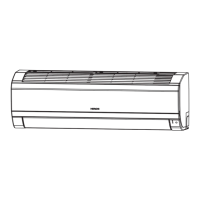
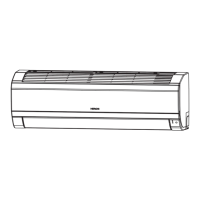
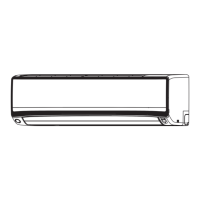
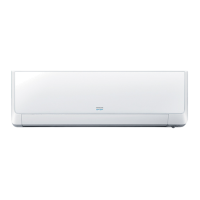
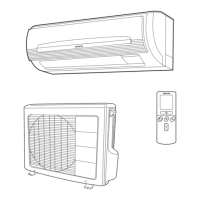
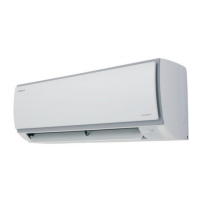
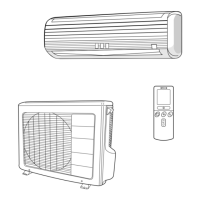
This document serves as an installation and operation manual for Hitachi air conditioners, specifically models RAK-AJ10PCASM/RAC-AJ10PCASM, RAK-AJ13PCASM/RAC-AJ13PCASM, RAK-AJ18PCASM/RAC-AJ18PCASM, and RAK-AJ24PCASM/RAC-AJ24PCASM. It provides comprehensive instructions for both professional installers and end-users, covering remote controller functions, safety precautions, installation procedures, maintenance, and troubleshooting.
The remote controller is the primary interface for operating the air conditioner, transmitting signals to the system. It features an ON/OFF button to start or stop the appliance, a MODE button to select various operation modes (Cooling, Dry, Fan Only, Heating, Auto), and a FAN button to adjust fan speed (Auto, High, Medium, Low). Temperature settings are managed with ROOM TEMPERATURE SETTING BUTTONS, allowing users to increase or decrease the desired room temperature. For rapid cooling, a TURBO button is available, which automatically sets the fan to high speed and the temperature to 16°C.
Airflow direction can be controlled using the SWING buttons. One SWING button manages vertical adjustment, allowing the louver to swing up and down automatically or be set to a specific angle. Another SWING button controls horizontal adjustment, enabling the louver to swing left and right automatically or be fixed at a desired angle. The remote also includes a SLEEP button for a more comfortable sleep environment, which automatically adjusts temperature and fan speed over time and stops operation after 8 hours. A LIGHT button allows users to turn off all indoor unit displays.
Additional features on the remote include a CLOCK button for setting the current time, TIMER ON/OFF buttons for scheduling appliance operation, and an ECO button for energy-saving mode. The MUTE button reduces noise performance, while the IFEEL button activates a temperature sensor in the remote controller to optimize comfort based on the surrounding temperature. A CLEAN button initiates a cleaning mode for the air conditioner. For safety and to prevent accidental changes, a LOCK function is available by pressing the TIMER ON and TIMER OFF buttons simultaneously for three seconds.
The manual emphasizes safety instructions, particularly for models using R32 flammable refrigerant. It outlines precautions for transport, marking, disposal, storage, and servicing of equipment containing R32. General work area safety, checks for refrigerant presence, availability of fire extinguishers, and avoiding ignition sources are highlighted. Proper ventilation during work and checks to refrigeration equipment and electrical devices are also detailed.
Installation instructions cover selecting appropriate indoor and outdoor unit locations, considering factors like obstacles, pipe arrangement, wall strength, and ventilation. Specific guidelines are provided for drilling holes, mounting plates, and connecting pipes and cables. The manual specifies pipe lengths, elevation differences, and required additional refrigerant amounts for various models. It also details the process of thermal insulation for pipe joints and proper drain hose placement to ensure efficient water drainage. Wiring diagrams are included, stressing the importance of matching wire colors and ensuring tight connections. Air purging, using a vacuum pump to remove air and moisture from the refrigeration cycle, is described as a critical step to prevent compressor malfunction and protect the environment.
Maintenance procedures are straightforward, focusing on the front panel and air filter. For the front panel, users are instructed to cut off power, grasp the panel at designated positions, and pull it outward for removal. Cleaning should be done with a soft, dry cloth, or a soft, moist cloth for dirtier surfaces, avoiding volatile substances like gasoline. Reinstallation involves pressing the panel back into position. Air filter maintenance requires opening the front panel, gently pressing and sliding out the filter, washing it with a detergent solution in lukewarm water if dirty, drying it well in the shade, and reinstalling it. Regular cleaning of the air filter every two weeks is recommended, especially in dusty environments, or after approximately 100 hours of use.
The manual also provides information on operating conditions, including temperature ranges for cooling, heating, and drying operations for both Inverter and ON-OFF appliances. It notes that optimum performance is achieved within these ranges and that protective devices may trip if the air conditioner is used outside these conditions. Noise pollution considerations are addressed, advising installation in locations that can bear the unit's weight for quiet operation and where discharged air and operation noise will not disturb neighbors. Obstacles in front of the outdoor unit's air outlet should be avoided to prevent increased noise levels.
Troubleshooting guidance helps users identify common issues that may not indicate a malfunction. These include sounds of flowing water or cracking, mist from the outlet, and the compressor indicator lighting up during defrosting. It also covers scenarios where the unit does not run (e.g., tripped protector, exhausted remote controller batteries, unplugged power cord), lack of cooling/heating (e.g., dirty air filter, blocked intakes/outlets, incorrect temperature setting), and abnormal operation due to strong interference. The manual also explains that peculiar odors may originate from external sources sucked into the unit.
Finally, the manual includes a display introduction, explaining various indicators on the indoor unit such as temperature, running, timer, sleep, compressor, mode, fan speed, signal receptor, Smart WIFI, NANOE, FAN ONLY, Airflow Follow You/Avoid You, humidity, and Artificial Intelligence Smart Running indicators. An emergency button on the indoor unit is also mentioned, allowing the AC to run or stop directly.


 To Next Page
 General