This document provides the instruction manual for the Hitachi Split Type Air Conditioner Indoor Unit, specifically for models RAK-DJ25PHAT, RAK-DJ35PHAT, and RAK-DJ50PHAT, which use HFC R32 refrigerant. The manual covers operation, safety precautions, maintenance, and troubleshooting.
Function Description
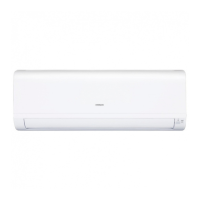
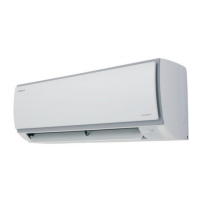
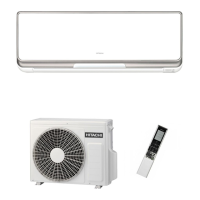
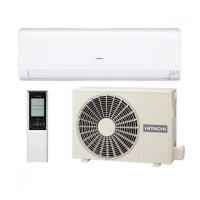
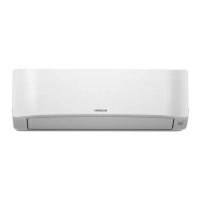
The Hitachi Split Type Air Conditioner Indoor Unit is designed for residential use to provide cooling and heating. It utilizes a heat pump system for heating, absorbing exterior heat and transferring it indoors. For cooling, it removes heat from the room. The unit is controlled via a remote controller (RC-AGU1EA0G) that sends operation signals to the indoor unit. Key components include an air filter to prevent dust, a front panel, indoor unit indicators for operating conditions, and horizontal/vertical deflectors for air outlet control.
A notable feature is the "FrostWash" operation, which is a self-cleaning function. This operation freezes and thaws the heat exchanger fins to remove accumulated dirt and dust. The Clean Function Lamp (Green) indicates the status of this operation.
Important Technical Specifications
Operation Range:
- Cooling:
- Indoor Temperature: Dry bulb 21-32°C, Wet bulb 15-23°C
- Outdoor Temperature: Dry bulb -10-46°C, Wet bulb -26-18°C
- Heating:
- Indoor Temperature: Dry bulb 20-27°C, Wet bulb 12-19°C
- Outdoor Temperature: Dry bulb -15-24°C
Model Dimensions (RAK-DJ25PHAT, RAK-DJ35PHAT, RAK-DJ50PHAT):
- Width: 780 mm
- Height: 280 mm
- Depth: 222 mm
Refrigerant: HFC R32. Specific charge information is available in the outdoor unit installation manual or specification label.
Usage Features
Indicators:
- Operation Lamp (Yellow): Lights during operation, flashes during preheating or defrosting.
- Timer Lamp (Orange): Lights when the timer is working.
- Wi-Fi Lamp (Blue): Indicates Wi-Fi function status (optional, requires Wi-Fi adapter).
- Clean Function Lamp (Green): Used for FrostWash, Filter Sign, and FrostWash.
Temporary Switch: This switch allows starting and stopping the unit if the remote controller is not working. Pressing it momentarily initiates automatic mode. If pressed during operation, the unit will stop, and pressing it again will restart it in automatic mode.
Safety Precautions:
- Electrical Safety: Ensure proper earthing, do not operate with wet hands, avoid washing with water, and turn off the circuit breaker for long periods of non-use or during cleaning.
- Flammable Materials: Do not use or store flammable sprays, pesticides, or deodorants near the unit. Avoid operating with burning equipment without proper ventilation.
- Physical Safety: Do not climb on the outdoor unit, place objects on it, or touch the air outlet, bottom surface, or aluminum fins of the outdoor unit to prevent injury. Do not touch refrigerant pipes and connecting valves to avoid burns.
- Environmental Conditions: Avoid operating the unit with doors and windows open for extended periods, especially in high humidity (above 80%), as condensation may drip and damage furniture.
- Children and Vulnerable Persons: The appliance is not intended for use by children or persons with reduced physical, sensory, or mental capabilities without supervision. Children must be supervised not to play with the appliance.
Heating Capability Notes:
The unit is designed to heat an entire room, which may take time. Timer operation is recommended for preheating. Heating capability may decrease in very low ambient temperatures, and supplementary heating appliances might be needed.
Cooling and Dehumidifying Capability Notes:
If the room's heat load exceeds the unit's capacity (e.g., many people, other heat-generating appliances), the preset temperature may not be reached.
Maintenance Features
1. Air Filter Cleaning:
The air filter should be cleaned approximately every two weeks to maintain efficiency, prevent reduced airflow, and avoid increased noise.
- Procedure:
- Open the front panel carefully and remove the filter.
- Vacuum dust from the filter. For heavy dust, wash with a mild detergent, rinse thoroughly, and dry in the shade.
- Reinsert the filter with the "FRONT" mark facing forward, slotting it onto the guide and inserting the hook into the hole.
- Push the front panel at the three arrow portions to close it securely.
- Air Purifying Filter: Inspect at least monthly. Clean to avoid deterioration of its deodorizing function. Replace every 1 year for optimal performance.
- Cautions: Do not use hot water (above 40°C), press hard, bend, or use a brush on the filter. Dry completely in the shade. Do not operate the unit without the filter.
2. Front Panel Cleaning:
The front panel can be removed and washed with clean water and a soft sponge, using neutral detergent if needed, then rinsed thoroughly. If not removed, wipe with a soft dry cloth. Ensure no water remains on indicators or the signal receiver.
- Procedure for Removal:
- Push the end of the right-side arm outward to release the tab.
- Move the left-side arm outward to release the left tab.
- Pull the panel towards you.
- Procedure for Attachment:
- Insert the shaft of the left arm along the step on the unit into the hole.
- Securely insert the shaft of the right arm along the step on the unit into the hole.
- Ensure the front panel is securely attached, then close it.
- Cautions: Do not splash water directly on the unit to avoid short circuits. Do not use hot water (above 40°C), benzine, gasoline, acid, thinner, or a brush, as these will damage plastic surfaces and coating.
3. Maintenance at Beginning of Long Off Period:
To dry the unit completely and prevent mold, run the unit in FAN mode at Super High fan speed for about half a day on a fine day. Afterward, switch off the power plug or turn off the circuit breaker.
Regular Inspection:
Perform checks every six months or annually. Contact a sales agent if any issues are found.
- Earth Line: Verify correct connection.
- Mounting Frame: Check for excessive rust or instability of the outdoor unit.
Troubleshooting (When Asking for Service):
Before calling for service, check the following:
- Remote Controller: Check batteries and polarity.
- Unit Operation: Check fuse, voltage, circuit breaker, power plug, and for power cuts.
- Cooling/Heating Performance: Check for blocked air filter, suitable set temperature, correct deflector positions, blocked air inlets/outlets, and fan speed settings.
FrostWash Operation Issues:
- Does not start: May be due to outside temperature (below 1°C or above 43°C), room humidity (below 30% or above 70%), or if a previous FrostWash was performed within 60 minutes. When initiated by remote controller, it won't start if room temperature is below 10°C or above 32°C.
- Noise: Normal sounds of internal machine expansion/contraction and freezing/thawing of heat exchanger fins.
- Clean Function Lamp blinks: Indicates the air conditioner is operating, environmental conditions are unsuitable for FrostWash, or 60 minutes have not passed since the last FrostWash. If blinking for a long time, operate FrostWash via the remote controller.
Normal Phenomena (Not Unit Failure):
- During heating: Operation indicator blinks, and air blow stops (preheating or defrosting).
- Hissing/fizzy sounds: Refrigerant flow noise.
- Squeaking noise: Unit expansion/contraction due to temperature changes.
- Rustling noise: Indoor unit fan rpm changes.
- Clicking noise: Motorized valve operation.
- Perking noise: Ventilation fan sucking in air from drain hose or blowing out dehumidifying water.
- Changing operation noise: Power variations.
- Mist emission: Air within the room is cooled.
- Steam from outdoor unit: Water evaporating during defrosting.
- Odors: Accumulated smells from smoke, food, cosmetics, etc., blown into the room.
- Outdoor unit operates when indoor unit stopped: Defrosting in progress.
- OPERATION lamp flashing: Preheating or defrosting, or protective circuit activation.
- Temperature setting not reached: Actual room temperature may deviate due to factors like room occupancy or indoor/outdoor conditions.
Notes:
- Slight flowing noise of refrigerant and rubbing noise from the fan casing are normal during quiet operation or stopping.
- Odors may be emitted from the unit due to accumulated smells; clean the air filter and evaporator regularly.
- If the unit still fails to operate after inspections, contact the sales agent, providing model, production number, installation date, and fault details.
- Slight brightness fluctuation in room light when switching on is normal.
- Local Power Supply Companies' conditions must be observed.

 Need help?
 General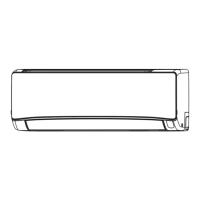


 To Next Page