EasyManua.ls Logo

Hitachi RAS-D14EX3 - User Manual

Hitachi RAS-D14EX3
26 pages
Print Icon
To Next Page IconTo Next Page
Loading...
–1–
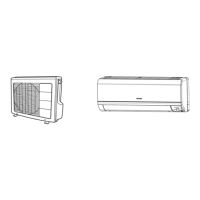
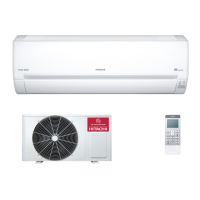
SPLIT TYPE AIR CONDITIONER
MODEL
RAS-D10EX3/RAC-D10EX3
INDOOR UNIT/OUTDOOR UNIT
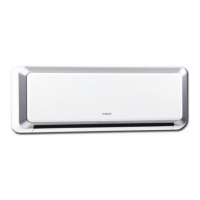
INDOOR UNIT
Instruction manual
To obtain the best performance and ensure years of
trouble free use, please read this instruction manual
completely.
Manuale di istruzioni
Per garantire la migliore prestazione e la più lunga
durataleggere attentamente e al completo le seguanti
istruzioni
√‰ËÁ›Â˜ ¯Ú‹Û˘
OUTDOOR UNIT
RAC-D10EX3
RAC-D14EX3
RAS-D10EX3
RAS-D14EX3
°È· ÙËÓ Î·Ï‡ÙÂÚË ·fi‰ÔÛË ÙÔ˘ ÎÏÈÌ·ÙÈÛÙÈÎÔ‡
ηÈÁÈ· ÙËÓ Ì·ÎÚÔÚfiÕÂÛÌË ¯Ú‹ÛË ÙÔ˘ ¯ˆÚ›˜
ÚԂϋ̷ٷ, ‰È·‚¿ÛÙ ÚÔÛÂÎÙÈο ·˘Ù¤˜ ÙȘ
Ô‰ËÁ›Â˜¯Ú‹Û˘.
HSILGNE
Page 1~26 Pag. 53~78
™ÂÏ›‰· 79~103
Manualde instrucciones
Para obtener el mejor funcionamiento y asegurar años
de uso libre de problemas, lea cuidadosamente este
manual de instrucciones.
27~52Página
RAS-D14EX3/RAC-D14EX3
Question and Answer IconNeed help?

Do you have a question about the Hitachi RAS-D14EX3 and is the answer not in the manual?

Summary

Safety Precautions

Precautions During Installation

Safety guidelines for installing the air conditioner unit.

Precautions During Shifting or Maintenance

Safety guidelines for moving or servicing the air conditioner unit.

Precautions During Operation

Safety guidelines for operating the air conditioner unit.

Parts Identification and Functions

Indoor Unit Components

Identifies and explains the components of the indoor unit.

Outdoor Unit Components

Identifies and explains the components of the outdoor unit.

Model Name and Dimensions

Provides a list of model names and their corresponding physical dimensions.

Remote Controller Functions

Details the functions and layout of the remote controller buttons and display.

Indoor Unit Operation and Indicators

Indoor Unit Indicators

Explains the meaning of the FILTER, OPERATION, and TIMER lamps on the indoor unit.

Front Panel Operation

Details the procedure for opening and closing the indoor unit's front panel safely.

Operating Temperature Ranges

Specifies the recommended indoor and outdoor operating temperature ranges for cooling and heating.

Various Functions

Auto Restart Control

Describes the automatic restart feature after a power interruption.

Automatic Operation Mode

Explains how AUTO mode selection is based on room temperature.

Heating Operation

Heating Operation Setup

Guides on setting the heating mode, fan speed, and temperature.

Defrosting Function

Details the automatic defrosting process performed by the unit.

Dehumidifying Operation

Dehumidifying Operation Setup

Guides on setting the dehumidifying mode, fan speed, and temperature.

Dehumidifying Function Details

Explains how the dehumidifying function reduces room temperature and humidity.

Cooling Operation

Cooling Operation Setup

Guides on setting the cooling mode, fan speed, and temperature.

Fan Operation

Fan Operation Setup

Guides on setting the fan mode and fan speed.

Fan Speed Auto Mode

Explains how fan speed automatically adjusts in heating and cooling modes.

Extended Airflow Function

Details the function that adjusts air flow direction and speed for wider reach.

Air Purifying Operation

Air Purifying Function

Explains how to activate the air purifying function for cleaner air.

Adjusting the Air Deflectors

Upward and Downward Deflector Adjustment

Guides on adjusting the horizontal deflector for upward and downward airflow.

Left and Right Deflector Adjustment

Guides on adjusting the vertical deflector for left and right airflow.

Timer Functions

Sleep Timer Operation

Guides on setting the sleep timer for automatic turn-off.

Canceling Timer Reservations

Explains how to cancel a previously set timer reservation.

Timer Setting Procedures

Setting the Current Time

Guides on setting the current time, prerequisite for timer functions.

Setting the OFF-Timer

Guides on setting the timer for automatic turn-off of the unit.

Setting the ON-Timer

Guides on setting the timer for automatic turn-on of the unit.

Setting the ON;OFF-Timer

Guides on setting timers for automatic turn-on and turn-off.

Remote Controller Maintenance

Exchanging Remote Batteries

Step-by-step guide on replacing remote controller batteries.

Temporary Switch Usage

Explains the use of the temporary switch for operation when the remote fails.

Circuit Breaker Operation

Instructions on operating the circuit breaker, especially when not in use.

Ideal Operation Practices

Optimal Room Temperature

Advice on maintaining ideal room temperatures for health and efficiency.

Window Treatments for Heat Control

Tips on using curtains or blinds to manage room heat.

Room Ventilation

Recommends regular ventilation for fresh air.

Effective Timer Usage

Encourages using timer functions for comfortable temperature management.

Air Filter Cleaning Schedule

Reminds users to clean the air filter every two weeks for efficiency.

Temperature and Airflow for Vulnerable Users

Advises caution with temperature and airflow for babies, children, and the elderly.

User Information and Precautions

Room Heat Load Considerations

Explains how excessive room heat can affect cooling capability.

Long-Term Non-Operation

Advises switching off power during long periods of non-use to save energy.

Lightning Protection Measures

Recommends stopping operation and unplugging during lightning.

Electrical Interference Avoidance

Advises keeping the unit and remote away from other electrical products.

Attaching Air Cleansing Filters

Filter Attachment Procedure

Step-by-step guide for attaching air cleansing filters to the unit.

Filter Handling Caution

Warning about bending the air cleansing filter during installation.

Filter Usage Notes

Notes on filter usage, including fan speed and operating without filters.

Maintenance Procedures

Air Filter Cleaning

Detailed procedure for cleaning the air filter.

Servicing Electrical Terminals

Instructions for servicing electrical terminals, with safety precautions.

Washable Front Panel Cleaning

Guides on how to remove and wash the front panel.

Front Panel Cleaning Caution

Warnings about water splashing and using cleaning agents on the front panel.

Maintenance for Long Off Periods

Procedure for preparing the unit for extended periods of non-use.

Regular Inspection Checklist

Points for qualified personnel to check periodically for maintenance.

After-Sales Service

Service Checklist

Points to check before requesting service for common issues.

Operational Notes and Odor Reduction

Explains normal operating sounds and how to reduce odors.

Contacting Service Personnel

Information to provide when contacting the sales agent for service.

Power Supply and Brightness Fluctuation

Notes on power supply requirements and minor brightness changes.

Summary

Safety Precautions

Precautions During Installation

Safety guidelines for installing the air conditioner unit.

Precautions During Shifting or Maintenance

Safety guidelines for moving or servicing the air conditioner unit.

Precautions During Operation

Safety guidelines for operating the air conditioner unit.

Parts Identification and Functions

Indoor Unit Components

Identifies and explains the components of the indoor unit.

Outdoor Unit Components

Identifies and explains the components of the outdoor unit.

Model Name and Dimensions

Provides a list of model names and their corresponding physical dimensions.

Remote Controller Functions

Details the functions and layout of the remote controller buttons and display.

Indoor Unit Operation and Indicators

Indoor Unit Indicators

Explains the meaning of the FILTER, OPERATION, and TIMER lamps on the indoor unit.

Front Panel Operation

Details the procedure for opening and closing the indoor unit's front panel safely.

Operating Temperature Ranges

Specifies the recommended indoor and outdoor operating temperature ranges for cooling and heating.

Various Functions

Auto Restart Control

Describes the automatic restart feature after a power interruption.

Automatic Operation Mode

Explains how AUTO mode selection is based on room temperature.

Heating Operation

Heating Operation Setup

Guides on setting the heating mode, fan speed, and temperature.

Defrosting Function

Details the automatic defrosting process performed by the unit.

Dehumidifying Operation

Dehumidifying Operation Setup

Guides on setting the dehumidifying mode, fan speed, and temperature.

Dehumidifying Function Details

Explains how the dehumidifying function reduces room temperature and humidity.

Cooling Operation

Cooling Operation Setup

Guides on setting the cooling mode, fan speed, and temperature.

Fan Operation

Fan Operation Setup

Guides on setting the fan mode and fan speed.

Fan Speed Auto Mode

Explains how fan speed automatically adjusts in heating and cooling modes.

Extended Airflow Function

Details the function that adjusts air flow direction and speed for wider reach.

Air Purifying Operation

Air Purifying Function

Explains how to activate the air purifying function for cleaner air.

Adjusting the Air Deflectors

Upward and Downward Deflector Adjustment

Guides on adjusting the horizontal deflector for upward and downward airflow.

Left and Right Deflector Adjustment

Guides on adjusting the vertical deflector for left and right airflow.

Timer Functions

Sleep Timer Operation

Guides on setting the sleep timer for automatic turn-off.

Canceling Timer Reservations

Explains how to cancel a previously set timer reservation.

Timer Setting Procedures

Setting the Current Time

Guides on setting the current time, prerequisite for timer functions.

Setting the OFF-Timer

Guides on setting the timer for automatic turn-off of the unit.

Setting the ON-Timer

Guides on setting the timer for automatic turn-on of the unit.

Setting the ON;OFF-Timer

Guides on setting timers for automatic turn-on and turn-off.

Remote Controller Maintenance

Exchanging Remote Batteries

Step-by-step guide on replacing remote controller batteries.

Temporary Switch Usage

Explains the use of the temporary switch for operation when the remote fails.

Circuit Breaker Operation

Instructions on operating the circuit breaker, especially when not in use.

Ideal Operation Practices

Optimal Room Temperature

Advice on maintaining ideal room temperatures for health and efficiency.

Window Treatments for Heat Control

Tips on using curtains or blinds to manage room heat.

Room Ventilation

Recommends regular ventilation for fresh air.

Effective Timer Usage

Encourages using timer functions for comfortable temperature management.

Air Filter Cleaning Schedule

Reminds users to clean the air filter every two weeks for efficiency.

Temperature and Airflow for Vulnerable Users

Advises caution with temperature and airflow for babies, children, and the elderly.

User Information and Precautions

Room Heat Load Considerations

Explains how excessive room heat can affect cooling capability.

Long-Term Non-Operation

Advises switching off power during long periods of non-use to save energy.

Lightning Protection Measures

Recommends stopping operation and unplugging during lightning.

Electrical Interference Avoidance

Advises keeping the unit and remote away from other electrical products.

Attaching Air Cleansing Filters

Filter Attachment Procedure

Step-by-step guide for attaching air cleansing filters to the unit.

Filter Handling Caution

Warning about bending the air cleansing filter during installation.

Filter Usage Notes

Notes on filter usage, including fan speed and operating without filters.

Maintenance Procedures

Air Filter Cleaning

Detailed procedure for cleaning the air filter.

Servicing Electrical Terminals

Instructions for servicing electrical terminals, with safety precautions.

Washable Front Panel Cleaning

Guides on how to remove and wash the front panel.

Front Panel Cleaning Caution

Warnings about water splashing and using cleaning agents on the front panel.

Maintenance for Long Off Periods

Procedure for preparing the unit for extended periods of non-use.

Regular Inspection Checklist

Points for qualified personnel to check periodically for maintenance.

After-Sales Service

Service Checklist

Points to check before requesting service for common issues.

Operational Notes and Odor Reduction

Explains normal operating sounds and how to reduce odors.

Contacting Service Personnel

Information to provide when contacting the sales agent for service.

Power Supply and Brightness Fluctuation

Notes on power supply requirements and minor brightness changes.

Hitachi RAS-D14EX3 Specifications

General IconGeneral
Cooling Capacity3.5 kW
Heating Capacity4.2 kW
Energy Efficiency Ratio (EER)3.21
RefrigerantR410A
Indoor Unit Dimensions (W x H x D)798 x 294 x 229 mm
Outdoor Unit Dimensions (W x H x D)799 x 548 x 299 mm
Coefficient of Performance (COP)3.61
TypeSplit Type
Power Supply220-240V, 50Hz
Outdoor Unit Weight34 kg

Related product manuals