8
VIDEO CASSETTE TAPE INFORMATION
This VCR will operate with any cassette that has the VHS mark. For best results, we recommend the use of
high-quality tapes. Do not use poor quality or damaged tapes.
PRECAUTIONS
• Avoid moisture. Moisture condensation may occur on the tape if it is moved from a cold place to a
warm place or vice versa. Before using a tape with these conditions, to avoid damage of the tape and
your VCR, wait until the tape has warmed to room temperature and the moisture has evaporated.
• Avoid extreme heat, high humidity and magnetic fields.
• Do not tamper with the cassette mechanism.
• Do not touch the tape with your fingers.
TWO DIFFERENT TAPE SPEEDS
Before recording, select the tape speed from: SP mode (Standard Play) or SLP mode (Super Long
Play).
The table below shows the maximum recording/playback time using T60, T120, or T160 tapes in each
mode.
Tape Speed Recording/Playback Time
Type of tape TT16060 T120 T160
SP mode 1 hour 2 hours 2-2/3 hours
SLP mode 3 hours 6 hours 8 hours
Note: You can play back a tape recorded in LP mode (Long Play).
INSERTING A CASSETTE
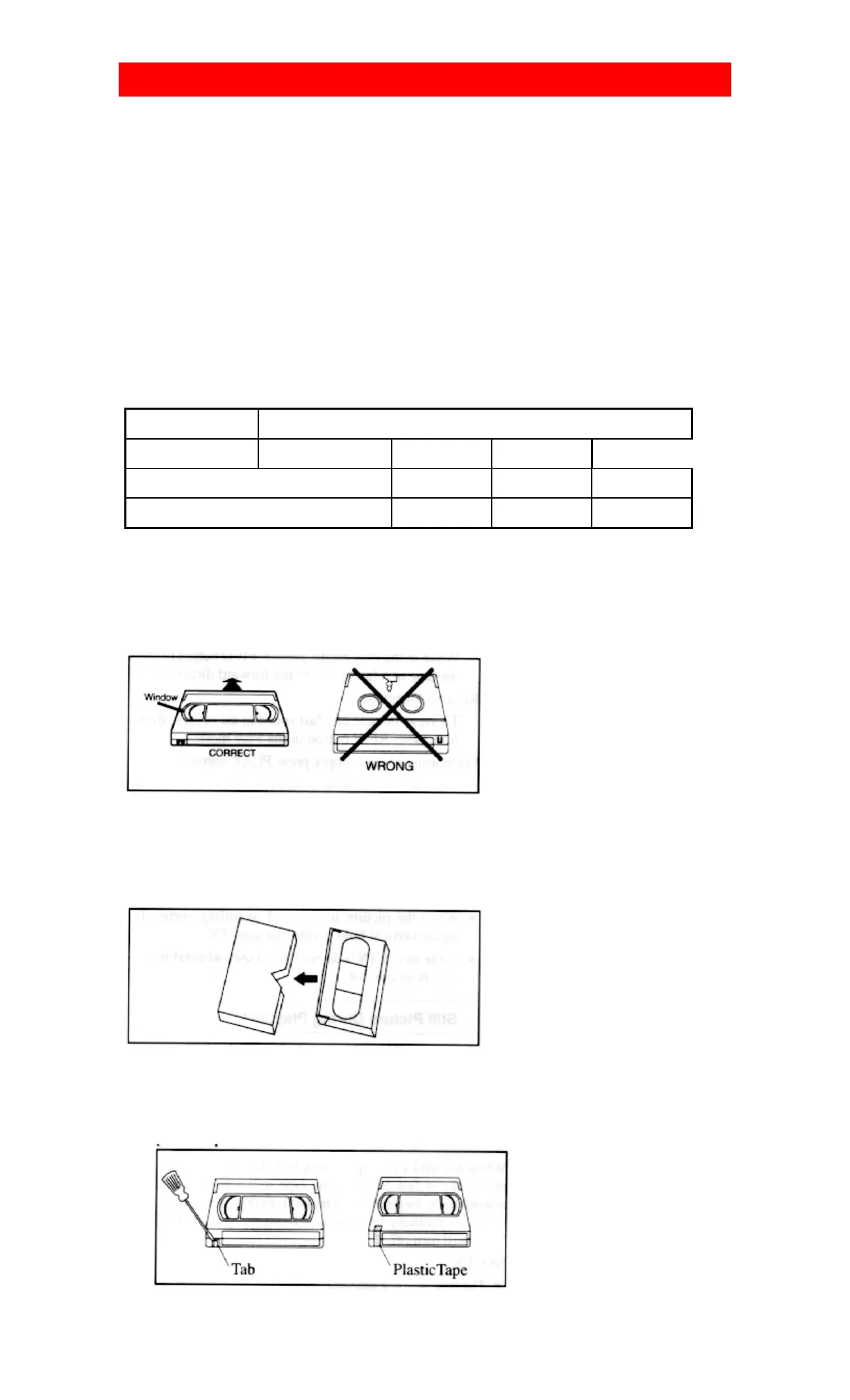
Insert the cassette in the direction as shown. Push in gently, but continuously, on the center-back of
the cassette until it is drawn into the VCR.
The VCR will automatically turn on.
REMOVING A CASSETTE
1) In the Stop mode, press the STOP/EJECT button on the VCR. The cassette will be ejected.
2) Pull the cassette out of the cassette compartment.
3) Store the cassette in the case as shown.
ERASE PREVENTION
• You can prevent accidental erasing of a recording by breaking off the tab on the back edge of the
cassette.
If you decide to record on the tape again, cover the hole with plastic
tape.













 To Next Page