Supplement G
PLC Workstation
Figure G-1 Figure G-2
There are two groups of built-in touch keys called Numeric
Touch Keypad and Password Reentering Keypad that the
Workstation displays for you to change data. The Numeric
Touch Keypad Its image is shown in the
Figure G-1/G-2.
G.5.2 Calibrating Touch Panel
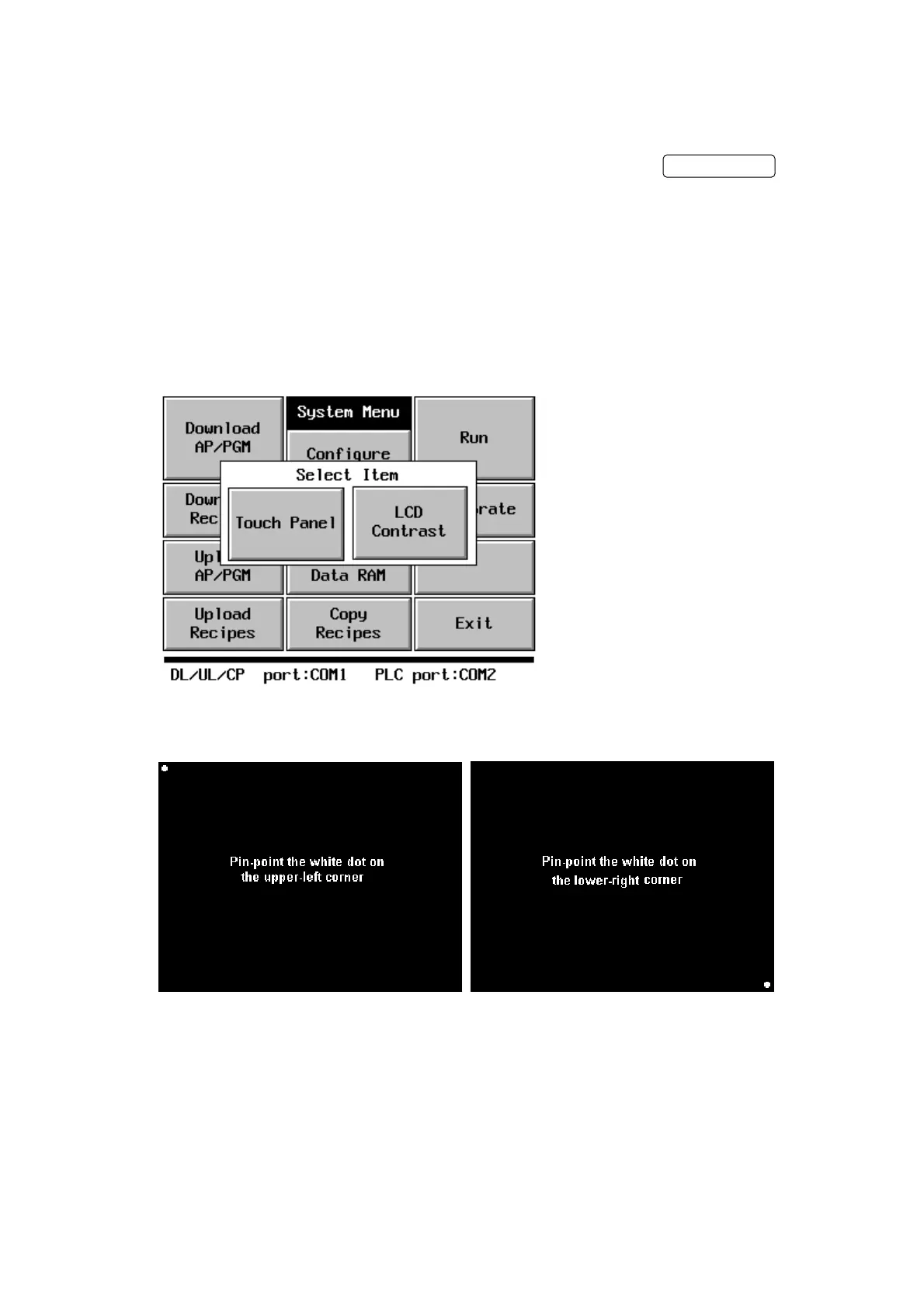
To calibrate the touch panel,
1. Press Calibrate button on the System Menu. The Select Item box appears.
2. Press Touch Panel button on the Select Item box. A white dot appears on the upper-
left corner of the screen and the message "Pin-point the white dot of membrane on
the upper-left corner” appears.
G-10


 To Next Page
 Loading...