Supplement B
PLC Workstation
B.8 System Menu
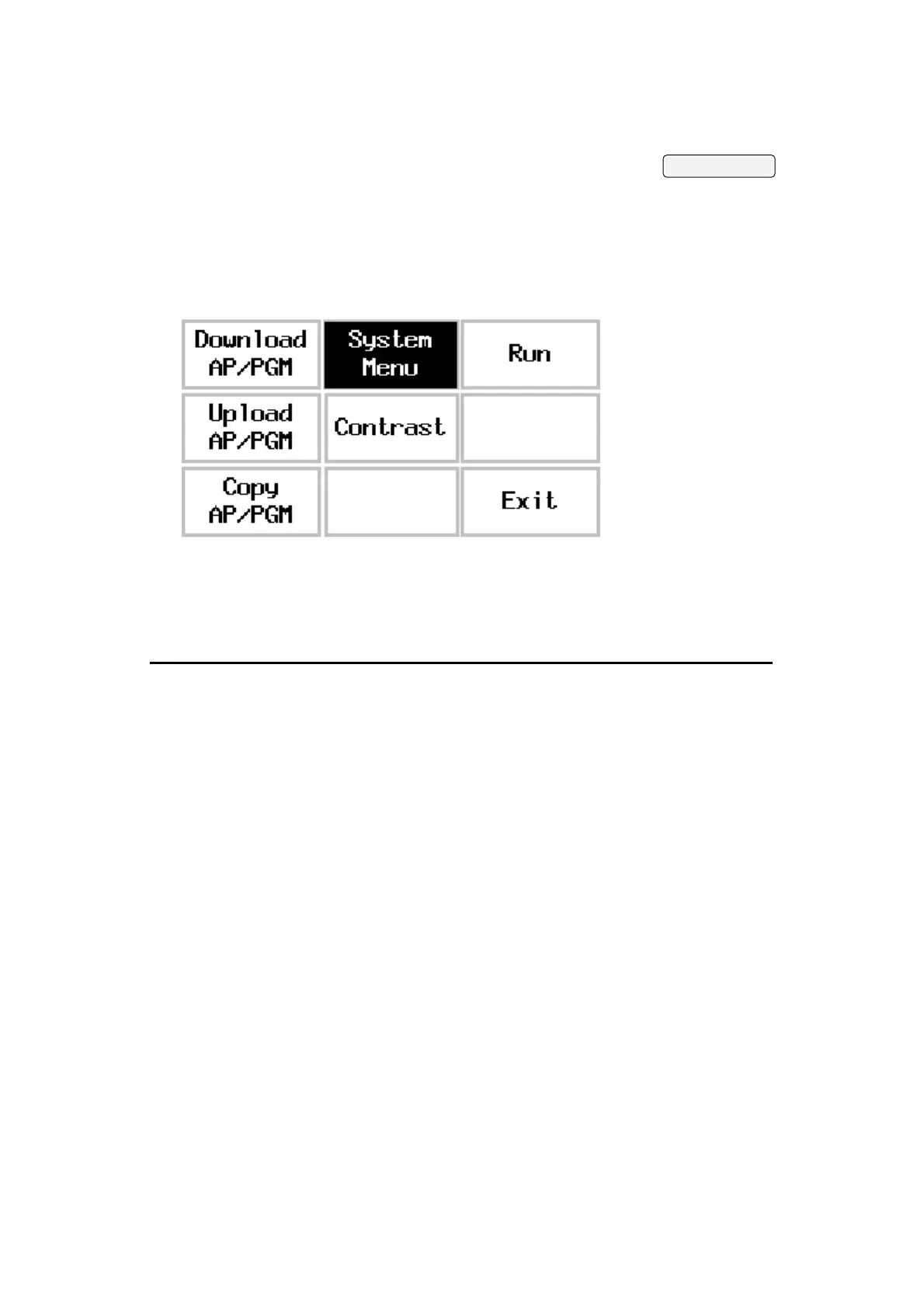
After the self-test, the 700T displays System Menu as shown
in the following figure if the DIP switches SW7 is set to on.
The commands on the System Menu are summarized in the
following:
Commands Function User
Level
Download
Application
Allows you to download an application
to the 700T from a PC or another 700T.
1
Run
Application
Starts running your application. 1-3
Copy
Application
Allows you to copy the application in
the 700T to another 700T.
1-3
Upload
Application
Allows you to upload the application in
the 700T to a PC.
1-3
Adjust LCD
contrast
Allows you to set the contrast or
brightness of the display.
1-3
Exit Starts from the self-test again. 1-3
B-10


 To Next Page