06
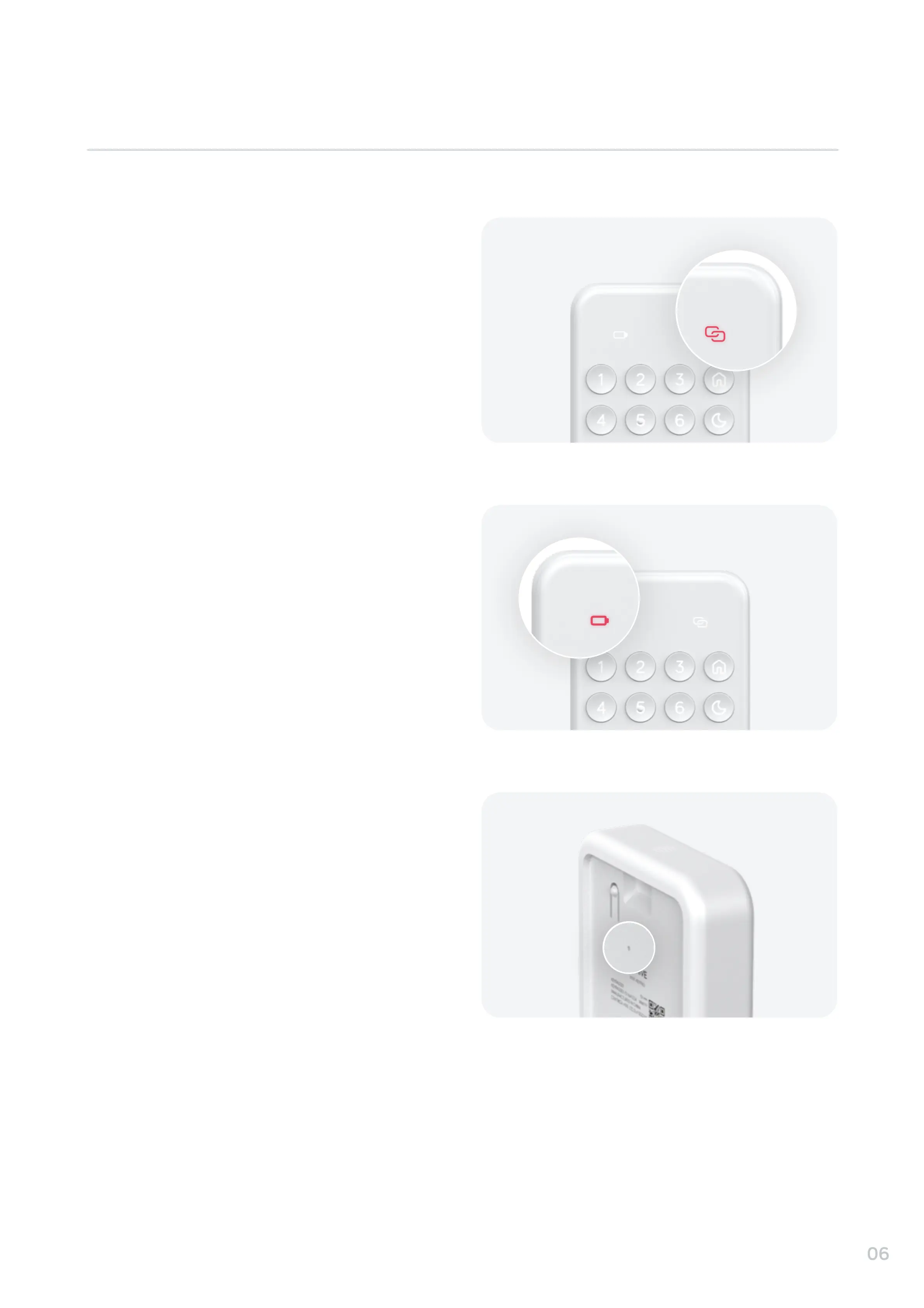
If your keypad network light is red your keypad
may be oine. You will not be able to arm or
disarm HomeShield until it is back online. Follow
the instructions in your Hive app to get your
keypad back online.
If you need to reset the Keypad, remove the back
cover and then carefully use a pin to press and
hold the reset button for 5 seconds. This will put
the Keypad back in to pairing mode. You can then
use the Hive app to add your Keypad to
HomeShield again.
If your keypad battery light is flashing red you will
need to replace its batteries soon. If your keypad
battery light is solid red it will soon shut down
unless you replace its batteries immediately.
Your Keypad accepts 2x CR123 batteries.
If you need further assistance, please contact our customer care team by visiting www.hivehome.com/contact-us
Troubleshooting


 To Next Page