Need help?
Do you have a question about the HJC SMART 21B and is the answer not in the manual?
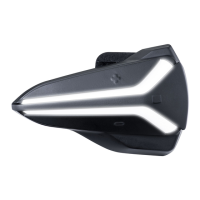
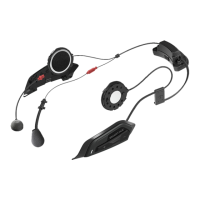
General procedure for securely installing the headset onto compatible HJC helmets.
Steps for correctly installing the button module into its designated helmet location.
Procedure for inserting the Bluetooth module into its slot and managing its wire.
Detailed instructions for installing the wired boom microphone for different helmet types.
Steps for properly installing the speaker units into the helmet's speaker pockets.
Information on obtaining and using the SMART HJC BT App and Device Manager for setup.
Instructions and details on how to charge the headset, including charging time.
Procedures for turning the headset on and off using the control buttons.
Methods for checking the remaining battery charge of the headset.
Instructions on how to raise or lower the audio volume for different sources.
General guidance on pairing the headset with a mobile phone.
Procedure for the first-time pairing of the headset with a mobile phone.
Instructions for pairing the headset with a phone while the headset is powered off.
Instructions for pairing the headset with a phone while the headset is powered on.
Pairing the headset with a second mobile phone, GPS device, or SR10.
Advanced pairing options for Hands-Free or A2DP stereo profiles.
Procedure for pairing the headset with a GPS device.
How to make, answer, reject calls, and use voice dial features.
Methods for pairing headsets for intercom communication with friends.
Procedure to reset the headset unit using the pinhole fault reset button.
Restoring the headset to its original factory default settings and erasing all configurations.
 General
| Brand | HJC |
|---|---|
| Model | SMART 21B |
| Category | Motorcycle Accessories |
| Language | English |

 To Next Page