EasyManua.ls Logo

HLF 4700 - User Manual

HLF 4700
173 pages
Print Icon
To Next Page IconTo Next Page
Loading...
INSTRUCTION MANUAL
HLF 4700
Touch Screen
ENGLISH
Part Code 9BME47G23
I.M. HLF 4700 Eng V23-2017 HLF Italian Design

Table of Contents

Questions and Answers

Summary

1 Description

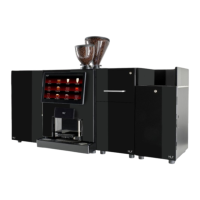
1.1 Design

Details about the physical layout and components of the coffee maker.

1.2 Introduction

Provides an overview of the HLF 4700 coffee maker and optional features.

1.3 Technical Specifications

Lists key technical details like dimensions, weight, and electrical ratings.

1.4 Environmental Conditions

Specifies operating and storage temperature, humidity, and space requirements.

2 Safety Instructions

2.1 Warnings

Explains warning symbols used and their locations for safety awareness.

2.2 Basic Safety Instructions

Covers proper usage, specific hazards, and limitations of liability for safe operation.

3 Installation Guide

3.1 Transport

Provides guidance on safe transport, receiving, and unpacking the unit.

3.2 Procedure

Details requirements, water, and electrical connections for machine setup.

3.3 Start up and operation mode

Guides on loading products, turning on, initial heating, and grinder adjustment.

4 Cleaning Guide

4.1 Cleaning Warnings

Lists important cautions regarding cleaning agents and methods.

4.2 Cleaning table

Presents a table for choosing cleaning types based on frequency (Daily, Weekly, Monthly).

4.3 Accessing the Automatic Cleaning Cycles

Instructions on how to navigate the touch screen to start automated cleaning processes.

4.4 FRESH MILK Cleaning

Details automatic daily cleaning procedures for the fresh milk circuit.

4.5 POWDER MILK Cleaning

Covers automatic daily cleaning for powder milk components.

4.6 Automatic Coffee Group Cleaning

Explains the process for automated cleaning of the coffee group.

4.7 Additional Daily Cleaning (manual)

Step-by-step guide for manual daily cleaning of specific parts.

4.8 Additional Weekly Cleaning (manual)

Instructions for performing weekly manual cleaning tasks.

4.9 Powder Canisters and Mixing Bowls Cleaning

Detailed steps for cleaning powder containers and mixing bowls.

4.10 Coffee Group’s Chute Cleaning

Procedure for cleaning the coffee group's dispensing chute.

5 Operating the Computer Software

5.1 Cleaning Cycle

Access and manage cleaning cycles via the software interface.

5.2 Clean Screen

Procedure for safely cleaning the touch screen interface.

5.3 Main Menu

Overview of accessing the main menu and its sub-functions.

5.3.1 Layout

Customizing display layout and drink key arrangements.

5.3.2 Selection Keys

Configuring selection keys for drinks and recipes.

5.3.2.1 Recipies

Setting up and customizing individual drink recipes.

5.3.2.1.1 General Options

Configuring general options for drink pre-selections and execution.

5.3.2.1.2 Products and Hot Water

Setting parameters for products like water quantity and milk delivery.

5.3.2.1.3 Coffee Options

Adjusting coffee-specific settings like water volume, grind time, and tamping.

5.3.2.1.4 Choose Preselections

Selecting available preselection options for each drink.

5.3.2.1.5 Drink Execution

Setting the order of steps for drink preparation and testing.

5.3.2.1.6 Ingredients Description

Customizing ingredient names and font sizes displayed during preparation.

5.3.2.2 Copy

Copying drink settings (ingredients, name, image) to other drinks.

5.3.2.3 Swap

Swapping the configurations of two different drinks.

5.3.3 Video

Managing video playback settings for display during operation.

5.3.4 Counters

Accessing drink counts, cleaning logs, PSU logs, and technical data.

5.3.4.1 Drinks Counters

Viewing and managing counters for each dispensed drink.

5.3.4.2 Cleaning

Tracking and managing the count of cleaning cycles performed.

5.3.4.3 PSU Log

Reviewing power supply status and error logs.

5.3.4.4 Technical Data

Resetting grounds, liters, and cash counters.

5.3.5 Email

Configuring email settings for notifications and reports.

5.3.6 Set Data

Managing machine data, including general settings, technician options, and file management.

5.3.6.1 Generic Settings

Adjusting basic machine parameters like LED status, beep times, and sensor configurations.

5.3.6.2 Technician Options

Advanced settings for grinders, milk pipes, and heating controls requiring careful adjustment.

5.3.6.3 File Settings

Importing/exporting machine configuration files via USB or other means.

5.3.6.3.1 Files upload via USB

Procedure for transferring files to and from the machine using a USB stick.

5.3.6.4 Temperature & Fridge

Adjusting boiler, fridge, and recovery temperatures for optimal operation.

5.3.6.5 Message Options

Configuring machine messages, reminders, and cleaning cycle notifications.

5.3.6.6 Drink Prices

Setting prices, currency, and credit options for dispensed drinks.

5.3.7 Settings

Accessing system settings including Bluetooth, Wi-Fi, advanced options, and conversion.

5.3.7.1 Bluetooth

Managing Bluetooth connections for device pairing and communication.

5.3.7.2 Wi-Fi

Setting up Wi-Fi connections and FTP server for data transfer.

5.3.7.3 Advanced Options

Configuring machine mode, icons, language, and software updates.

5.3.7.4 Steam Kit

Connecting and controlling an external Water/Steam Kit.

5.3.7.5 Happy Hour

Enabling and scheduling discounts for drinks during specific times.

5.3.8 Conversion

Setting conversion parameters for products and performing product testing.

5.3.9 Set Blades

Adjusting grinder time limits and blade settings for optimal coffee grinding.

5.3.10 Security

Managing passwords for user access, menus, and specific functions.

5.3.11 Info

Accessing and viewing machine and software information.

5.3.12 Reboot Interface

Restarting the machine's touch screen interface without affecting the entire system.

5.3.13 Manual

Accessing the digital instruction manual directly from the touch screen.

6 Daily maintenance Check list

6.1 Check list

A summary of daily operations required to keep the HLF 4700 in optimal working condition.

7 Inactivity

7.1 Inactivity Operations

Steps to follow for machine shutdown and storage during extended periods of inactivity.

8 Disposal

8.1 Disposal Requirements

Rules and precautions for safe and compliant disposal of the machine and its parts.

9 Guarantee and Ordering

9.1 Guarantee

Details on warranty coverage, duration, exclusions, and conditions for claims.

9.2 Consumables, spare parts, ordering procedure

Procedures for ordering consumables and spare parts, including required data.

10 Troubleshooting

10.1 Checklist for fault diagnosis and troubleshooting

A comprehensive list of error messages, their causes, and recommended actions for troubleshooting.

HLF 4700 Specifications

General IconGeneral
Product TypeCoffee Maker
ModelHLF 4700
Weight2.5kg
Power1000W
Voltage220-240 volts
MaterialPlastic
ColorBlack

Related product manuals