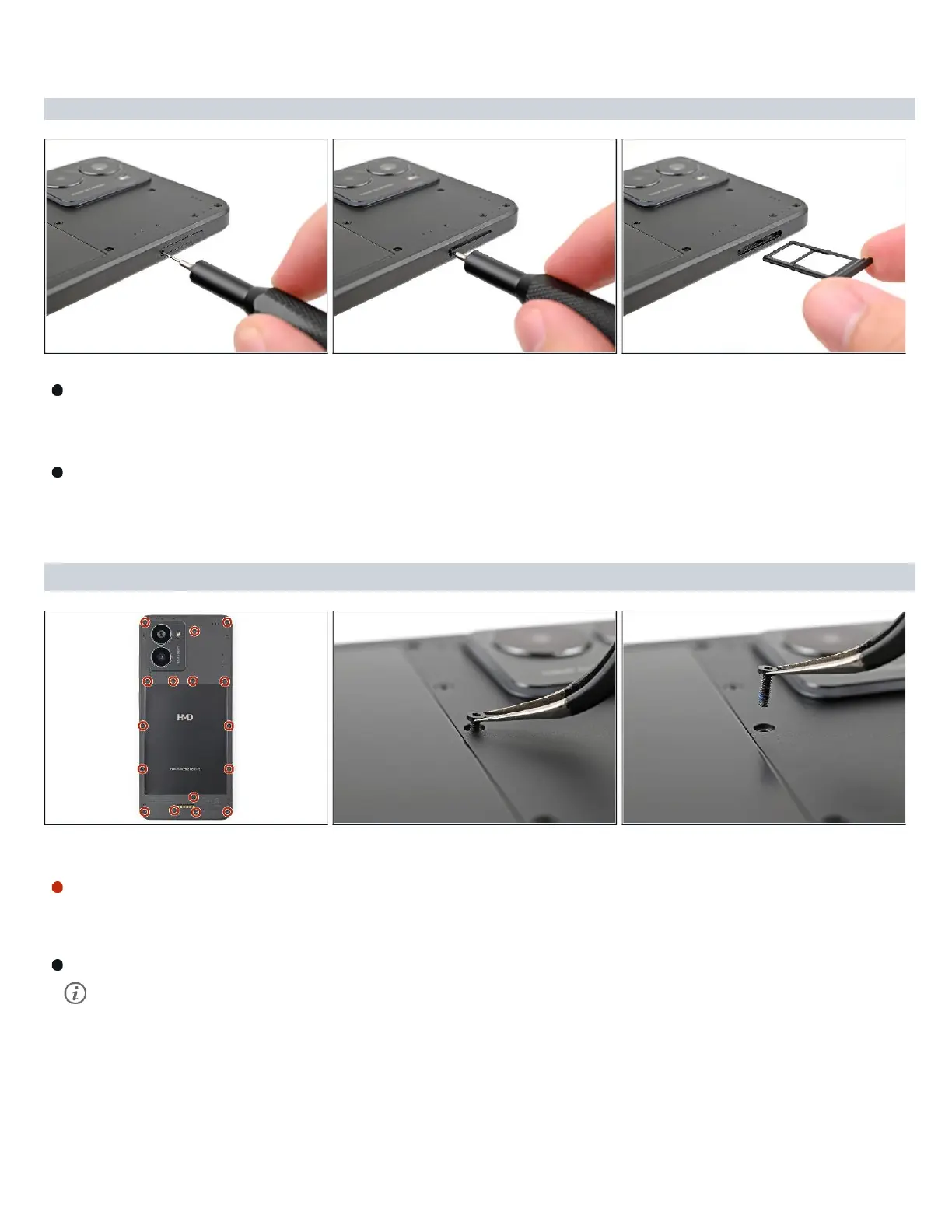
Firmly press a SIM
eject
tool
into the
SIM
card tray hole on the left edge of your phone
until the tray ejects.
Remove the SIM card tray.
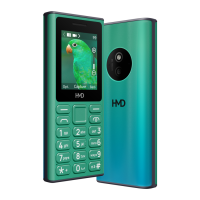
Step 3 — Remove the back cover screws
Use
a T3 Torx
screwdriver to
remove
the sixteen
5.0
mm‑long
screws securing the
back
cover.
Use your fingernails, or angled tweezers, to remove any stuck screws.
The
screws
are secured
tightly
in
the back
cover, so please remove them gently.
Move
to the
next
step and follow the guide normally.



 To Next Page