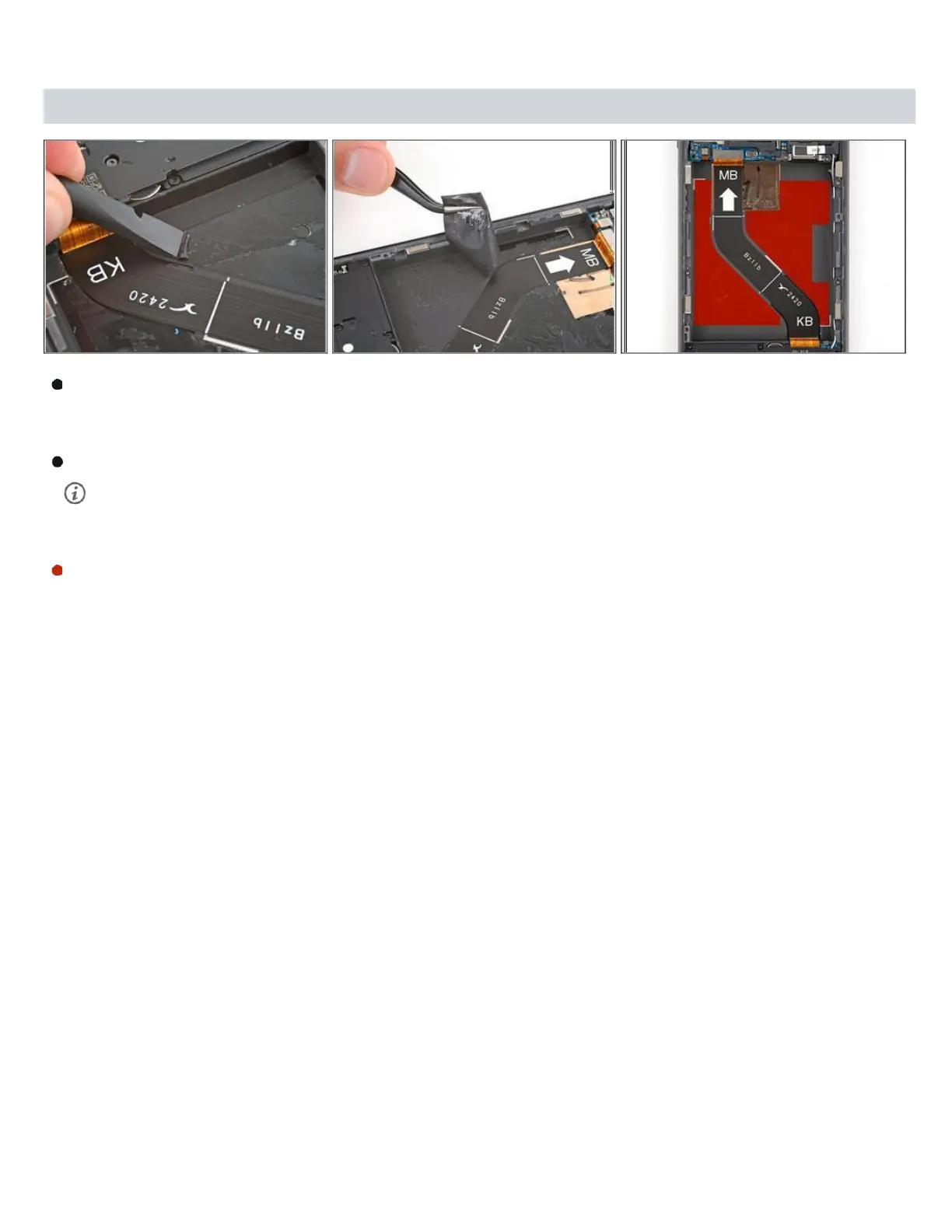
Step 14 — Remove the old battery adhesive
Useaspudgerto scrapeupacorneroftheoldadhesiveuntilyou cangrip itwith apair
oftweezers. Grip the adhesive with your tweezers and slowly peel it up.
Togetabetterholdontheadhesive,grip thetweezersclosetothetipsandtwistthem to roll
the adhesive around the tweezers.
Repeattheprocess to peelupandremoveall theold adhesive.



 To Next Page