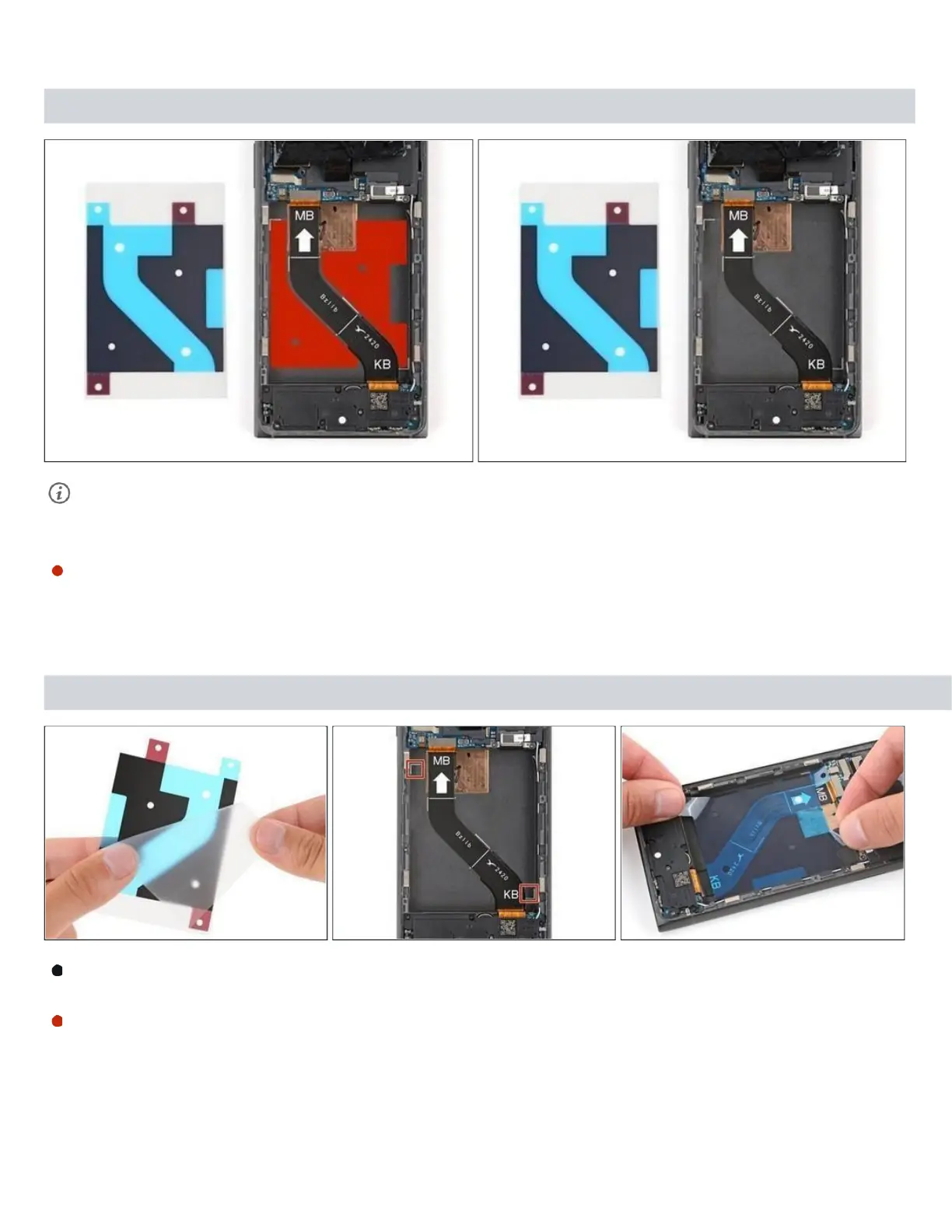
Step 15 — Apply your replacement adhesive
Before applying the new adhesive, it's helpful to see how it will be oriented in the
battery recess.
Hold the replacement adhesive so the clear textured liner is on the bottom and
place it into the battery recess to find the proper orientation.
Step 16
Remove the clear textured liner to expose the adhesive.
Carefully place the adhesive into the battery recess, using the white marks to



 To Next Page