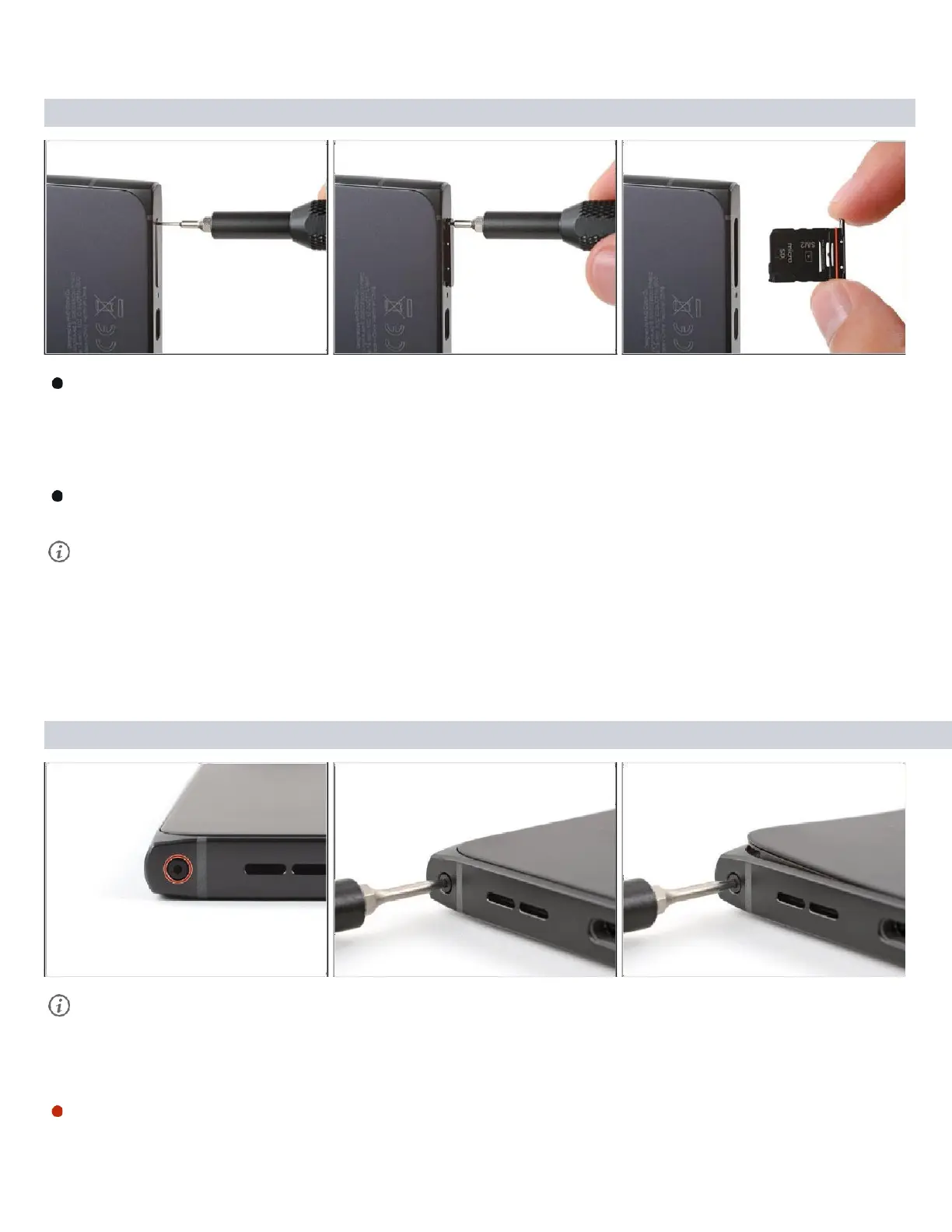
Step 2 — Remove the SIM card tray
Firmly press a SIM eject tool, bit, or straightened paper clip into the SIM tray hole
on the bottom edge of your phone until the tray ejects.
Remove the SIM card tray.
A thin rubber gasket around the SIM tray provides water and dust protection. If
this gasket is damaged or missing, replace the gasket or the entire SIM tray to
protect your phone's internal components.
Step 3 — Separate the back cover
A screw‑driven camshaft in the bottom left corner pushes the back cover away from the
phone, creating a gap to begin separating the cover.
With the back cover facing up, use a T3 Torx screwdriver to turn the screw in the
bottom edge
counterclockwise
until the back cover pops up.



 To Next Page