Need help?
Do you have a question about the HMS Networks Ewon FLB 3208 and is the answer not in the manual?
Provides information about the scope and purpose of this document.
Details the versions, dates, and changes made to this document.
Lists other relevant documents for Ewon Flexy products.
Information regarding Ewon and other trademarks.
Lists the technical specifications for the extension card.
Information about the recommended antenna accessory.
Defines the applicability of safety and regulatory information for the card.
Instructions for preventing damage from electrostatic discharge.
Lists directives, standards, and compliances the card adheres to.
Details the specific safety standards the FLB 3208 card meets.
Information on FCC compliance rules and conditions.
Provides FCC and IC identification for the modem.
Specifies the operating and storage environmental limits.
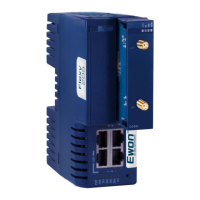
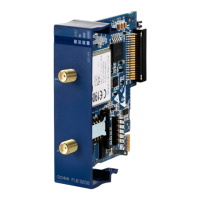
Describes the physical layout and connection interfaces of the card.
Details the information found on the product's identification label.
Explains the syntax and meaning of the product part number.
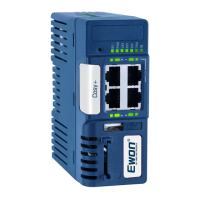
Describes the LEDs and indicators on the front panel of the extension card.
Explains the antenna diversity feature and its use.
Defines which slots are compatible for inserting the extension card.
Instructions on how to insert the SIM card into the extension card.
Step-by-step guide for physically installing the extension card.
Guidelines for installing more than one extension card.
Details the power demands of extension cards and base unit capabilities.
Information on software support for multiple or specific extension card combinations.
Explains the sequence in which the base unit detects inserted cards.
Steps to access and connect to the Ewon device's web interface.
How the Ewon Flexy automatically detects inserted extension cards.
Location to find detailed modem information within the web interface.
Details the isolation scheme for different Ewon Flexy base unit models.
Explains the grounding scheme for the cellular extension card's RF connector.
The Ewon Flexy Extension Card FLB 3208 - 4G NA (LTE) is a modular industrial gateway/router extension card designed to integrate with Ewon Flexy base units. This document provides essential information regarding its hardware, safety, environmental, and regulatory compliance, as well as instructions for installation and maintenance.
The FLB 3208 - 4G NA (LTE) extension card enables cellular communication for Ewon Flexy base units, allowing them to connect to 4G LTE networks in North America. This capability transforms the base unit into a powerful industrial gateway/router with remote connectivity, facilitating data exchange and remote access for various industrial applications. The card supports multiple LTE bands, ensuring broad compatibility with different cellular providers. It is designed to be a key component in modular systems, offering flexibility in configuring the Ewon Flexy base unit to meet specific communication needs. The card's primary function is to provide a reliable and secure cellular link, essential for applications requiring continuous data transmission and remote management in environments where wired connections are impractical or unavailable.
The FLB 3208 - 4G NA (LTE) extension card is designed for straightforward integration and operation within the Ewon Flexy ecosystem.
Installation and Compatibility: The extension card is physically inserted into designated slots on the Ewon Flexy base unit. It is crucial to ensure slot compatibility, as indicated by a letter code (e.g., 'B' for FLB cards) and a visual symbol on the card's front panel. For Ewon Flexy 205 base units, the FLB 3208 can be inserted into either slot. For other Ewon Flexy models, it must be placed in the two rightmost 'B' slots. The card features a mechanical mistake-proof security mechanism to prevent incorrect insertion, although caution is still advised.
SIM Card Management: Before inserting the extension card into the base unit, a SIM card from a wireless phone provider must be inserted into the SIM card drawer located on the components side of the extension card. Proper orientation, guided by a cutoff on the SIM card, and full insertion are critical to prevent damage.
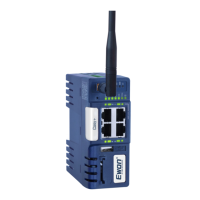
Antenna Connectivity: The FLB 3208 provides two SMA connectors: "Main" and "Div." The "Main" connector is mandatory for connecting the primary antenna, ensuring basic cellular functionality. The "Div" connector is optional and allows for the connection of a second antenna, leveraging antenna diversity to improve signal quality, reliability, and network coverage. It is recommended to use the diversity antenna for optimal performance. If the "Div" port is not used, a cap should be kept on it to prevent damage. For best results, the two antennas should be placed as far apart as possible to maximize diversity gain and isolation.
LED Indicators: The front panel of the extension card features LEDs that provide visual feedback on its operational status. A tricolor "STAT" LED indicates the modem's online status (green for online). Additional orange LEDs indicate the reception signal level, with more illuminated LEDs signifying a stronger signal. During the modem boot process, the "STAT" LED will be steady orange; if it remains orange, it suggests an incorrect slot insertion. If all signal level LEDs are off, it could mean the modem is not configured, has an invalid configuration (e.g., wrong PIN-code), has no signal, or a reception error.
Software Integration: The extension card requires no specific software configuration. It is automatically detected by the Ewon Flexy base unit during boot-up. The base unit's web interface provides a diagnostic page where detected extension cards are listed in their order of detection (from left to right). Detailed modem information, including manufacturer, type, and firmware version, can be accessed through the "Diagnostic → Status → System Info → Info" page of the web interface.
Multiple Card Insertion: While the Ewon Flexy base units support multiple extension cards, there are limitations on software compatibility for certain configurations. The FLB 3208 - Cellular 4G NA extension card is currently supported with up to one instance per base unit. If multiple cellular cards are inserted, only the first detected card will be functional, and others will be ignored by the firmware, appearing as non-functional in the system information.
The FLB 3208 - 4G NA (LTE) extension card is designed with considerations for safe handling and long-term reliability.
ESD Damage Prevention: The extension card contains sensitive electronic components susceptible to electrostatic discharge (ESD). It is packed in an antistatic ESD bag. When handling the card, it is crucial to observe ESD precautions, such as working on a grounded ESD protective surface and using individual grounding equipment, to prevent damage.
Installation and Removal Precautions: Before inserting or removing an extension card, it is essential to turn off the Ewon Flexy base unit and wait 30 seconds to prevent potential damage to both the base unit and the extension card. When inserting the card, it should be slid carefully until it clicks into place, ensuring full insertion. If resistance is encountered, the card should not be forced, as this may indicate an incorrect slot type. Forcing a card into the wrong slot can lead to a boot error, making the base unit inaccessible via its LAN interface, indicated by a red "USR" LED pattern.
Antenna Port Protection: The "Div" antenna port comes with a cap installed. If the diversity antenna is not used, this cap should remain in place to protect the port from premature damage. If the diversity antenna is to be used, the cap must be removed.
Power Management: The Ewon Flexy base units have internal power converters designed to support a range of extension card combinations. Users should consult the Ewon Flexy - Base Units installation guide to understand the "Energy Points" system, which helps ensure that the total power demand of all inserted extension cards does not exceed the base unit's capabilities. The FLB 3208 - Cellular 4G NA extension card has an Energy Demand Point value of 8.
Environmental Conditions: The device is designed to operate within specified environmental limits, including temperature, relative humidity, and altitude. Adhering to these conditions, along with proper mounting, is crucial for the equipment's proper functioning. If the recommended mounting situation is not applied, the specified operating temperature range may be derated.
Security Best Practices: For security reasons, it is an absolute requirement to change the default "adm" password for accessing the Ewon device's web interface. This can be done through the "Setup → Users" section of the menu bar.
Isolation Scheme: The Ewon Flexy base units incorporate an isolation scheme to protect against electrical interference. External and internal power supplies are isolated from each other, and various signals (DI, DO, PGND, DGND) are isolated using optocouplers. For the FLB 320x - Cellular card, the DGND (digital ground) is connected to the GND RF (radio frequency ground) from the SMA connector. A critical warning advises against making external connections between GND RF and Earth to maintain this isolation.
 General
| Serial Ports | 1 x RS-232/485 |
|---|---|
| Power Supply | 12-24 VDC |
| WAN | Ethernet, Cellular |
| LAN | Ethernet |
| Protocols | HTTP, FTP, SMTP, SNMP, Modbus TCP |
| Wi-Fi Standards | 802.11 b/g/n |
| Cellular Connectivity | 4G LTE |
| VPN | Yes |
| VPN Support | IPsec, OpenVPN |
| Operating Temperature | -25°C to +70°C |
| Security Features | Firewall, VPN, User Authentication |
| Certifications | CE |

 To Next Page