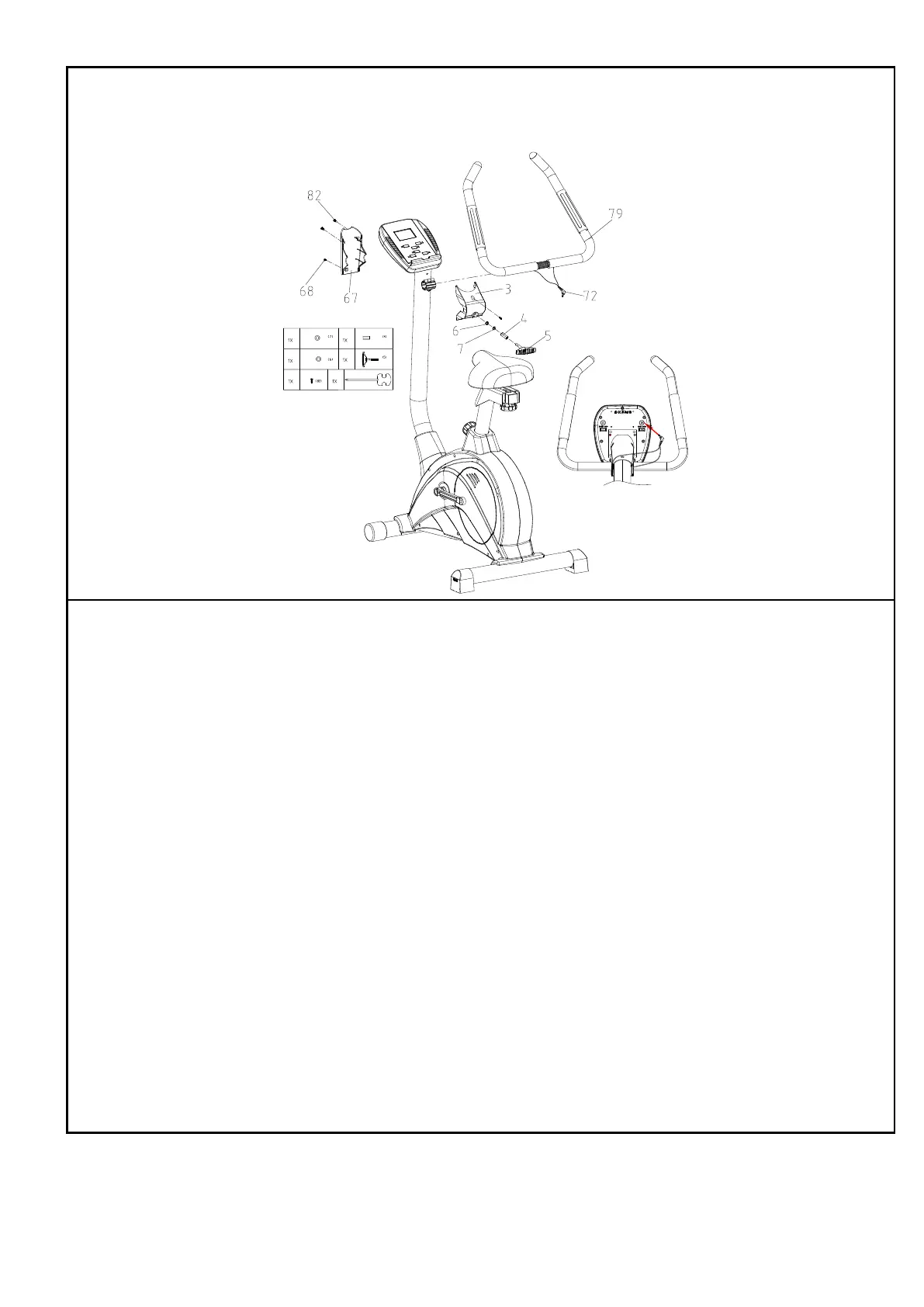
STEP 6: Assemble handlebar
1. Insert the handlebar (79) into the dotted line position.
2. Use harpoon wrench to tighten T knob (5) with bushing (4), washer
(7), washer (6), fix front cover (3) using screw (82).
3. Fix rear cover (67) using screw (68).
4. Insert the line (72) into the computer (1).


 To Next Page