EasyManua.ls Logo

Hochiki HCVX - User Manual

Hochiki HCVX
108 pages
Print Icon
To Next Page IconTo Next Page
Loading...
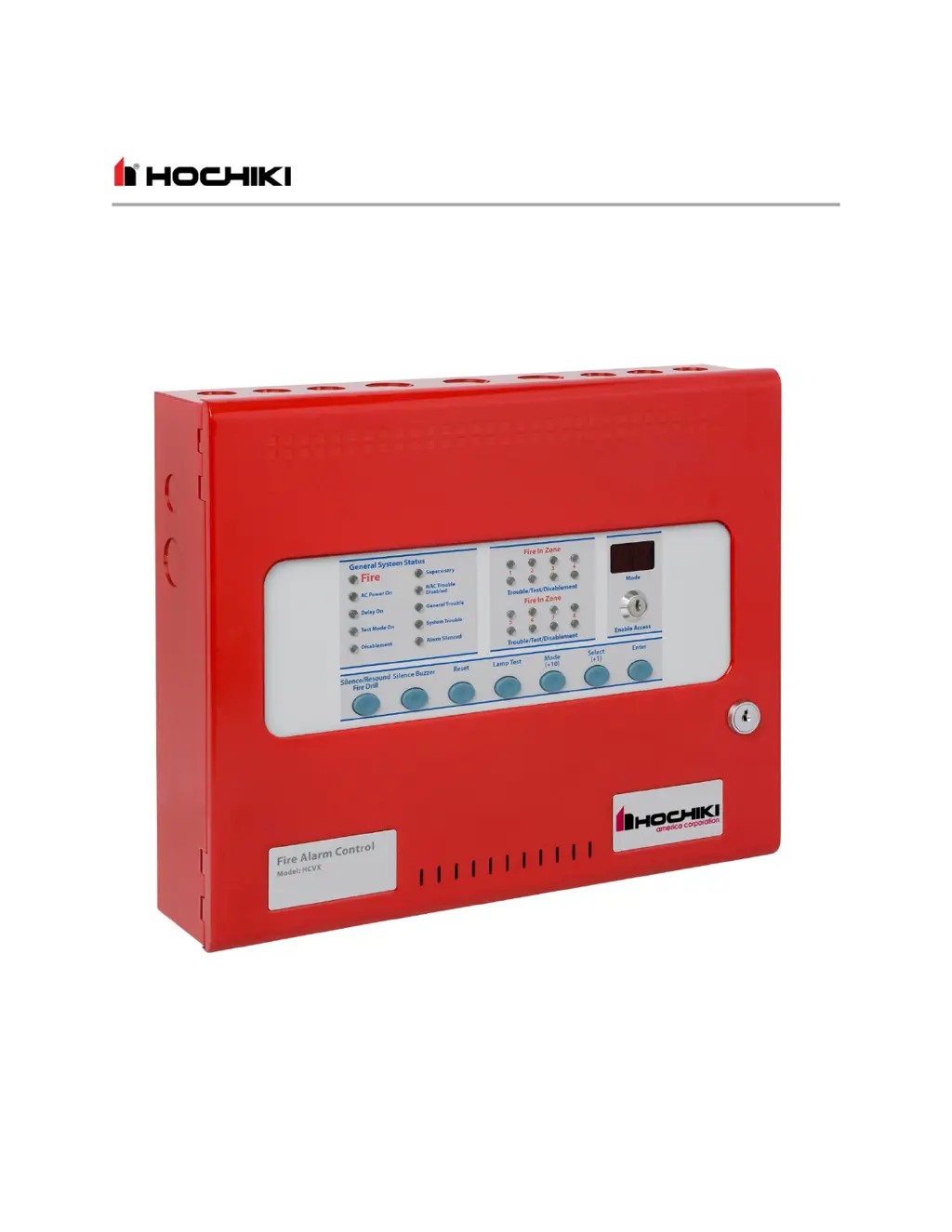
Hochiki HCVX Fire Control Panel Issue Date: June 2016
Installation and Operation Manual
Man-1194HA, Revision E01.04
HCVX
Fire Control Panel
Installation and Operation Manual

Table of Contents

Questions and Answers

  • M
    Michael MartinezAug 3, 2025
    What to do if my Hochiki HCVX Control Panel shows a Mains Fail?
    • K
      kellykathyAug 3, 2025
      If your Hochiki Control Panel displays 'Mains Fail', it means there's an AC power failure, and the panel is running on batteries. First, check for a power loss at the source. If the power source is okay, inspect the fuse located in the main terminal block.
  • E
    ehernandezAug 7, 2025
    What to do if my Hochiki HCVX displays Batt Fail?
    • A
      Alvin HoltAug 7, 2025
      If your Hochiki Control Panel shows 'Batt Fail', it indicates that the standby batteries are either disconnected or the charging circuit has failed. Check the connections at the standby batteries. Disconnect the battery leads from the panel and test for 28V on these leads.
  • D
    daltonrichardAug 11, 2025
    What to do if my Hochiki Control Panel shows CPU Trbl?
    • J
      john43Aug 11, 2025
      If the Hochiki Control Panel shows 'CPU Trbl', it means the central processor unit failed to execute code and was restarted. Press the watchdog reset button. If the system doesn't return to normal, the panel is likely damaged, and the circuit board may need replacement.
  • K
    Kathryn MartinezAug 15, 2025
    What to do if my Hochiki Control Panel displays Aux 24V Trbl?
    • A
      Allison StricklandAug 15, 2025
      If your Hochiki Control Panel displays 'Aux 24V Trbl', the 1.1 Amp fuse protecting the AUX 24 V output has blown. Power down the panel and fix the cause of the excessive current draw. Then, restart the panel to reset the electronic fuse.
  • T
    Thomas RoseAug 19, 2025
    What to do if my Hochiki HCVX Control Panel displays Earth Trbl?
    • S
      Sarah WilliamsAug 20, 2025
      If your Hochiki Control Panel is showing 'Earth Trbl', it means part of the field wiring is connected to earth ground. Disconnect all field wiring, then reconnect the cables one by one until the 'Earth Trbl' reappears to identify the faulty cable.
  • A
    amygrayAug 25, 2025
    What to do if my Hochiki HCVX displays NAC1 Trbl?
    • O
      ostewartAug 25, 2025
      If your Hochiki Control Panel displays 'NAC1 Trbl', it indicates a short or open circuit on the NAC output. Remove the wiring and reconnect the EOL resistor. Also, check the NAC circuit wiring.
  • B
    Bianca GonzalezAug 28, 2025
    What to do if my Hochiki HCVX Control Panel displays NAC2 Trbl?
    • R
      ryan75Aug 28, 2025
      If your Hochiki Control Panel displays 'NAC2 Trbl', this indicates a short or open circuit on the NAC output. Remove the wiring and reconnect the EOL resistor. Check the NAC circuit wiring to resolve the issue.

Summary

Introduction and Overview

Using This Manual

Provides guidance on navigating and understanding the manual's sections and content.

Hardware Features

Details the physical components and attributes of the HCVX Fire Control Panel.

Panel Controls and Indicators

Describes the fascia layout, buttons, LEDs, and their functions for operation.

Installation and Maintenance

General Installation Checklist

Outlines essential steps and considerations for a complete and proper fire control panel installation.

Standby-Battery Cabling

Provides instructions for connecting the standby batteries to ensure system backup power.

Troubleshooting

Guides users on identifying and resolving common issues and trouble conditions with the panel.

Inspecting Batteries

Details the annual inspection procedure for standby batteries to ensure connection integrity and suitability.

Operation and Configuration

Programming the Fire Control Panel

Explains how to access and configure the fire control panel's settings and operational parameters.

Configuration Codes

Lists and describes various codes used to set specific functions and behaviors of the fire control panel.

Operating Instructions

Provides step-by-step guides for common operational tasks and functions of the fire control panel.

Specifications and Equipment

Rechargeable Battery Circuit

Specifies technical details for the battery system, including type, charging, and fuse requirements.

Notification Appliance Circuit (NAC)

Details the electrical ratings and operational modes for NAC outputs used for signaling devices.

Supporting Components and Replacements

Lists available parts, accessories, and replacement items for the fire control panel system.

Hochiki HCVX Specifications

General IconGeneral
BrandHochiki
ModelHCVX
CategoryControl Panel
LanguageEnglish

Related product manuals