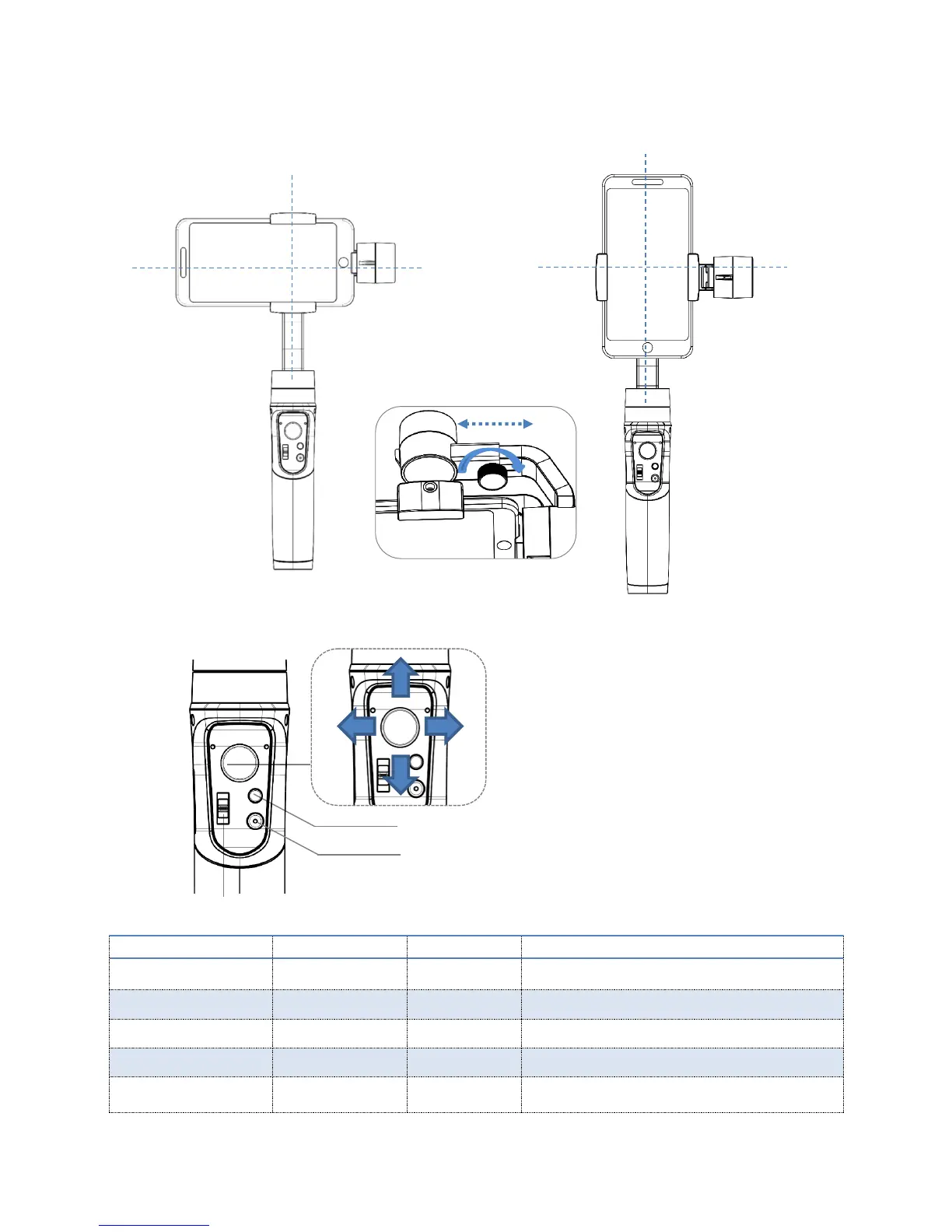
4.Balance the Smartphone
5、Operation Instruction
Flash for once
(Quick flash)
Default mode, tilt & roll axis both locked, camera
can move to left or right smoothly.
Roll axis locked, camera can move to left/right, and
tilt up/down.
The camera stays in its current orientation.
Flash for once
(Slow flash)
Tilt axis, roll axis and pan axis all follow
Tilt or roll angle not leveled with horizontal surface,
or pan angle drift in lock mode.
To adjust the smartphone
gravity center by sliding
arm until it keeps balance
on the tilt axis to ensure
the best stabilizing status
and enduration time
Panning right/ left
Tilting up/ down
ON/OFF(Long press for 3 seconds)
Shutter Button: Single Press:Take photo(Bluetooth is connected)
Double Press:Start video(Bluetooth is connected)
Zoom in/ out& Focus
(Setting in the App)



 To Next Page