EasyManua.ls Logo

Hohem iSteady Pro 4 - User Manual

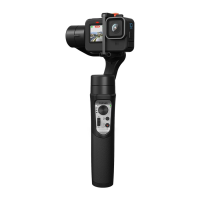
Hohem iSteady Pro 4
82 pages
Print Icon
To Next Page IconTo Next Page
Loading...
1
iSteady Pro 4
User Manual • Uživatelský manuál •
Užívateľský manuál • Használati utasítás •
Benutzerhandbuch
Question and Answer IconNeed help?

Do you have a question about the Hohem iSteady Pro 4 and is the answer not in the manual?

Summary

Disclaimer

Product Overview

List of Accessories

App Download

Charging the Gimbal

Mounting the Action Camera

Operation Instructions

Gimbal Mode Button

Camera Connection; Remote Control Indicator

Hohem Gimbal App Instructions

Other App Features

Gimbal-specific settings

Adjust follow speed, joystick, dead zone, trim, reverse, motor, and camera options for gimbal performance.

Calibration

Method 1: Offline calibration

Calibrate by powering on, long-pressing mode button, and placing on a flat surface without vibration.

Method 2: 6-Side calibration using the app

Connect to app via Bluetooth, enter calibration menu, and follow in-app instructions for accurate leveling.

Firmware Upgrade

Frequently Asked Questions

Specifications

Warranty Conditions

EU Declaration of Conformity

WEEE

Hohem iSteady Pro 4 Specifications

General IconGeneral
BrandHohem
ModeliSteady Pro 4
CategoryAction Cameras
LanguageEnglish