7
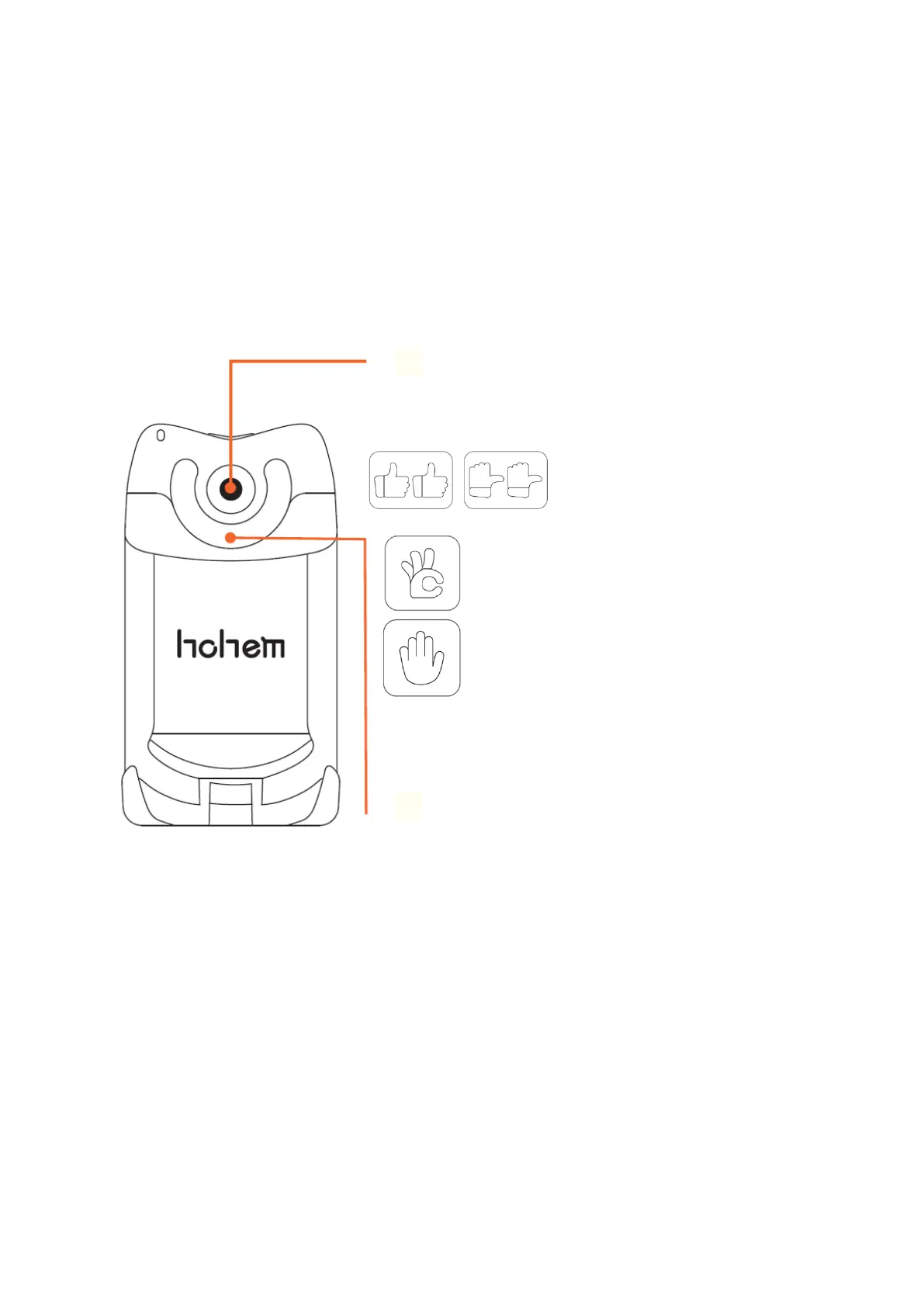
Al Visual Tracking & LED Video Light
To enable this function, please press Al vision sensor & LED video light power button, Al
vision indicator will turn red and the LED video light will show double flash.
*Please ensure that the gimbal has turned on before enabling this function. For closing
this function, please long press Al vision sensor & LED video light power button.
① Al Visual Tracking
Switch between landscape and portrait mode: Two
hands facing towards the Al vision sensor.
Landscape mode: Thumbs-up
Portrait mode: Thumbs-right
Start smart tracking: take a OK gesture
towards the Al vision sensor, Al vision
indicator will turn green
Turn off smart tracking: show a palm
gesture towards the Al vision sensor and
Al vision indicator will turn red
*Please ensure that only both the face and gesture
appear together in front of the sensor, the smart
tracking will be activated.
② LED Video Light
Press Al vision sensor & LED video light power button to adjust the light intensity, LED
turns according to low-medium-high-close modes.



 To Next Page