Clavinet D6 Disassembly Guide
http://www.oldschool-sound.com
Page4/4
Clavinet D6 Disassembly Guide Page Four
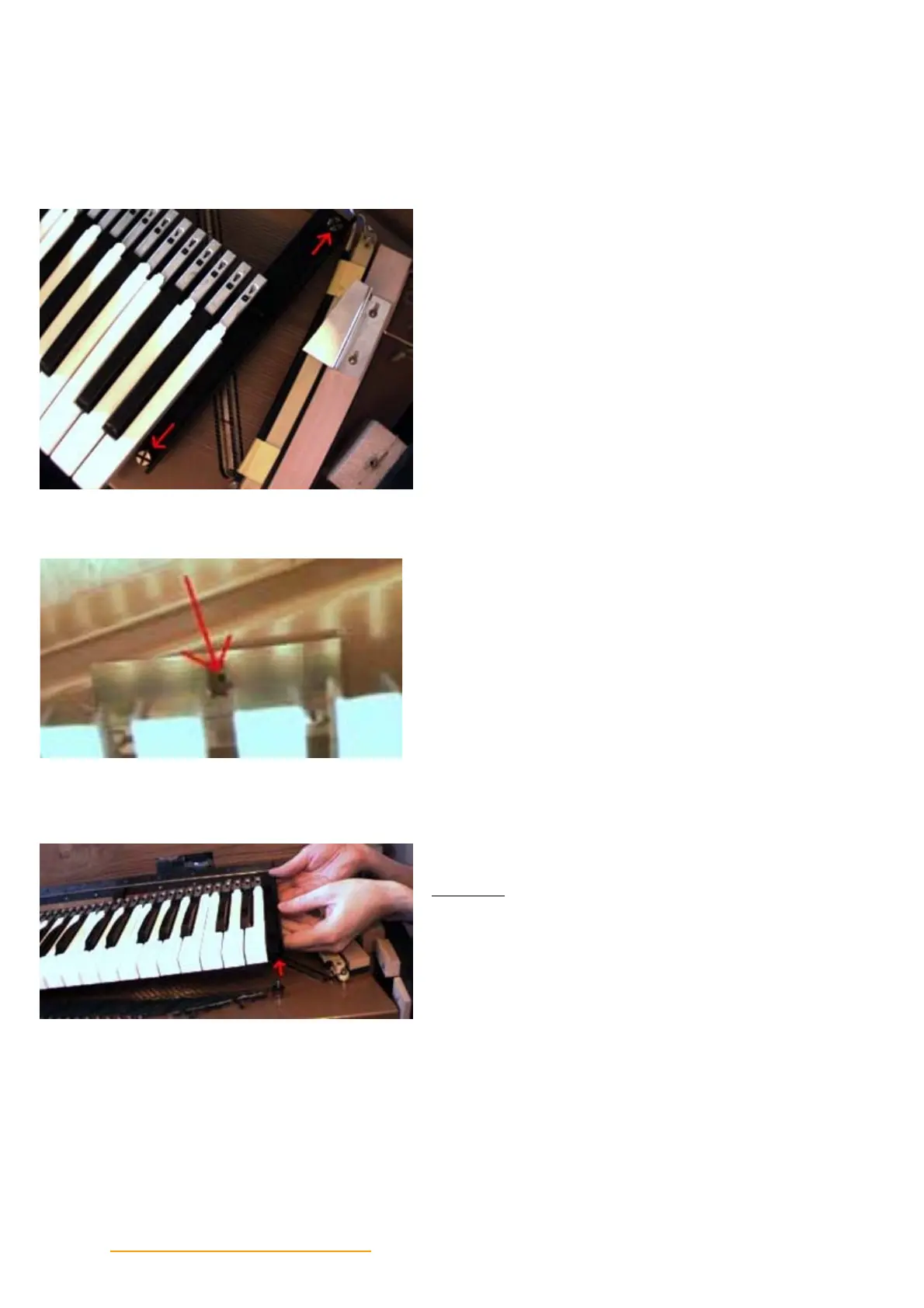
Locate the two screws on the right side of the
keyboard assembly and remove.
In the center of the keyboard at the top, is a small
brace located beneath the keys. Remove the screw in
the center (its removed in the photo).
Step Four
Grasp the keyboard assembly by the metal bars and
lift it off the 4 studs.


 To Next Page