Clavinet D6 Disassembly Guide
http://www.oldschool-sound.com
Page3/3
Clavinet D6 Disassembly Guide Page Three
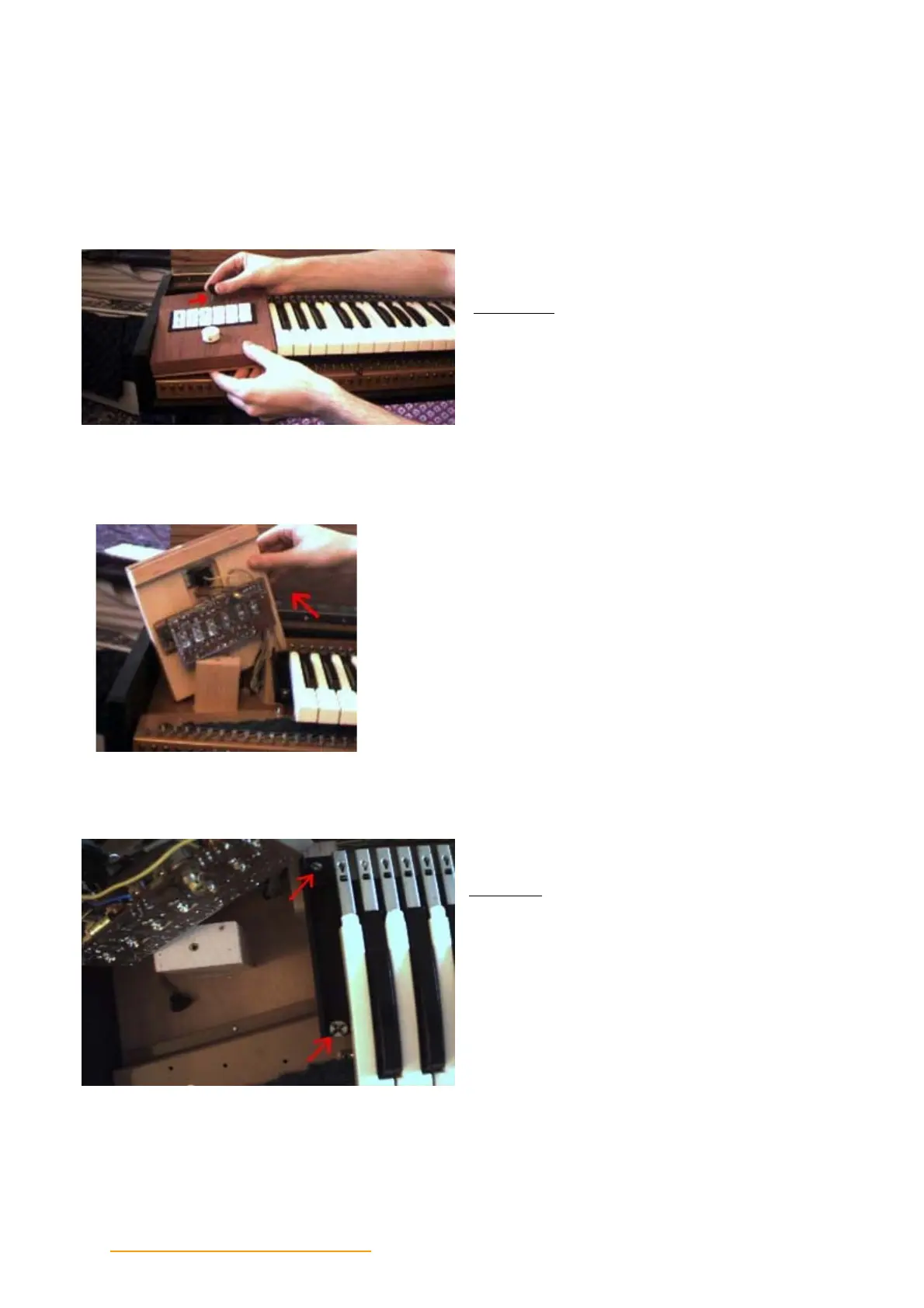
Step Three
Remove the thumbscrew located are the top
of the left wood panel containing the binary
switches and volume control.
Since the left wood panel is electrically attached to the
keyboard, simply set it behind the wood block standing up.
Step Four
Locate the two screws on the left side of the
keyboard assembly, the lower screw has a
"castle-nut" shape. Remove both with a
standard screwdriver.


 To Next Page