Need help?
Do you have a question about the Hohner Clavinet D6 and is the answer not in the manual?
Remove the two thumbscrews on the lower front panel before detaching the front panel.
Pull the front panel down from its top ledge, noting its seating in a notch and below the right panel.
Locate and remove the thumbscrew in the upper right hand corner of the right wood panel.
Pull the wood panel out, observing the elongated metal piece and the attached red wheel damper mechanism.
Remove the thumbscrew at the top of the left wood panel containing switches and volume control.
Set the electrically attached left wood panel behind the wood block, standing it up.
Locate and remove two screws on the left side of the keyboard assembly, including a 'castle-nut' shaped one.
Locate and remove the two screws situated on the right side of the keyboard assembly.
Remove the screw from the small brace located beneath the keys in the center of the keyboard.
Grasp the keyboard assembly by the metal bars and lift it off the four supporting studs.
Lift the keyboard assembly off using two hands for stable removal, as demonstrated.
Congratulations on gaining direct access to the strings and the keyboard assembly.
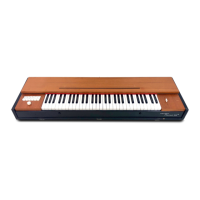
The provided document outlines a detailed disassembly guide for a Hohner Clavinet D6, a well-known electromechanical keyboard instrument. This guide, spanning five pages, systematically breaks down the process of accessing the internal components, specifically the strings and keyboard assembly, which are crucial for maintenance, repair, or modification.
The Hohner Clavinet D6 is an electromechanical keyboard instrument that produces sound by striking strings with rubber tips attached to the keys, similar to a clavichord. The vibrations of these strings are then picked up by electromagnetic pickups, much like an electric guitar, and amplified. This unique sound production method gives the Clavinet its distinctive "funk" or "wah-wah" tone, making it a staple in various music genres, particularly funk, R&B, and rock, from the late 1960s through the 1980s. The disassembly guide focuses on providing access to the internal mechanisms, which are essential for its proper functioning. This includes the strings, dampers, and the keyboard assembly itself. The ability to access these components is vital for tasks such as replacing worn-out strings or rubber tips, adjusting damper mechanisms, cleaning internal parts, or troubleshooting electrical issues related to the pickups or wiring.
While the document doesn't explicitly list technical specifications, the disassembly process reveals key structural and mechanical aspects:
The disassembly guide doesn't directly describe usage features but rather the process of preparing the instrument for maintenance or repair. However, understanding the internal structure provides insight into its playability and sound:
The entire document serves as a maintenance guide, detailing the steps required to access internal components for various maintenance tasks:
In summary, the Hohner Clavinet D6 Disassembly Guide is an invaluable resource for anyone needing to perform maintenance or repairs on this classic instrument. It systematically details the removal of external panels and the keyboard assembly, providing crucial access to the internal strings, dampers, and electrical components that define the Clavinet's unique sound and functionality. The design, as revealed through the disassembly process, emphasizes a balance between structural integrity and maintainability, utilizing both tool-free thumbscrews and standard screws for different levels of access.
 General
| Brand | Hohner |
|---|---|
| Model | Clavinet D6 |
| Category | Electronic Keyboard |
| Language | English |

 To Next Page